Key takeaways
- Workflow handoff failures account for more operational breakdown than tool failures in AI-assisted businesses
- Sales-to-marketing, operations-to-support, and support-to-engineering are the three highest-risk transition zones
- Context loss at handoff points is the core problem, not integration failures
- Ownership must be assigned at every transition stage before tooling is selected
- Mapping handoffs before scaling AI usage prevents compounding operational debt
The gap nobody is auditing
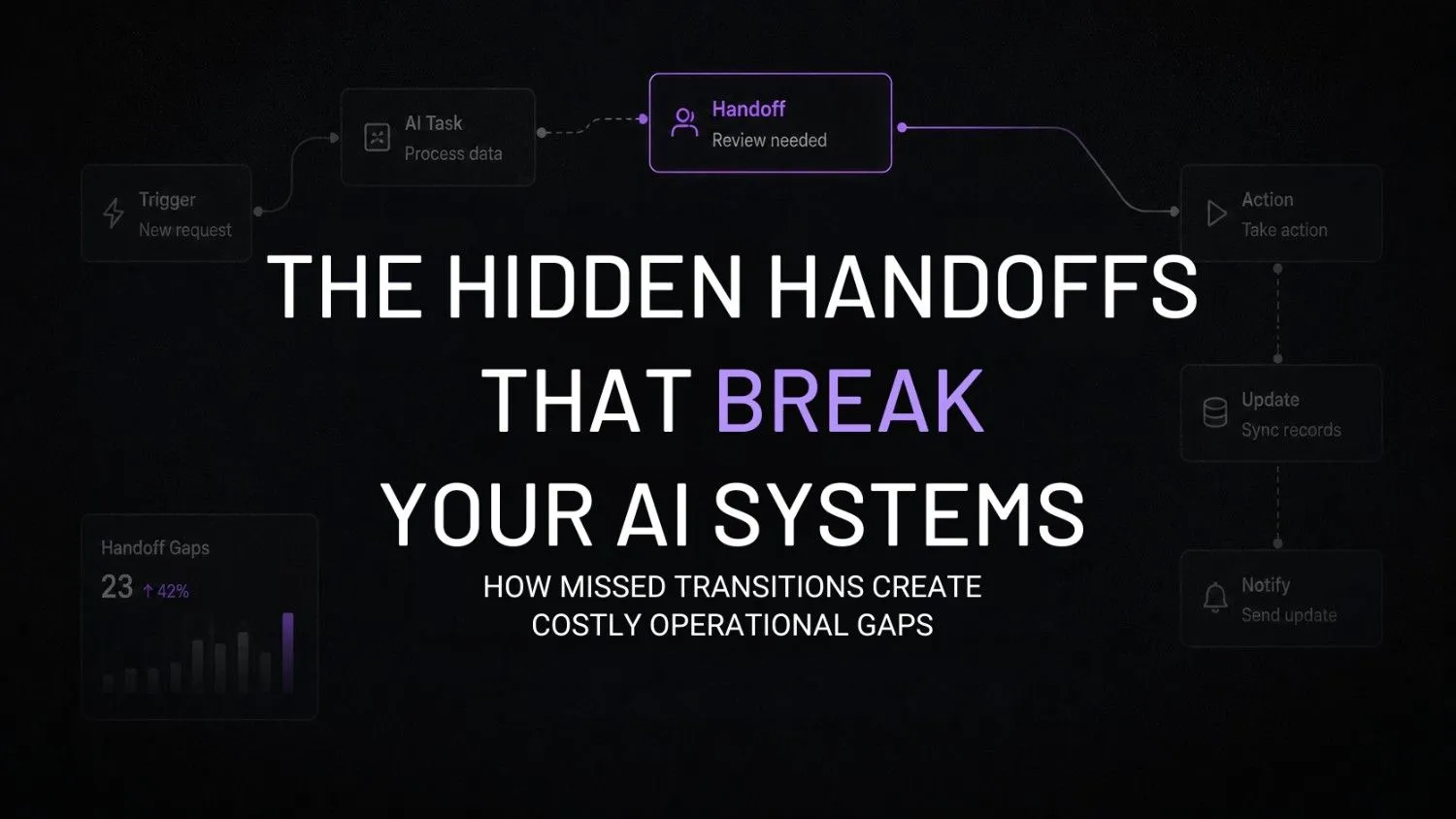
There’s a specific moment in almost every AI-assisted workflow where things quietly fall apart. It’s not when the tool breaks. It’s not when the prompt fails. It’s the moment a task leaves one person’s hands and enters someone else’s queue.
That moment, the handoff, is where most AI workflow breakdowns actually originate. A McKinsey Global Institute study found that workers spend nearly 20 percent of their workweek simply tracking down colleagues or hunting for internal information. Layer AI volume on top of that coordination gap and the compounding effect on handoffs becomes obvious.
These problems rarely appear all at once. Small gaps turn into AI operational debt, and before long teams are relying on shadow operations just to keep work moving.
Most founders building AI workflow infrastructure are watching the wrong thing. They’re monitoring outputs, reviewing tool costs, and tweaking prompts. But they’re not watching what happens between the tools.
That’s the blind spot.
Why AI doesn’t create handoff problems, it just exposes them faster
Before AI, a broken handoff between sales and marketing meant a handful of missed follow-ups every week. Manageable. Annoying, but survivable.
Now it means hundreds of AI-qualified leads getting routed to the wrong nurture sequence, daily, while every dashboard shows green. The automation is running. The handoff is silent. And nobody notices until the pipeline numbers start moving the wrong direction three weeks later.
This is the pattern that shows up repeatedly across businesses running AI workflows at any real volume. The tools aren’t the problem. The spaces between the tools are.
That’s usually when spreadsheet workflow failures start showing up as teams rely on manual fixes to keep things moving. Leave those gaps alone for long enough, and they can quietly turn into revenue leakage, even though every automation looks like it’s working.
What I’ve noticed working with businesses is that the first thing founders look for when something breaks is a tool failure. They check the integration, they check the API logs, they check the prompt. The handoff design, which usually means a vague Slack message or an email forward, never gets audited.
Pause and think: Right now, pick one workflow in your business that crosses two teams or two tools. Can you describe exactly what information transfers at that junction, who receives it, in what format, and who owns the next step? If that answer takes more than thirty seconds to produce, the handoff is probably undocumented.
The three handoff zones that break most AI workflows
Sales to marketing
This is the most common failure point, and it’s almost always invisible until something expensive happens.
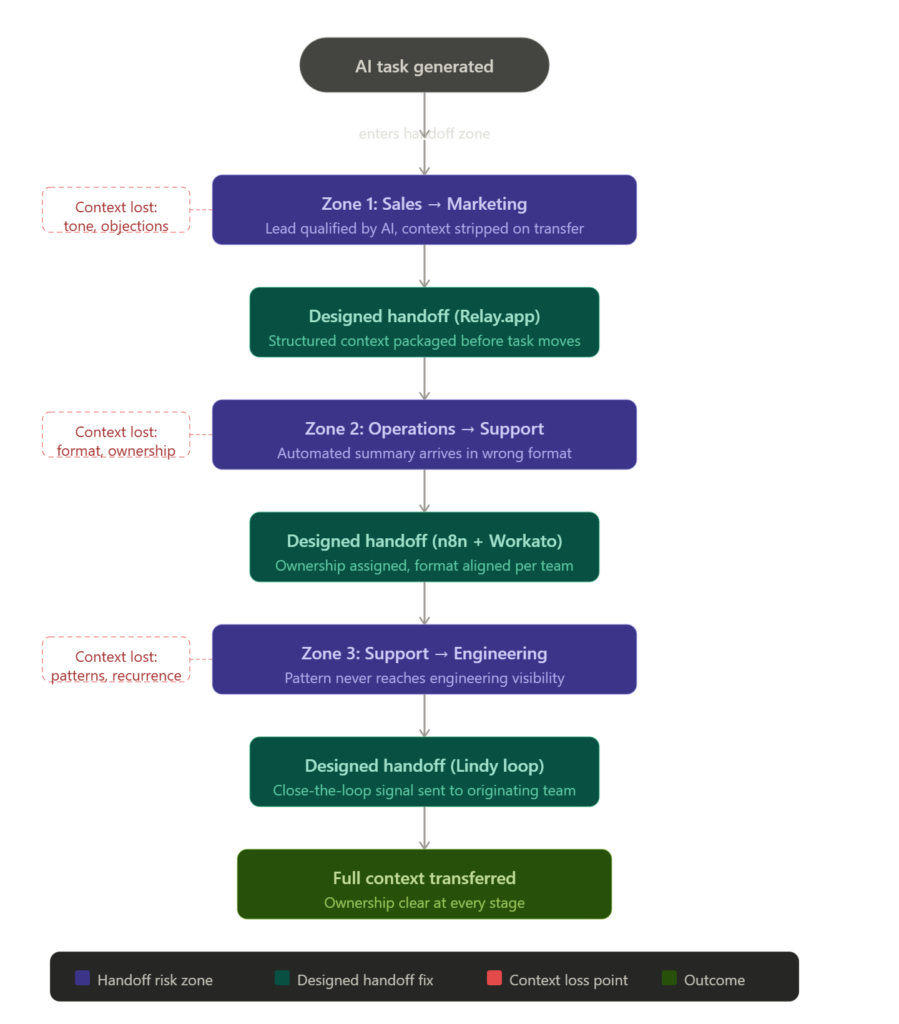
Sales qualifies a lead using an AI outreach tool. The lead gets flagged as high-intent. Marketing receives a name, an email address, and maybe a tag. The conversation history, objection signals, tone patterns, and buying context that the AI actually captured? Gone. Routed into a generic sequence that ignores everything useful.
Both AI systems did their jobs. The handoff carried almost nothing.
Operations to support
Operations runs an automated process and generates a summary. Support receives it in a format they didn’t design, using terminology that doesn’t match their workflow, inside a system they check twice a day at best.
The AI summary was accurate. The handoff was the wrong shape for the receiving team. So the summary either gets ignored or manually re-interpreted, which defeats the point entirely.
Support to engineering
This one is slow and expensive in a way that doesn’t surface immediately. A customer complaint gets logged. AI summarizes it. Support closes the ticket. Engineering never sees the pattern underneath it.
Three months later, the same complaint appears forty more times. The AI summaries were fine. The handoff from support context to engineering visibility was never designed.
What AI workflow handoffs actually look like operationally
It’s Tuesday. 9:15am. Your sales team’s overnight AI qualification run just finished inside Lindy. Twenty-three leads flagged as high-intent, with conversation tone data, objection categories, and page visit sequences attached to each one.
Those leads now need to move into a marketing nurture workflow. But the context Lindy captured isn’t automatically available in your marketing stack. So someone copies the name and email. The rest disappears.
Here’s how a designed handoff fixes that, stage by stage.
Stage one: capturing context before it moves
Relay.app handles this specific problem. It’s built around human-in-the-loop handoff steps, which means it forces a structured documentation moment before a task moves forward. The receiving team doesn’t just get a task. They get what the sending system actually captured.

Relay.app
Relay.app is an AI-native workflow automation platform built for teams that want to automate repetitive processes without losing control. It combines visual workflows, AI actions, and human approval steps, making it especially useful for operations, agencies, and growing startups.
Stage two: routing with logic, not notifications
n8n manages the multi-step routing. When a lead crosses a qualification threshold inside Lindy, n8n triggers a structured handoff package into the marketing queue. Not a ping. Not a Slack notification. A documented transfer with context included.

n8n
n8n is a workflow automation platform built for technical teams that need more flexibility than traditional no-code tools. It supports self-hosting advanced logic AI integrations and custom workflows while giving developers full control over automation infrastructure.
Stage three: cross-team orchestration at scale
For workflows crossing three or more departments, Workato handles the orchestration layer. It explicitly maps ownership at each stage. No task moves without a named owner on the receiving end. That single constraint eliminates most of the “I thought someone else had it” failures.

Workato
Workato is an enterprise automation and AI orchestration platform that helps organizations connect apps, data, APIs, and business processes. Its AI capabilities enable teams to build, deploy, and govern enterprise-grade AI agents that can securely take actions across business systems.
Stage four: mapping dependencies visually before building
Make provides the visual layer before any of this gets built. Mapping workflow dependencies visually first reveals where handoffs actually exist in a process. Most teams discover three or four handoffs they didn’t know were there.
Make
Make (formerly Integromat) is a visual automation platform that lets you connect apps and build workflows without coding. It’s designed for businesses and creators to automate repetitive tasks and streamline operations across tools.
Stage five: closing the loop asynchronously
Lindy handles the feedback layer. When tasks complete or stall at a receiving stage, Lindy generates a lightweight signal back to the originating team. Not a full status report. Just a structured close-the-loop message that confirms the handoff landed.

Lindy.ai
Lindy.ai is an AI assistant that manages emails, meetings, scheduling, and follow-ups from one place. It’s designed for busy professionals and teams who want to automate repetitive admin work and save hours every week.
Wrong approach vs right approach
| Wrong approach | Right approach |
|---|---|
| Assume the tool manages the handoff | Design the handoff before selecting a tool |
| Pass completion notifications between teams | Pass structured context with every task |
| Measure AI output volume | Measure handoff completion rate and context fidelity |
| Assign tools per department | Assign ownership at every transition point |
| Fix handoffs after breakdown | Audit handoffs before scaling AI usage |
| Use Slack as the connective layer | Use a handoff-specific system with documentation |
| Add integrations to fix routing failures | Map the workflow gap before adding technology |
Self-audit: are your handoffs actually designed?
Run through this against one active AI workflow right now:
- Do you know the exact format each receiving team expects when a task arrives from another stage?
- Is context transferred automatically between workflow stages, or does someone manually re-enter it?
- Can you name the person responsible for each handoff step without checking a chart?
- Do you have visibility into tasks that stall between stages, not just tasks that complete?
- Has anyone on your team ever mapped a full workflow end-to-end, including the gaps?
- Are your AI tools communicating through a structured layer or through forwarded Slack messages?
More than two “no” answers means your handoffs are currently your biggest operational risk. Not your tools.
The pattern that compounds quietly
A Gartner survey of over 780 infrastructure and operations leaders found that only 28 percent of AI use cases fully succeed and meet ROI expectations. Integration into existing workflows was the primary factor separating those that succeeded from those that didn’t.
The tools work. The handoffs don’t. But because everything appears to be running, nobody escalates it.
This is also why AI stack audits tend to surface handoff problems before tool problems. When you map the full stack end-to-end, the gaps between stages become visible in a way that monitoring individual tools never reveals.
And it’s why failed AI adoption patterns usually trace back to process problems, not technology problems. The AI was adopted. The workflow underneath it was never documented. The handoff was assumed, not designed.
But the failure gets logged as an AI problem.
This is not a tool problem
Founders see a handoff failure and immediately look for a new integration. A connector, an automation, a webhook. Something technical that explains the gap.
But most handoff failures are ownership failures. The task moved. Nobody knew who was receiving it, in what format, by when, or what they were supposed to do with it when it arrived.
No tool fixes that. A workflow design decision fixes that.
Adding more tooling to a broken handoff system is exactly how businesses end up running AI workflow maintenance cycles that cost more than the original build. Each new tool adds another handoff point that hasn’t been designed. The operational debt compounds silently.
And if you’re already feeling like you’re managing too many disconnected tools, the handoff layer is almost certainly where the confusion is originating. Too many AI tools without designed transitions between them creates the operational noise that makes everything feel harder than it should.
FAQs
What actually counts as an AI workflow handoff? Any moment a task, output, or piece of data moves from one system, team, or tool to another. The transition itself, not the tools on either side of it, is the handoff. That’s where context gets lost and ownership breaks down.
How do I know if a handoff is broken if everything looks like it’s running? Look for repeated manual re-communication between teams, information that gets re-entered rather than transferred, and tasks that arrive at the next stage without enough context to act on. Those are the clearest signs, and they’re usually accepted as normal before anyone investigates.
Should I fix the process or get a better tool first? Fix the process. Map what actually needs to transfer at each stage, who owns it, what format it arrives in, and what the receiving team does with it. Then choose tooling that supports that design. Selecting a tool before designing the handoff almost always creates more problems.
Is this only a problem for larger teams with multiple departments? No. A two-person operation running AI tools across sales and operations can have broken handoffs. The problem scales with AI usage volume, not headcount. The more tasks your AI systems are processing, the more damage an undesigned handoff causes.
Why do founders keep blaming the tools when handoffs break? Because tools are visible and handoffs aren’t. You can log into a tool and check its output. You can’t easily see what happened between stages unless you specifically designed visibility into that gap. So the tool gets blamed for a problem it didn’t cause.
Conclusion
The next real operational divide isn’t going to be about which AI tools a business uses. It’s going to be between businesses that designed their handoffs before scaling AI and businesses that didn’t.
Teams that skipped handoff design during early adoption are going to spend the next twelve to eighteen months untangling compounding integration debt. Not because the tools failed. Because the spaces between the tools were never actually built.
The businesses running cleanly won’t be the ones with the most sophisticated AI. They’ll be the ones that treated every transition point in their workflow as something worth designing deliberately.
You see the same thing in regulated industries, where weak handoffs can slow KYC verification workflows or delay insurance claims workflows. Teams that get ahead of these problems design the handoffs early instead of fixing them after they break.
Worth sitting with: in your current AI workflows, do you actually know what happens to a task the moment it leaves one team’s ownership and enters another’s? Not what’s supposed to happen. What actually happens.
Your next move
Pick one handoff in your current AI workflow, specifically the transition that involves the most manual re-communication or the most frequent context gaps. Open a blank document right now and map it: what leaves one stage, in what format, who receives it, and what context is currently missing when it arrives. That single exercise, which takes under ten minutes, will show you exactly where your next operational fix needs to happen.