Key takeaways
- 79% of enterprises have adopted AI only 11% run it in production. Tool fragmentation is the root cause.
- Agentic AI platforms plan, execute, and self-correct. Traditional AI tools just respond.
- These 5 platforms replace entire tool categories not just individual apps.
- Gartner projects 40% of enterprise apps will include AI agents by end of 2026, up from under 5% in 2025.
- Organizations with deployed agents report 5x–10x ROI and 93% plan to scale within 12 months.
Now someone on your team is copying output from one Artificial Intelligence tool and pasting it into another Artificial Intelligence tool. That is not a workflow. That is digital busywork with a more expensive price tag.
The average business is running than twenty three Artificial Intelligence point tools that each solve one thing and none of them talk to each other. You have got a writing tool, a summarization tool, a scheduling tool, a code tool and a prospecting tool all sitting in tabs all requiring a human to bridge the gaps.
According to a Gartner report from August 2025 forty percent of enterprise apps will include task Artificial Intelligence agents by the end of 2026 up from less than five percent in 2025. The shift is already happening. The question is whether your stack shifts with it or gets left behind paying for twenty three tools that accomplish what one agent platform could.
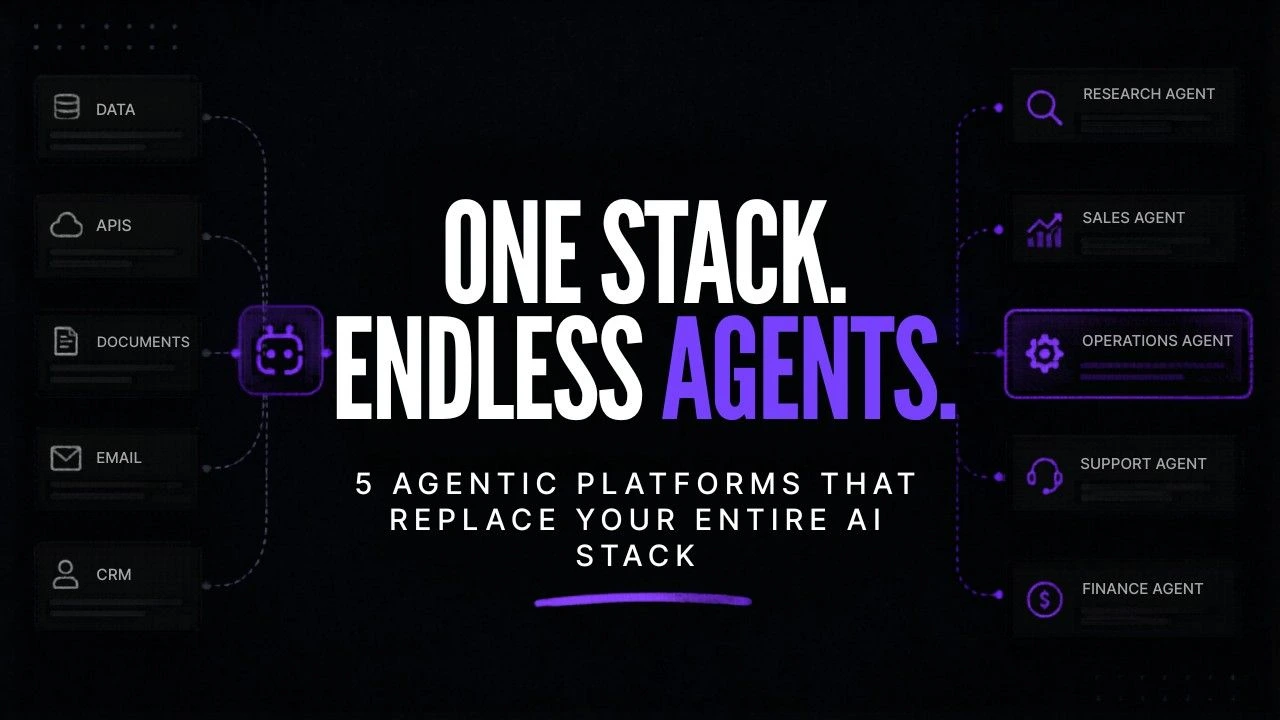
This is not a list of tools to try. It is a stack intervention. Here are the five agent first platforms that genuinely replace tool categories and the honest breakdown of each.
The 79% vs. 11% problem that’s bleeding your budget
Nearly 8 in 10 enterprises say they’ve adopted AI. But only 1 in 10 actually run AI agents in production. That’s the adoption gap and it’s not a technology problem. It’s a fragmentation problem.
When every tool operates in its own silo, you can’t build autonomous workflows. You build more manual processes with a slightly smarter interface. The result? More subscriptions, more context-switching, and exactly the same number of people manually managing it all.
Pause and think: How many of your current AI tools can take an action not just suggest one without a human approving every step? If the answer is zero, you’re sitting in the 89% who haven’t crossed the production line yet.
Now here’s where it’s worth being precise because two stats in this article can look like the same number but aren’t. The 79% vs. 11% gap measures how many companies have AI tools versus how many have deployed agents in real, live workflows. That’s an adoption problem. Later, we talk about 89% of AI deployments failing that’s a separate measurement. It tracks companies that did attempt to deploy agents but couldn’t get them to stick in production due to poor governance, unclear scope, or tool fragmentation. One stat is about getting started. The other is about what goes wrong after you do. Both matter, and fixing one doesn’t automatically fix the other.
The businesses closing that gap aren’t buying more tools. They’re consolidating onto platforms where AI agents plan, execute, and self-correct inside a single system. That’s the structural difference between automation and agency.
Automation follows instructions. Agents pursue goals.
Automation fires when triggered. It runs a fixed sequence and stops. If something breaks mid-workflow, it stops there too and waits for you.
Agentic AI is different. You give it a goal. It figures out the steps, picks the tools, executes, checks its own output, and adjusts when something doesn’t work. It doesn’t ask permission at every junction.
Imagine this: you tell an agent to research your top 20 competitors, extract their pricing pages, identify positioning gaps, and draft a comparison doc. A traditional stack needs five tools, three manual transfers, and two hours of someone’s time. An agentic platform does the entire thing autonomously.
That’s what the best agentic AI workflow automation tools actually deliver. According to Capgeminis 2026 research on enterprise Artificial Intelligence agents organizations that deploy them successfully report 5x to 10x ROI with 93% planning to scale within 12 months because the competitive edge compounds fast.
The 5 agent-first platforms worth replacing your entire stack for
Each platform below wasn’t built by adding an “AI” button to an existing product. These were designed from the ground up around autonomous agents that act not just assist.
1. Cursor – Kills 5+ Dev Tools With One AI Code Editor
Cursor is an AI-powered code editor that doesn’t just autocomplete it plans, debugs, and refactors entire codebases autonomously. Feed it a goal and it writes the implementation, catches its own errors, and proposes fixes without switching between a linter, a debugger, a documentation tool, and a code review platform.
What it replaces: GitHub Copilot, standalone debuggers, code review tools, separate refactoring tools, documentation generators.
Best for: Dev teams and technical founders building or maintaining production code.
Honest catch: Non-technical users won’t get much out of it this one’s built for developers.
If your team is already evaluating which AI tools for developers are worth keeping, Cursor consistently comes out as the one that makes the rest redundant.

Cursor
Cursor is an AI coding agent designed to help developers build software by delegating coding tasks to AI. It combines an AI-first development environment with agents, cloud agents, Composer, CLI tools, and access to multiple frontier models.
2. Gumloop – Kills Zapier, Make, and Your Entire Script Library
Gumloop is a visual workflow builder designed specifically for chaining agent tasks with zero custom code required. You drag, connect, and deploy autonomous pipelines that handle multi-step logic, conditional branching, and tool integrations in a single canvas.
What it replaces: Zapier, Make (formerly Integromat), Python scripts, and manual workflow management tools.
Best for: Non-technical ops teams who’ve outgrown Zapier but don’t have engineering support.
Honest catch: More powerful than Zapier, but the learning curve is real if you’re migrating complex existing workflows.
What I’ve noticed working with businesses is that Gumloop is the tool where ops teams stop saying “I need to ask a developer” because the logic is visual enough to own themselves.

Gumloop
Gumloop is a no-code AI automation platform that helps users build workflows, agents, and business automations using visual drag-and-drop blocks. It is designed for teams that want to automate repetitive tasks, connect apps, and deploy AI-powered workflows without engineering resources.
3. Relevance AI – Kills 10+ Automation Tools With One No-Code Agent Builder
Relevance AI helps you create AI workers that do a lot more than just follow workflows. Each Relevance AI worker has its memory, its own role and its own set of tools that it can use on its own. You can use Relevance AI to send out agents that do things like sales research, lead enrichment, support triage and content operations.. The good thing is you can do all of this from a visual builder without needing to know how to code.
What Relevance AI replaces:
- Lead enrichment tools
- Standalone chatbot platforms
- Support automation tools
- Content workflow tools
- Basic CRM automation.
Relevance AI is best for medium businesses and marketing or sales teams that need to automate a lot of things but do not have a developer.
One thing to keep in mind about Relevance AI is that the price goes up as you use it more. If you need to use a lot of Relevance AI agents it can get pretty expensive.
For teams that are looking into using Relevance AI platforms for companies Relevance AI is a great choice because it is easy to use without needing to code and it is also very powerful. Relevance AI has a balance, between being easy to use and being able to do a lot of things.

Relevance AI
Relevance AI is an AI agent platform that helps businesses build, deploy, and manage autonomous AI agents for operations, customer support, sales, and internal workflows. It is built for teams that want AI automation beyond simple chatbots or task automation
4. Metaflow AI – Kills Siloed Departmental Tools With Multi-Agent Orchestration
Metaflow AI is built for enterprises that need multiple AI agents working together across departments not just one agent handling one task. It manages agent collaboration, context handoffs, and task sequencing at the organizational level, so your sales agent, ops agent, and data agent can work as a coordinated system rather than isolated tools.
What it replaces: Disconnected departmental tools, manual cross-team workflows, siloed automation that doesn’t share context.
Best for: Mid-market and enterprise teams with multiple departments that need agents to talk to each other.
Honest catch: Overkill for small teams the value multiplies with organizational complexity.
For businesses researching the best agentic AI tools for small business, this one likely isn’t the starting point. But for enterprise teams, it’s the infrastructure layer that makes everything else work together.
Metaflow
Metaflow is an AI marketing agent platform built for growth teams, founders, and marketers. It helps automate SEO, AEO, outbound, content workflows, paid campaigns, and growth operations using AI agents, workflows, and a visual builder.
5. AirOps – Kills Fragmented Prompting Tools and Manual Content Pipelines
AirOps builds AI-powered workflows for content, data, and operations teams. It lets you chain LLM steps, web research, data enrichment, and publishing actions into repeatable agent pipelines replacing the patchwork of individual prompting tools, manual review steps, and disconnected publishing workflows most content teams rely on.
What it replaces:
- Standalone GPT wrappers
- Manual content quality assurance tools
- SEO content briefing tools
- Data-to-copy workflows
Best for:
Content teams, growth marketers and Revenue Operations teams that handle high-volume workflows from research to publish.
To be honest these tools are mainly optimized for content and data workflows. They are not the fit, for code or infrastructure use cases.
If your team handles outbound or pipeline workflows you should also compare these platforms with B2B prospecting tools. This will help you decide where to consolidate.
AirOps
AirOps is an AI content operations platform built for SEO, content, and growth teams. It helps businesses automate research, content generation, optimization, and publishing workflows while improving visibility across traditional search and AI search engines like ChatGPT and Google AI Overviews.
Stack consolidation map: What each platform actually kills
| Platform | Tools It Replaces | Best For | Technical Level Needed |
|---|---|---|---|
| Cursor | Copilot, debuggers, code review tools, doc generators | Dev teams | High |
| Gumloop | Zapier, Make, custom scripts | Non-technical ops teams | Low–Medium |
| Relevance AI | Enrichment tools, chatbots, CRM automation, support tools | SMBs, sales/marketing ops | Low |
| Metaflow AI | Siloed departmental tools, cross-team workflows | Enterprise, multi-department | Medium–High |
| AirOps | GPT wrappers, content QA tools, SEO brief tools | Content, growth, RevOps teams | Low |
Why 89% of AI deployments still fail (and the 4 fixes that work)
Having the right platform solves about half the problem. The other half is governance. Its the half that almost nobody talks about until something breaks.
The 11% of people who run agents successfully in production have four habits that most businesses skip:
- Defined agent scope: Every agent has a goal, specific inputs and a clear stopping point. When agents have ended goals they can get stuck in loops make things up or go too far.
- Human escalation triggers: Every workflow has a plan in case something goes wrong. The agent. Flags a human to take over. This isn’t because agents often fail. Because not everything should be automated.
- Decision audit logs: Teams that successfully use agents keep track of what the agent decided and why. This helps catch problems before they get out of hand.
- One workflow, at a time: Successful teams deploy one agent measure its impact fix any issues and then expand. They don’t try to rebuild everything at once.
The uncomfortable truth is that most companies skip governance because it seems slow.. Then they wonder why their agent deployment isn’t working, which puts them in the 89%.
Is your stack actually ready for agents? Run this quick audit.
- Can you list every AI tool your business currently pays for and what it outputs?
- Do any of your current tools share context or memory with each other?
- Can you define 3 workflows that eat the most human time right now?
- Is there someone in your team who can write a clear goal for an agent not just a task?
- Do you have a process for reviewing what an agent decided, even after the fact?
If you said no to three or more, start with one platform and one workflow. That’s not a limitation that’s the actual playbook the 11% uses.
Option A vs. option B: keep the stack or consolidate it
You have two choices.
Option A is to keep using all 23 tools:
- you have to pay for 23 subscriptions
- you have to switch between tools to get things done
- you might not find mistakes until it is too late
- if you want to do more you have to hire people to manage all these tools
- and every new person you hire has to deal with the same complicated system
Option B is to use one platform that does everything:
- one system gets the job figures out the steps does the work fixes its own mistakes and keeps track of what it does
- if you want to do more you just have to adjust some settings you do not have to hire more people
- and new team members can just use the system that is already working
The difference between these two options gets bigger every quarter.
McKinseys State of AI report found that companies that go from trying out artificial intelligence to actually using it in their daily work see big performance gains that keep getting better over time it is not just a one-time thing, the artificial intelligence systems like the one, in Option B the artificial intelligence keeps helping.
Where this goes from here
The next 18 months will not favor businesses with AI tools. Instead it will favor those that cut tools that don’t work and were brave enough to build systems that do.
Each platform on this list replaces a category of tools not just one app. This is a change.
We’re moving from AI that helps one person with one task to AI that runs a function on its own all the time and, at a large scale.
The 11% of companies using AI agents in production aren’t more intelligent. They just stopped seeing AI as a computer program and started seeing it as part of their team.
So here’s a question to think about: If you had to choose one task in your business to give to an AI agent completely starting this week what would it be?