Key takeaways
- Shadow operations are unofficial tracking systems employees build when official workflows lose visibility or reliability
- Personal spreadsheets, private reminders, and side documentation are symptoms, not root causes
- The actual problem is almost always a workflow design flaw, not an adoption failure
- Shadow operations create fragmented information, broken handoffs, and managers acting as human coordinators
- Fixing shadow operations requires workflow redesign, not more tool adoption
Introduction
The workflow looked fine. The spreadsheet told a different story.
Someone on your team, at some point, decided your workflow wasn’t giving them enough visibility to do their job well. So they built something on the side. A private tracker. A shared doc nobody else knows about. A reminder system in their personal notes app.
That’s a shadow operation. And if you’re an operations-heavy founder, you probably have several of them running in your business right now without knowing it. According to Gartner, 41% of enterprise employees are already acquiring, modifying, or creating technology outside of IT oversight and that figure is projected to hit 75% by 2027, as reported in Gartner’s shadow IT research summarized by Auvik. That number hasn’t gone down with AI adoption. If anything, it’s climbing faster.
You see the same thing with spreadsheet workflow failures, where unofficial trackers slowly become the system people actually trust. Over time, that leads to organizational knowledge loss because the process lives with a few people instead of the business.
Here’s what matters: shadow operations are not an attitude problem. They’re not a training problem. They’re a workflow design signal that something in your official process stopped being reliable or visible enough to trust.
If you’re spending time chasing status updates, managing handoffs manually, or watching your team ask each other questions the system should already be answering, you’re already inside a shadow operations problem. What you do next determines whether it becomes operational debt or something you can actually fix.
What are shadow operations?
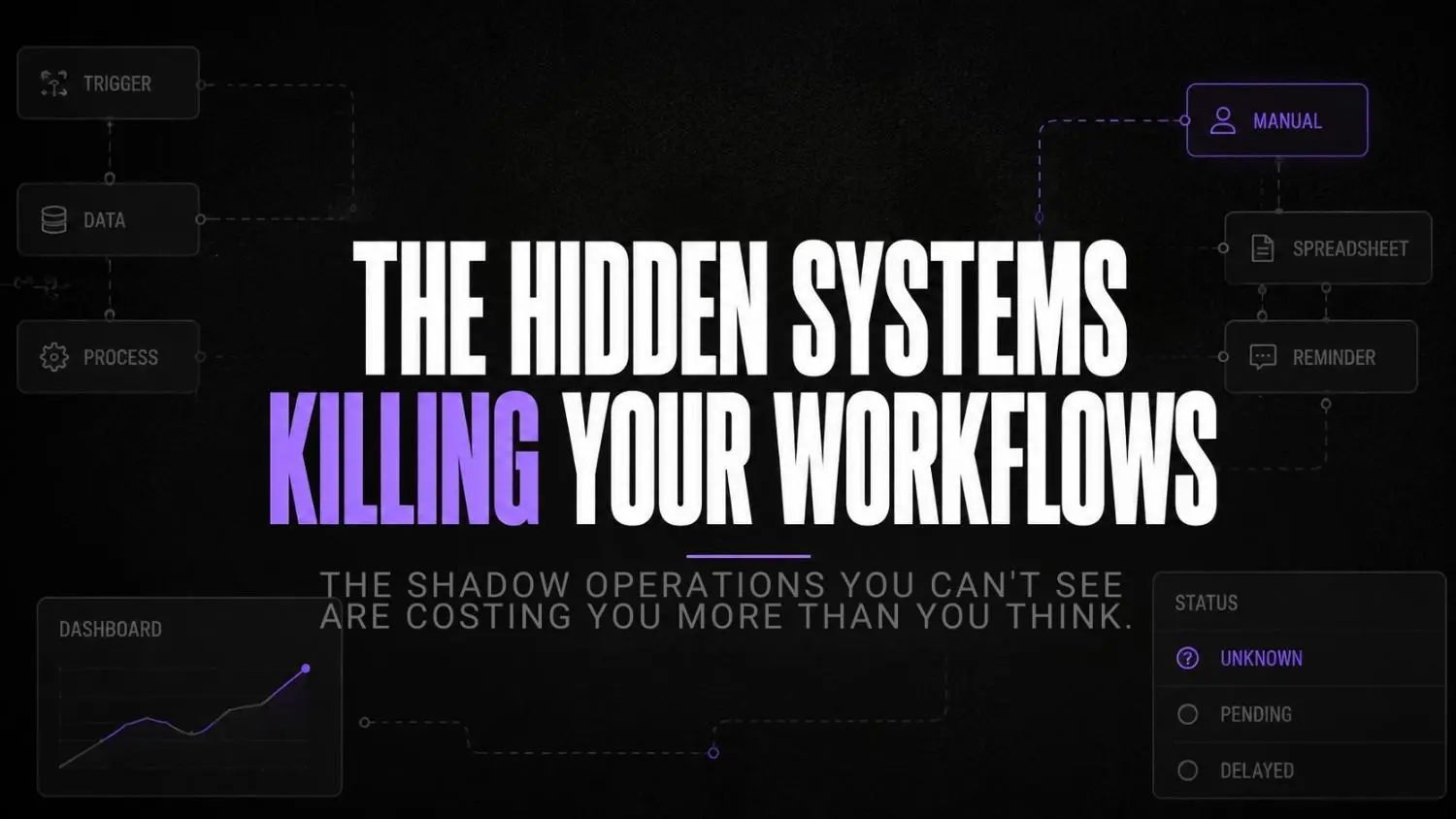
Shadow operations are the unofficial systems employees create when the official workflow stops giving them what they need to work effectively.
They’re not malicious. Nobody builds a personal spreadsheet because they want to undermine your process. They build it because they need to finish their job today and the official system isn’t helping.
What I’ve noticed working with businesses is that shadow operations tend to start small and stay invisible. A tracker here. A reminder there. And then one day you realize six people are maintaining six different versions of the same information, none of which sync with each other, and decisions are getting made from whichever version someone happens to have open.
You see it happen with revenue leakage, where small process gaps quietly turn into missed opportunities. In regulated teams, those same gaps can slow KYC verification workflows because the right information doesn’t reach the right people when it should.
The most common forms include personal spreadsheets tracking status, private Slack channels that have become unofficial ops rooms, manual reminder systems for things that should trigger automatically, and documentation that lives on someone’s local drive because they stopped trusting the official system.
Each one is a data point. Together, they’re a workflow diagnosis.
Why employees build parallel systems
Here’s the honest answer: because the alternative is not knowing.
When a workflow doesn’t surface status clearly, ownership gets murky. Nobody wants to be the person who missed something because the system didn’t tell them. So they build something that does.
Think about a handoff between your sales team and delivery team. If your workflow doesn’t make it obvious when the baton has been passed, what information was transferred, and who’s responsible next, someone is going to build a workaround. A Google Sheet. A shared Notion page. A Slack message they bookmark and pray they remember.
The deeper issue is that most workflows are designed around what the tool can do, not around what the team actually needs to see. That gap is where shadow operations live.
And here’s the part most founders miss: employees building parallel systems are solving the problem. The wrong problem, in the wrong place, in a way that creates workflow visibility issues down the line, but they are solving it. That effort is the signal you should be paying attention to.
5 warning signs your workflow is creating shadow operations
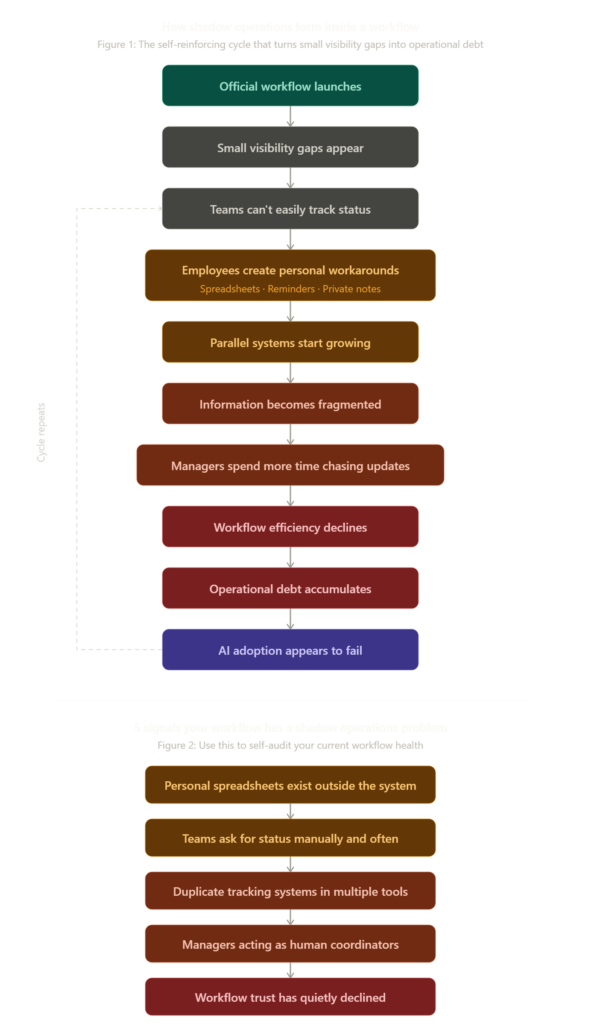
Pause and think: Before reading on, ask yourself honestly: in the last two weeks, how many status updates were communicated through a message rather than through your actual workflow system? If that number is more than two or three, you’re already managing shadow operations.
1. Personal spreadsheets appear outside your main system
This is the most common early signal. When someone builds a tracker outside your official tool, they’re telling you the official tool doesn’t give them what they need. The spreadsheet isn’t the problem. It’s the receipt.
2. Teams ask for status updates manually and often
If your Slack or WhatsApp is full of “any update on X?” messages, your workflow has a visibility problem. A well-designed process surfaces status automatically. When people are asking, the system isn’t talking.
3. Duplicate tracking across multiple tools
When the same task is tracked in your project management tool, a spreadsheet, and someone’s personal notes, you have operational bottlenecks baked into your process. Every time the status changes, three systems need updating. Two of them won’t be.
4. Managers functioning as human coordinators
This one is expensive and easy to miss. When a manager spends their mornings chasing updates, forwarding information between teams, or translating statuses across systems, that’s a sign your workflow has no connective tissue. The manager has become the connective tissue. That’s not leadership. That’s an automation failure in a person’s body.
5. Workflow trust quietly declining
This is the subtlest signal and the most damaging. When people stop believing the system is accurate, they stop updating it. And when they stop updating it, it becomes inaccurate. The cycle accelerates fast. Automation failures often look like disengagement until you realize people simply stopped trusting what the system shows.
| Warning signal | What it looks like | What it actually means |
|---|---|---|
| Personal spreadsheets | Trackers outside the official tool | The system doesn’t surface what people need |
| Manual status requests | Constant “any update?” messages | Workflow visibility has broken down |
| Duplicate tracking | Same task in three places | No single source of truth exists |
| Manager as coordinator | Mornings spent chasing updates | The workflow has no connective tissue |
| Declining trust | People stop updating the system | The process has already lost credibility |
If you recognise more than two of these, the workarounds are already running. The question is how long they’ve been there.
Why most teams misdiagnose the problem
The standard response to shadow operations is to run an adoption campaign.
New training. Mandatory tool usage. Manager enforcement. And for a few weeks, it works. People log things in the official system. Status updates appear where they should. Then, slowly, the spreadsheets come back. The side channels reappear. The system gets stale again.
Because the problem was never adoption. The problem was visibility.
A 2023 study published in Business & Information Systems Engineering found that workaround motivation almost always stems from a perceived misalignment between how the official process is designed and what employees actually need to accomplish their goals, as detailed in this peer-reviewed analysis of workaround behavior. That’s not an attitude problem. That’s a workflow design gap with a paper trail.
When the official workflow doesn’t reliably surface what someone needs to see, enforcement doesn’t make the workflow better. It just adds friction on top of a broken design. People comply while it’s being watched and route around it the rest of the time.
The question isn’t “why won’t people use the system?” The question is: “what does the system fail to show them that they clearly need to know?”
But. Most teams never ask that second question.
The operational cost of invisible workflows
Shadow operations feel low-stakes right up until they’re not.
Here’s a scenario that plays out more often than it should. A company rolls out an AI-assisted workflow for client delivery. Three teams adopt it. Six months later, one team still uses it consistently. The other two have drifted back to email threads, personal trackers, and Slack. When the founder finally investigates, they discover that nobody’s project statuses are accurate, three clients were nearly missed, and a handoff failure cost them one account entirely.
The official system said everything was fine. The shadow operations told a different story.
McKinsey’s research on transformation failures found that less than 30% of digital transformations successfully improve performance over the long term, and more than seven in ten stall or slow at some point. The most commonly cited root cause isn’t budget or technology. It’s that people throughout the organization stop trusting the process because it never worked well enough for them in the first place.
That’s the cost: decisions made on stale data, handoffs that break without anyone knowing, and managers spending recovery time instead of growth time. At scale, it compounds fast. The workflow audit you delayed in month three becomes a crisis investigation in month nine.
And if you’ve started layering AI into workflows that already have shadow operations underneath them, you’re not automating a process. You’re automating the illusion of one.
What shadow operations actually look like operationally
It’s a Tuesday morning. Your operations manager opens her laptop at 8:45 AM.
Before checking the official project management tool, she opens a Google Sheet in a separate tab. This is her actual source of truth. It has 14 active client projects listed, color-coded by risk level, with notes she updates manually after every client call.
She didn’t intend to build this. She built it because, eight months ago, she couldn’t see which projects were at risk inside the official tool without clicking into each one individually. So she started the sheet as a temporary fix. Now it runs her mornings.
By 9:15 AM, she’s sent four Slack messages asking for status updates that should already be visible in the system. By 10:00 AM, she’s updated her sheet with the answers. None of those answers have been entered into the official tool.
At 10:30, a team member references the official project board in a meeting. The data is six days out of date. The meeting stalls while people cross-reference their personal versions.
This is what shadow operations look like on a normal Tuesday. Not dramatic. Not catastrophic. Just quietly expensive, every single day.
How to reduce shadow operations before they become operational debt
Mini checklist: audit your workflow visibility
- Can anyone on your team see the current status of any active project without asking another person?
- Is it obvious from your workflow system who owns each next step?
- Do handoffs create a visible record when they happen?
- Would your workflow surface a problem automatically, or does someone have to catch it manually?
- If a team member went on leave tomorrow, would their work continue smoothly from what’s in the system?
If you answered “no” to more than two of these, you have a workflow design problem that shadow operations are compensating for.
Option A vs Option B: two approaches to the same problem
| Wrong approach | Right approach |
|---|---|
| Enforce tool usage with manager oversight | Redesign workflow to surface what people need |
| Add more tools to track the trackers | Reduce tool count, increase per-tool visibility |
| Run adoption training | Audit what the workflow doesn’t show and fix it |
| Blame team culture for workarounds | Treat workarounds as workflow design feedback |
| Layer AI on top of existing broken flows | Stabilize the workflow before adding AI |
How to reduce shadow operations before they become operational debt
Most founders approach this backwards. Tools first, workflow second. But shadow operations don’t form because you picked the wrong software. They form because the software you have doesn’t match how your team actually needs to work.
The fix is sequenced. Problem first, product second.
Stage 1: Surface what’s actually running
Find every unofficial system your team maintains before touching anything else. Not to shut them down. To understand what the official workflow stopped providing.
Tallyfy is diagnostic here, not just operational. Where tasks consistently stall or get skipped tells you which parts of your workflow people stopped trusting. You’re reading evidence, not guessing.

Tallyfy
Tallyfy is a workflow automation and process management platform designed to help teams document, automate, and track repeatable business processes. It helps organizations replace scattered documents and manual follow-ups with visible workflows that show ownership, progress, and accountability.
Stage 2: Rebuild ownership before anything else
Pipefy is the right call when nobody knows who owns the next step. The stage gate model forces ownership to be declared, not assumed. It removes the most common excuse for a shadow spreadsheet: “I wasn’t sure if it was mine.”
Don’t reach for it if the problem spans multiple teams. It’s a single-workflow tool.
Pipefy
Pipefy is a workflow automation and process management platform that helps businesses organize, automate, and optimize operational processes. It enables teams to create structured workflows for areas like finance, HR, customer operations, procurement, and service management without requiring technical skills.
Stage 3: Lock the handoff, not just the task
Process Street works at the process design level. A handoff can’t close until the outgoing party documents what the incoming party needs. Small constraint, disproportionate effect on workflow visibility. Best when processes are stable and repeatable.
Process Street
Process Street is a workflow management and process automation platform that helps teams document, manage, and automate recurring business processes. It combines checklists, workflows, approvals, and automation features to help organizations improve consistency and operational control.
Stage 4: When the problem spans teams
Camunda models at the orchestration level, not the task level. That’s a meaningful difference when visibility breaks down at team boundaries. The tradeoff is setup complexity. Reach for it after you’ve stabilized internal processes, not before.

Camunda
Camunda is a process orchestration platform that helps enterprises design, automate, monitor, and optimize complex business workflows. It connects people, systems, and applications through scalable process automation built for technical and enterprise environments.
Stage 5: Automate only what’s safe to automate
Relay.app builds human decision points into automated workflows rather than treating them as exceptions. The goal isn’t to automate everything. It’s to automate what doesn’t need a person and keep everything else visible enough that workarounds don’t fill the gap.

Relay.app
Relay.app is an AI-native workflow automation platform built for teams that want to automate repetitive processes without losing control. It combines visual workflows, AI actions, and human approval steps, making it especially useful for operations, agencies, and growing startups.
FAQs
What exactly is a shadow operation in a business context?
A shadow operation is any unofficial system an employee builds to compensate for something the official workflow doesn’t show or do. Usually a spreadsheet, a private tracker, or a side communication channel that gradually becomes the actual source of truth.
How do I know if my business has shadow operations?
The fastest way to find out is to ask. Ask your team what they track outside the official system and why. You can also look for the signals: frequent status update requests, managers acting as coordinators, and multiple versions of the same information floating around in different formats.
Is it always a workflow design problem, or can it be a people problem?
Occasionally it’s both, but the workflow design problem almost always comes first. Shadow operations are rational responses to gaps in visibility. When you fix the workflow, most of the workarounds disappear on their own. If they don’t after a redesign, then you have a culture question to address.
Can AI make shadow operations worse?
Yes, significantly. If you build AI automation on top of workflows that already have shadow operations underneath them, you’re not improving the process. You’re automating the broken version. The shadow operations stay, and now you have AI output that doesn’t match what people are actually tracking.
How long does it take to reduce shadow operations once you start addressing them?
Depends on how embedded they are. In most businesses, if you fix the underlying visibility and ownership gaps, the unofficial systems fade out within four to six weeks because people naturally migrate back to the official system when it becomes more reliable than their workaround.
Conclusion
Shadow operations are going to get more expensive, not less, as AI workflows become more common.
Every automation you build assumes someone’s maintaining the accuracy of the underlying process. When that process has shadow operations running alongside it, the automation is working with data nobody fully trusts. And the failure won’t look like a system crash. It’ll look like a client missed, a handoff dropped, a status that said “complete” when the work was still three days out.
The shift that’s coming is that the businesses who fix their workflow visibility problems now will be the ones who actually get value out of AI later. The ones who skip this step will keep adding tools to a system that’s already fracturing at the seams.
You see the same thing in insurance claims workflows and AI governance for logistics, where small visibility gaps quickly turn into bigger operational problems. The teams that stay ahead of it fix the workflow before they add more automation.
Here’s the question worth sitting with: if your best operator went on leave tomorrow and could only hand off what’s in your official workflow, would everything keep moving? Or would the shadow operations have to come with them?
Your next move
Pick one workflow in your business and spend the next ten minutes asking the person who owns it this question: “What do you track outside the official system, and why?” Write down exactly what they tell you. That answer is your workflow audit starting point.