Key takeaways
- Solo founders waste an average of 36% of their work week on admin tasks, according to a Forbes covered Time etc survey.
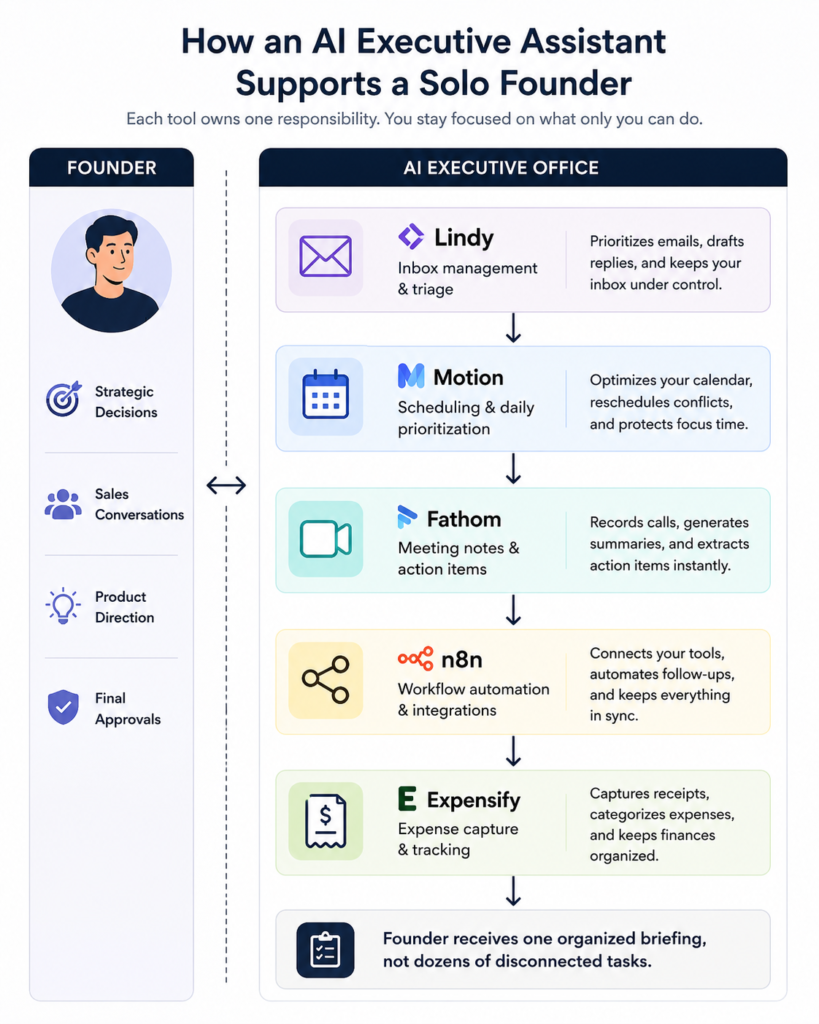
- An AI executive assistant is not one tool but many, working in concert to tackle one specific function each.
- Inbox triage, scheduling, meeting note-taking, follow-ups, and expense tracking are five verticals ready for automation today.
- The number one reason for automation failure is scope creep: trying to do too much at once and leaving no time to iterate.
- A functioning executive office is not built in a weekend, but one focused vertical at a time
Introduction
Every solo founder becomes their own executive assistant, even if it is not planned. When starting to build ones own company one did not imagine to spend half of their time responding to emails or chasing their own invoices. But in the distance between month three and month nine this seems to be the case.
The second worst thing about tasks such as invoice chasing is not the task itself but rather the switching cost around it. That ten minute email in the middle of a strategic planning session does not steal ten minutes from your life, it steals half an hour because the next hour you will be spending trying to get back into the zone you were in before that email. Solo founders spend more than a third of their working week on various day-to-day tasks, according to the survey cited by Forbes, and a significant amount of the remaining time is eaten up by the switching costs around these tasks.
This article is a guide to what an executive assistant for solo founders should be handling, what tools can be used for these tasks without becoming a project in themselves and what are the common pitfalls in setting up this infrastructure.
Why every solo founder ends up being their own executive assistant
Nobody ever gives someone an executive assistant on day one. It gets handed to the founder by default, and it's easy to miss because it often happens right when you're opening your emails at 11.
Pause and think: how many times this week you opened up your emails to check one thing and ended up forty minutes later accomplishing five different things?
That's context switching and context switching is really expensive in terms of lost time. Every time you switch from deep work to tending to your inbox, it takes you time to get back to the place you were before you got interrupted. The thing is, the most boring stuff you see in your daily work as a founder is perfect for being automated
Prioritizing your inbox by priority is not using your founding expertise. Blocking off meetings can be programmed to happen at regular intervals during the day. Even taking notes out of a conversation can be automated.
What an AI executive assistant should actually handle
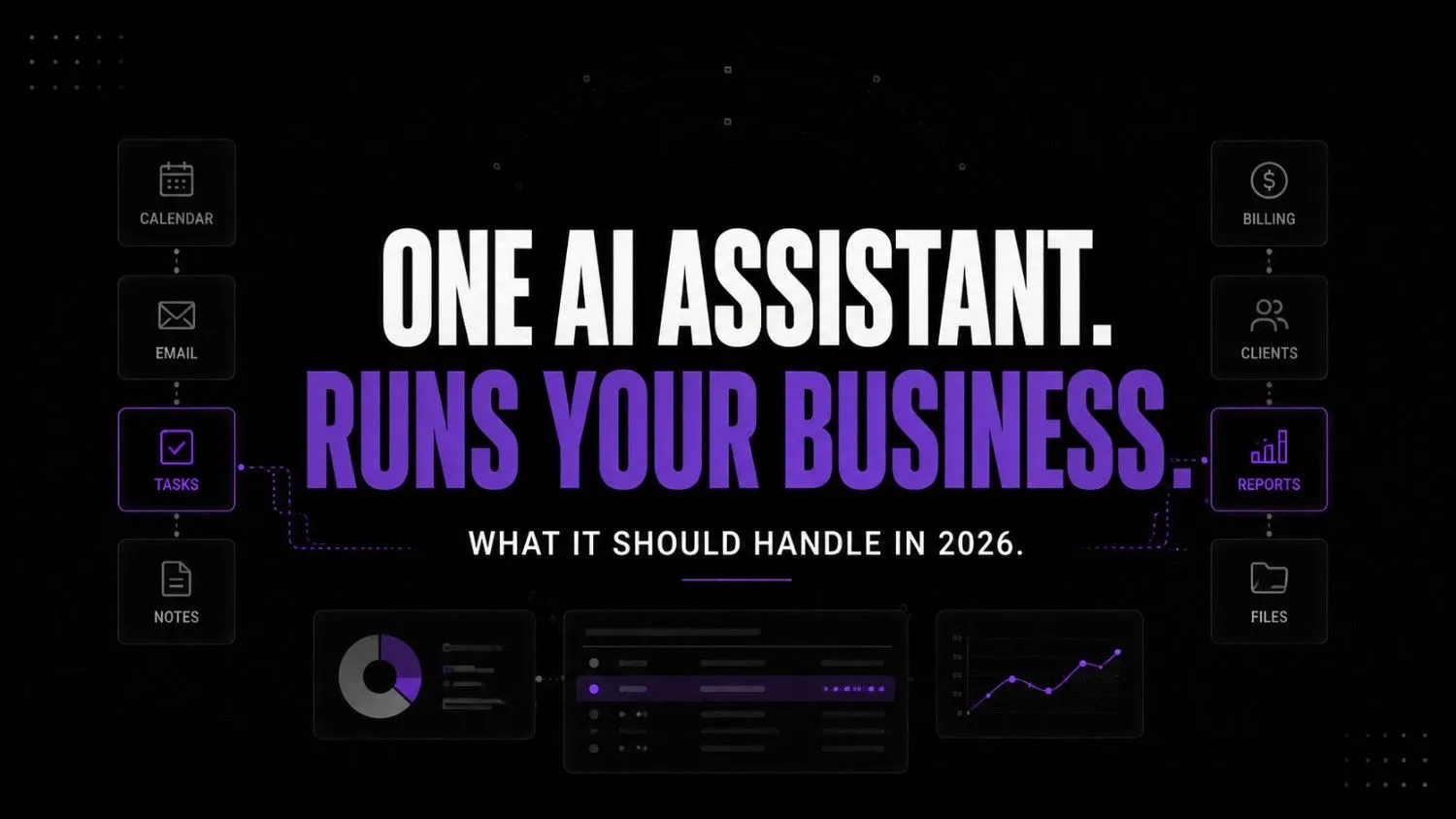
Not everything. That's the mistake people make when they think of an “AI executive assistant” as some sort of omnipotent chatbot to rule all aspects of their life. It can't and shouldn't.
Here's what actually belongs in this category:
- Inbox management — separating what needs your immediate attention from what can wait
- Calendar scheduling — booking both parties with no input needed
- Meeting preparation — gathering relevant information prior to a conversation
- Meeting notes and action items — recording the outcomes of a conversation
- Follow-up reminders — gentle poking for both you and the other party prior to a deal's expiration
- Expense management — filing away costs as they happen rather than at the end of the year
Notice what's left off the list. Negotiations, client service, and strategic planning remain in your hands. What an AI executive assistant does is fill in the day-to-day operations of your career, not dictate its inner workings.
Quick self-audit checklist
Before you build something, ask yourself this: how many of the following statements resonate with you on a daily basis?
- I spend more than five hours a week in my inbox
- I've lost a deal or a client because I forgot to follow up
- I don't have written notes from most of my calls
- Scheduling a meeting takes more than one email exchange
- I do my expense tracking in a panic once a quarter
If three ring true, you don't have an AI problem. You have an unowned workflow problem, and AI is about to make it really obvious.
The 5 tools that build an executive office
This isn’t a list of best-in-class AI tools. Every tool here has one specific purpose. If it has vague or broad aims, it can’t make the cut.
Stage one: capturing and triaging input

Lindy.ai
Lindy.ai is an AI assistant that manages emails, meetings, scheduling, and follow-ups from one place. It’s designed for busy professionals and teams who want to automate repetitive admin work and save hours every week.
Lindy is for inbox and calendar delegation, starting at $49.99/mo for the Plus plan. You set up rules to flag, archive, or reply to particular messages, and it will execute them as soon as they appear. The nuance I’ve seen in working with founders is that they don’t want a smarter inbox they want to stop second-guessing themselves every five minutes about which emails to reply to. If you’ve ever used a generic chatbot, you know how much faster it is to get an answer than to type out your question every time.
Stage two: structuring time

Motion
Motion is an AI-powered productivity and scheduling platform that helps users manage calendars tasks meetings and project workflows automatically. It uses AI to prioritize work build schedules and optimize daily planning for individuals and teams.
Motion is for scheduling and daily prioritization, $19/mo for the Pro AI plan ($12.73/mo billed annually). It doesn’t just set up meetings; it rearranges your day if something goes off-schedule. A meeting that runs late should not require you to mentally reschedule the next four things on your calendar. Its interface is intimidating at first and takes about a week to stop feeling busywork-like, but once it clicks, you realize that no other tool stops you from doing the thing every founder does religiously: planning your day from scratch every morning.
Stage three: documenting conversations

Fathom
Fathom is an AI meeting assistant that records, transcribes, summarizes, and organizes virtual meetings automatically. It's built for individuals and teams who want accurate meeting notes, action items, and CRM updates without manual work.
Fathom is for meeting notes and action items, completely free at the basic plan, with an upgrade to Premium unlocking unlimited AI summaries for $20/mo ($16/mo billed annually). As with most of these tools, the value is in the speed: leave a meeting, and the summary is already waiting in your inbox before you’ve opened another tab, with no typing needed. It’s a direct comparison to hand-written notes in terms of quality while eliminating any possibility of forgetting what was actually said. This is what I consider the entire point of having AI-generated notes: no detail is lost in the transcription process.
Stage four: connecting the workflow

n8n
n8n is a workflow automation platform built for technical teams that need more flexibility than traditional no-code tools. It supports self-hosting advanced logic AI integrations and custom workflows while giving developers full control over automation infrastructure.
n8n is the automation layer to tie everything together, starting at about $20-$24/mo on the Cloud Starter plan or self-hostable for free on a small server if you know what you’re doing. It doesn’t have a flashy website or aim to be a chatbot, but it’s what makes the entire system actually function as one unit instead of four separate things. It’s also the part most founders don’t realize they need, even though it makes everything else exponentially more useful than it would be otherwise.
Stage five: closing the loop financially

Expensify
Expensify is an expense management platform that helps businesses automate receipt scanning, expense reports, reimbursements, corporate cards, invoicing, and bill payments. It is designed for companies that want faster financial workflows with less manual work.
Expensify is for expense report management, free for the basic receipt scanning feature, with Collect plan starting at $5/user/mo for unlimited scans and reimbursements. It categorizes and stores receipts automatically when you take a picture of them, as opposed to having to sort through them all at tax time. It’s not exciting or innovative, but it’s the kind of thing I see founders consistently procrastinating on until it becomes a multi-hour task that it takes them too long to do.
Executive office stack at a glance
| Tool | Owns | Best noticed for |
|---|---|---|
| Lindy | Inbox and calendar triage | Fewer daily decisions, not a smarter inbox |
| Motion | Scheduling and daily prioritization | Auto rebuilding your day when plans change |
| Fathom | Meeting notes and action items | Summary waiting when your next tab opens |
| n8n | Connecting the other tools together | Turn 4 tools into 1 system |
| Expensify | Expense capture and logging | Killing the quarterly receipt shoebox |
Roughly monthly cost for a solo founder using paid tiers across the board would be north of $95-110/mo depending on how many tools you're using, or $30-40/mo if self-hosting n8n and staying on Fathom's free tier. Either way, it'd be well under the cost of a part time human assistant.
What “thinking-first” actually looks like operationally
A Typical Workday with an AI Executive Office
New Email↓Lindy
Prioritizes inbox
Drafts replies
Flags urgent emails↓Motion
Adjusts calendar
Protects focus time↓Meeting Starts↓Fathom
Records meeting
Creates summary
Extracts action items↓n8n
Creates follow-up reminders
Updates connected workflows↓Expensify
Captures receipts
Logs expenses↓Founder reviews one organized briefing
instead of managing every task manually.Here’s what a Tuesday looks like, once this is all running – not in theory, but in practice.
7:40am — You open up your laptop, and Lindy has already sorted your overnight email into three categories: replied to today, waiting on someone else, and filed. You’re not skimming eighty messages, you’re reading twelve.
8:15am — Motion has already adjusted your calendar when a client pushed a call thirty minutes later in the day. You don’t have to adjust your focus block for the product roadmap. It’s safe.
11:00am — You have a sales meeting and fathom is already recording and captioning the conversation. You can listen and pay attention rather than trying to type a note with one hand.
11:35am — The meeting ends and fathom sends you an email summary with three action items, one objection, and one follow up date within a couple of minutes. n8n has already created a reminder for the follow up three days from now.
2:00pm — You get coffee and snap a photo of the receipt. Expensify logs it under client meetings before you return to your desk.
4:30pm — A reminder notification pops up about the follow up from your Tuesday meeting. You don’t have to remember it. The system does.
None of this required you to be more clever about your admin work. It just meant that the tasks that used to be mine, or motion’s, or fathom’s, or n8n’s, or expensify’s, get to be done by the person best able to do them – which is often, but not always, me.
Common automation mistakes
But automation does not resolve a badly designed workflow. It only accelerates it.
Using a general chatbot without a workflow. Typing in a query every morning is not an executive assistant, it's merely a slightly more efficient version of doing it yourself. There is no memory, no trigger, no ownership.
Automating tasks without clear ownership. If no human or digital soul is accountable for making sure the follow-up actually happens, it won't happen. The process requires ownership, not just a trigger.
Failing to connect the tools. Four excellent apps, each in splendid isolation, do not constitute a workflow. This is where n8n earns its keep: four silos of automation are now four places to double-check, instead of one inbox to ignore.
Not reviewing automated outputs. A meeting summary, 90% accurate, that is never reviewed, will eventually contain the wrong action items for the wrong people. The work doesn't disappear, it only becomes invisible.
How to build your executive office
Begin with the process that costs you the most time, not the one that seems most interesting to automate
Comparison: the wrong approach vs the right approach
| The wrong approach | The right approach |
|---|---|
| Automate everything over the weekend | Automate one process, test it for two weeks, then automate the next |
| Use cool tools or a list of tools that are said to be the best in the field | Identify the task the tool is most fit to do |
| Set it up once and never look at it again | Check the work done weekly for the first month |
| Let the five tools you've implemented do their work in isolation | Make sure they're connected to one another, so the work of one triggers the work of the next |
| Workflow around your judgments | Automate the scaffolding around your judgments |
When one process is running reliably and you no longer need to look at its inputs or outputs on a daily basis, move on to the next one. This is slower but more reliable than trying to tackle everything at once. It's also the only way to survive month 2, since according to operational research on founder bottlenecks, most solo founders cap out at about $200,000 in revenue because they become the limiting liability in their own business.
FAQs
No, that's precisely the point. These tools are meant to automate the tasks of an EA, not the personal relationship that constitutes the real value of an executive assistant.
The tools in this stack are on average $20-$50/mo, so a full setup with them is easily under $200/mo, well under the rate of even a part-time EA.
Some founders can reach the point where they can rely on AI tools exclusively as their main EA. Some have an easier time reaching that point than others. Some never reach it, but at least they have more time to dedicate to their venture until it reaches profitability. Either way, you should never have to choose between AI and a human EA. You should be able to make the decision that best suits your needs at any given moment.
It will happen, that's why you shouldn't fully rely on those summaries yet, especially during the first month. Everything should be treated as a first draft until it's been reviewed by a human.
No, Lindy, Motion, Fathom, and Expensify are all no-code. n8n certainly has a steeper learning curve, but you can likely work with pre-made automations to set up most of it without writing any code yourself.
Conclusion
The founders who benefit the most from this are not the ones who use the stack for most valuable. They think of every tool as having one specific job and not a magic for a business that has not yet defined its processes. A founder building something that will scale beyond her solo capabilities in 2026 will think less about which tools to adopt and more about systems and process around existing and new tools. The difference between those who’ve scaled past their solo phase and those who haven’t will be less about the adoptions of AI and more about the building of systems around it.
What is it that you are doing right now on a Tuesday that only you can do?
Your next move
Open your inbox and start counting the number of messages you have from the past three days that you have not yet responded to. Select the category of tasks that occurs most frequently in the list (if planning, do planning tasks, if follow-ups, do the follow-ups, etc.) and for the next two weeks identify and adopt a tool from the list below to own that task type this week. Do not deploy any other tool until this first one has been in production for two full weeks.