Key takeaways
- A lean AI stack needs five solid tools, not ten tools doing random things
- For solo founders, specialist tools can work better than one big all-in-one platform
- Pricing ranges from free plans to around $100/user/month, depending on the tool
- A tool should earn its place by connecting with what comes next
- Most solo founders don’t need more tools. They need fewer tools that actually work together
Introduction
Short answer – The five best AI tools for solo founders right now: Folk (CRM), Lindy (AI agent builder), Relay.app (human-in-the-loop automation), Tana (knowledge management), and Motion (AI scheduling). Together they cost roughly $100–150/month total, though several have free tiers to start. Each tool covers one operational layer relationships, workflow automation, oversight, knowledge, and planning so nothing overlaps and nothing gets missed between them.
You don’t need 12 AI tools to run a business on your own. You need five that each do one job well and actually work together.
This guide breaks down the best AI tools for solo founders in 2026, what they cost, who they’re best for, and how they fit together into one lean stack instead of becoming another pile of tabs and subscriptions you barely use.
The five tools cover five core areas: CRM, workflow automation, human-in-the-loop automation, knowledge management, and daily planning.
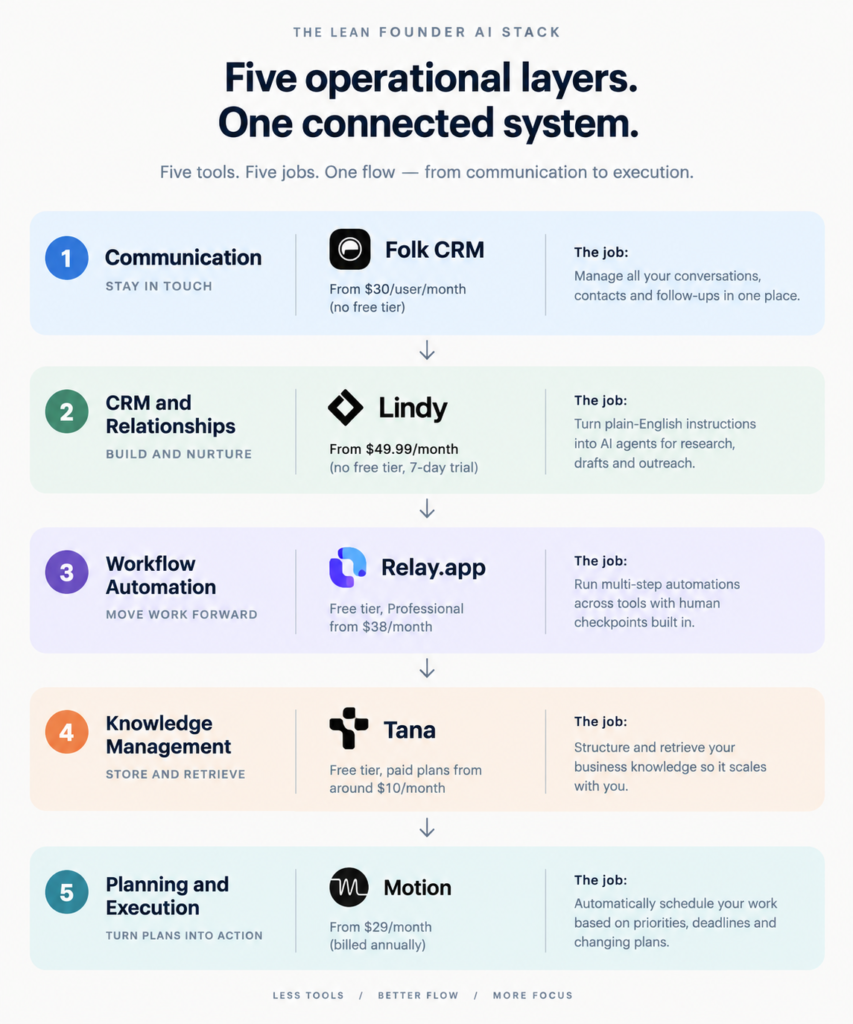
| Tool | Price | Best for |
|---|---|---|
| Folk CRM | From $30/user/month, no free tier | Solo founders who need every relationship and follow-up in one place |
| Lindy | From $49.99/month, no free tier, 7-day trial | Founders who want plain-English AI agents for research, drafts, and outreach |
| Relay.app | Free tier, Professional from $38/month | Founders who want automation with a human approval step built in |
| Tana | Free tier, paid plans from around $10/month | Founders whose notes have outgrown an unstructured system |
| Motion | From $29/month (billed annually) | Founders who want scheduling handled automatically instead of manually |
Why most solo founders have AI stack bloat
It usually starts innocently. One tool for emails. One for CRM. One someone recommended in a podcast. Then a writing tool. Then an automation tool. Then a scheduling tool that “integrates with everything” until you check and it doesn’t.
What I’ve noticed working with businesses is that the stack bloat almost always traces back to a specific moment: the founder added tools during a growth sprint and never audited them when things slowed down. The tools stayed. The workflows never formed, making a regular AI workflow audit an easy habit to overlook.
The result is an AI stack that looks impressive in screenshots but makes the actual day harder. Three different places where a lead might live. Two tools generating content no one reviews. An automation sequence that technically runs but hasn’t been checked in four months.
That’s not an AI problem. That’s an operational clarity problem.
The real cost of too many tools
The cost isn’t the subscription fees. It’s the context-switching, the duplicate data, and the decisions that fall through the cracks between platforms. For a solo founder, every unmade system decision compounds fast, often creating spreadsheet workflow failures as information gets tracked in multiple places.
What a lean AI stack actually looks like
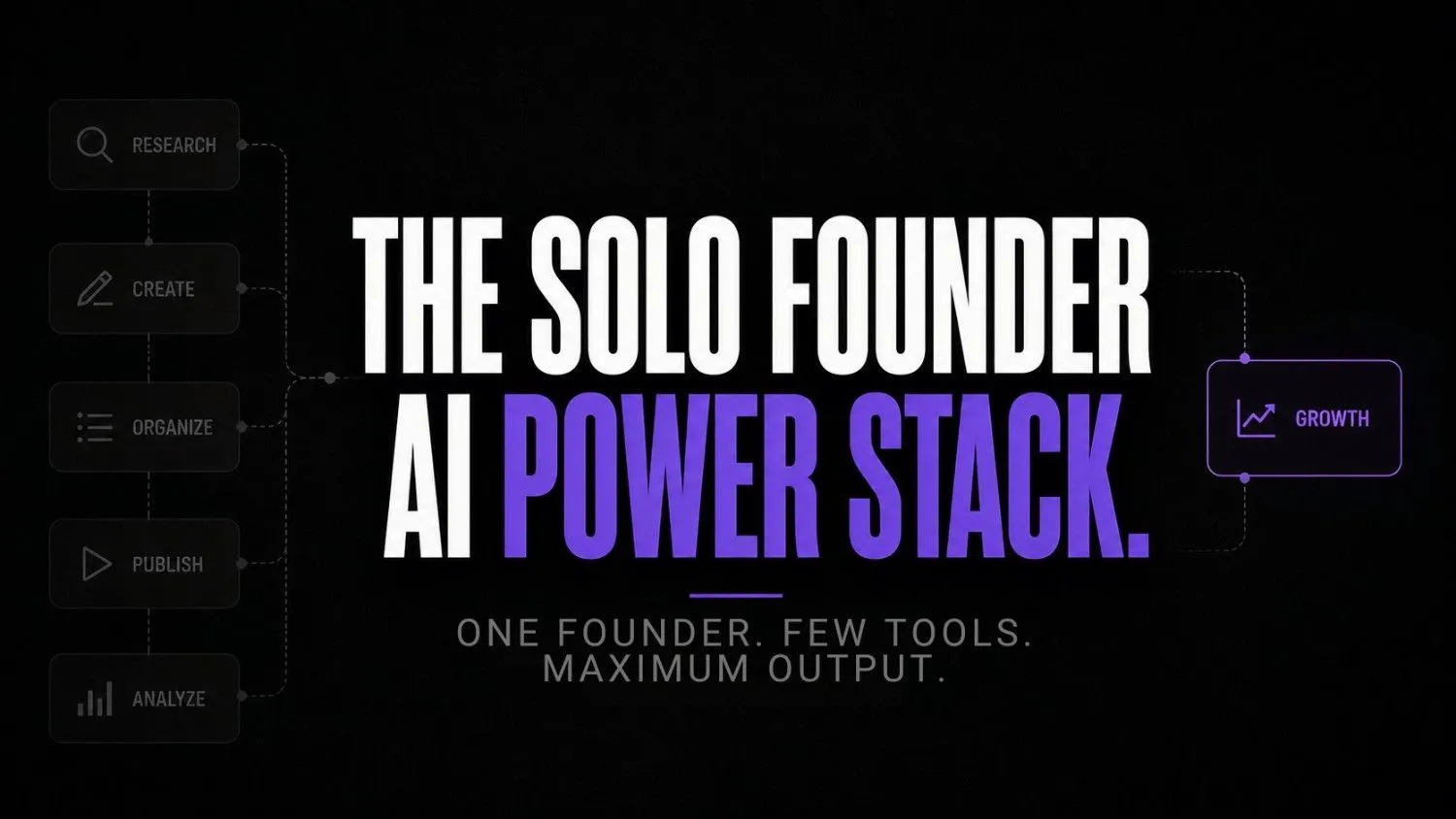
A lean stack has five layers. Not ten. Not three. Five.
Each layer has one job. Each tool has one reason to be there. And every layer connects forward to the next one, so information flows instead of getting trapped in silos.
Pause and think: How many of your current tools could you name a specific, single job for right now? If you hesitated on more than two, that’s where to start auditing.
The five layers are communication and relationship management, workflow automation, knowledge management, and planning and execution. They map directly to how a solo founder actually spends their day: talking to people, moving work, storing what they learn, and deciding what to do next.
The Best AI Tools for Solo Founders, by Operational Layer
Layer 1: Communication and relationship intelligence
Tool: Folk CRM
Folk is underrated for solo founders because it sits at the intersection of CRM and relationship OS. It’s not just contact management. It’s a system that tracks how you’re connected to people, what conversations have happened, and who needs a nudge.
For a solo founder, that matters more than a pipeline dashboard. You don’t need Salesforce. You need a tool that tells you on a Tuesday morning that you haven’t followed up with three warm leads in two weeks. Folk does that quietly and without requiring daily maintenance.
The specific job: manage every relationship in the business from a single interface, with enrichment and sequences built in.

Folk CRM
Folk CRM is a lightweight relationship management platform designed for teams that want to organize contacts, pipelines, and outreach without enterprise CRM complexity. It is especially popular with agencies, founders, recruiters, and sales teams managing warm relationships and collaborative pipelines.
Layer 2: AI workflow generation
Tool: Lindy AI
Lindy is a no-code AI agent platform where you give instructions in plain English instead of building a workflow from scratch. You tell it what you want done, like qualifying a lead, summarizing research, or drafting an email, and it handles the steps for you.
For a solo founder, that can save a lot of time. TThere’s no team to delegate repetitive work to, so you either automate it, bring in AI employees for solo founders, or spend your day doing it yourself.
The specific job: turn a plain-English task into a working AI agent without making you build a visual workflow.

Lindy.ai
Lindy.ai is an AI assistant that manages emails, meetings, scheduling, and follow-ups from one place. It’s designed for busy professionals and teams who want to automate repetitive admin work and save hours every week.
Layer 3: Human-in-the-loop automation
Tool: Relay.app
Relay sits between “fully automated” and “I have to do this manually.” That’s exactly where most solo founder workflows actually live.
Unlike pure automation tools that break when edge cases appear, Relay builds in human checkpoints deliberately. You set up a flow, but certain steps pause for your approval or input before continuing.For a solo founder still figuring out which parts of the workflow automation to trust fully, that’s not a limitation. That’s the design.
The specific job: run multi-step automations across tools with deliberate human checkpoints built in.

Relay.app
Relay.app is an AI-native workflow automation platform built for teams that want to automate repetitive processes without losing control. It combines visual workflows, AI actions, and human approval steps, making it especially useful for operations, agencies, and growing startups.
Layer 4: Knowledge management with structure
Tool: Tana
Most founder knowledge systems collapse under one condition: volume. The moment you have more than a few hundred notes, the unstructured systems stop working. Tana uses supertags and typed nodes to give structure to thinking without requiring you to over-organize everything up front.
A McKinsey report cited widely across productivity research found that employees spend roughly 1.8 hours every day, around 9.3 hours per week, searching and gathering information they already have somewhere. For a solo founder running every function, that time drain isn’t tolerable.
The specific job: store, structure, and retrieve business intelligence in a way that scales without a second brain turning into a digital junk drawer.
Tana AI
Tana AI is a next-gen knowledge management and note-taking tool that transforms raw notes into structured data and workflows using AI. It’s designed for professionals who manage complex information like projects, research, and meetings.
Layer 5: Planning and execution
Tool: Motion
Motion is an AI-powered calendar and task planner that automatically schedules your work based on priorities, deadlines, and meeting constraints. The key word is automatically. You input the tasks. Motion decides when they happen, and it reshuffles in real time as your day changes.
For a solo founder who wears every hat, the scheduling overhead alone is a significant drain. Motion removes most of it. You still make the priority decisions. You just stop making the time-allocation decisions manually.
The specific job: eliminate manual daily scheduling so founder time is spent on work, not on planning the work.

Motion
Motion is an AI-powered productivity and scheduling platform that helps users manage calendars tasks meetings and project workflows automatically. It uses AI to prioritize work build schedules and optimize daily planning for individuals and teams.
How to avoid workflow fragmentation
The tools above are only useful if they connect. A solo founder with five isolated tools still has a fragmentation problem. The stack only works as a stack.
Here’s what that actually looks like operationally on a Tuesday at 9am:
Motion has already scheduled the day. The three highest-priority tasks are on the calendar with time blocks. You open Folk and the dashboard shows two follow-ups flagged overnight. You trigger a Lindy workflow that pulls context on both leads and drafts a short update email for your review. You approve it in Relay, it sends. Tana has a running node on each lead with every relevant note tagged to their profile.
By 9:15am, you’ve handled two relationship touchpoints, reviewed a drafted communication, and your calendar is already managing the rest of your morning. None of that required you to open five separate apps and make fifty micro-decisions.
That’s the difference between a stack and a collection of tools.
Self-audit checklist
Before adding or keeping any tool in your AI workflow systems, run a quick AI stack audit using these four checks:
- Does this tool have exactly one job I can name in ten words or less?
- Does it receive information from a layer above it or feed information to a layer below?
- Have I used it actively in the past two weeks, and did using it save real time?
- If I removed it tomorrow, would something in my workflow actually break?
If the answer to any of these is no, you don’t have a gap. You have bloat.
Wrong approach vs. right approach
Most of these patterns show up in cases of failed AI adoption and they trace back to layer confusion, not tool quality.
| Wrong approach | Right approach |
|---|---|
| Add tools whenever a problem appears | Identify the workflow layer the problem belongs to first |
| Use generalist platforms for everything | Use specialist tools with a narrow, defined job |
| Automate everything fully from day one | Build in human checkpoints on unfamiliar workflows |
| Store everything in one unstructured system | Use typed, structured knowledge that scales |
| Schedule manually each morning | Let AI handle time allocation, focus on priority decisions |
| Measure by number of tools | Measure by how often the stack saves a decision |
When solo founders outgrow lightweight SaaS workflows
There’s a point where the five-layer SaaS stack stops being enough. It usually happens around the moment you’re running multiple AI agents in parallel, processing significant data volumes, or building product features that require model hosting, fine-tuning, or serious compute.
But a16z’s AI infrastructure analysis notes that the gap between lightweight AI tool usage and infrastructure-level AI deployment is widening. Founders who get caught in the middle, running agents that need more compute than SaaS tools can provide but haven’t moved to dedicated infrastructure, tend to hit performance and cost walls simultaneously.
When that moment arrives, the right next step isn’t another SaaS subscription and it may not even mean jumping straight to dedicated infrastructure. Some founders find that consolidating first onto agentic platforms, like a custom AI agent builder, is the cleaner middle step before moving to compute-level decisions. The AI compute infrastructure options available in 2026 range from flexible cloud GPU rentals to dedicated model hosting environments. Understanding when you need that layer is part of building systems that actually scale.
FAQs
Probably not on day one. Start with the layers that match your biggest current drag. If relationships are falling through the cracks, start with Folk. If your day disappears into scheduling, start with Motion. Add layers as the gaps become visible, not because a framework says to.
Most of them have free tiers or low entry pricing, and pairing them with free AI automation tools can stretch a bootstrapped budget further.
Those tools are general-purpose. They can do almost anything, which means they’re optimized for nothing specific. The tools in this stack have narrow jobs. Lindy isn’t a better ChatGPT. It’s a workflow builder that uses AI. Relay isn’t a better Zapier. It’s a human-in-the-loop automation system. The difference is specificity.
Start with the audit checklist above. Map every current tool to one of the five layers. Anything that doesn’t belong to a layer, or where two tools are covering the same layer, is the first thing to cut. Don’t add tools first. Subtract.
When your AI workloads outgrow what SaaS platforms can reliably process, when latency matters for your product, or when you’re spending more on SaaS AI features than dedicated compute would cost. That’s usually a signal you’re building something that needs its own compute layer, not another subscription.
Conclusion
The founders who build well in 2026 won’t be the ones who found the most tools. They’ll be the ones who stopped treating tool adoption as a form of progress. The shift that’s coming is from AI-as-feature to AI-as-infrastructure, and solo founders who’ve built clean, connected five-layer stacks will transition to that environment without chaos instead of facing operational debt later. The ones still operating with eight disconnected apps will hit a wall they didn’t see coming.
The question worth sitting with: if you mapped your current stack to five operational layers right now, how many layers would be empty, and how many would have three tools fighting for the same job?
Your next move
Open a blank doc or note right now. Write down every AI tool you’re currently paying for or actively using. Next to each one, write its single job in ten words or less. If you can’t do that for a tool, that’s the first thing to cut. Do this before you evaluate anything new.