Key takeaways
- Most founders accumulate AI tools faster than workflows can absorb them
- Tool overlap is the most common source of silent productivity loss in solo operations
- A structured AI stack audit takes under 30 minutes and requires no outside help
- Dead subscriptions and redundant tools cost more than the monthly fee suggests
- Lean stacks consistently outperform bloated ones at every stage of growth
You’re probably paying for tools you stopped using three months ago
Not because you’re careless. Because adding a new AI tool always feels like a decision, and removing one rarely does.
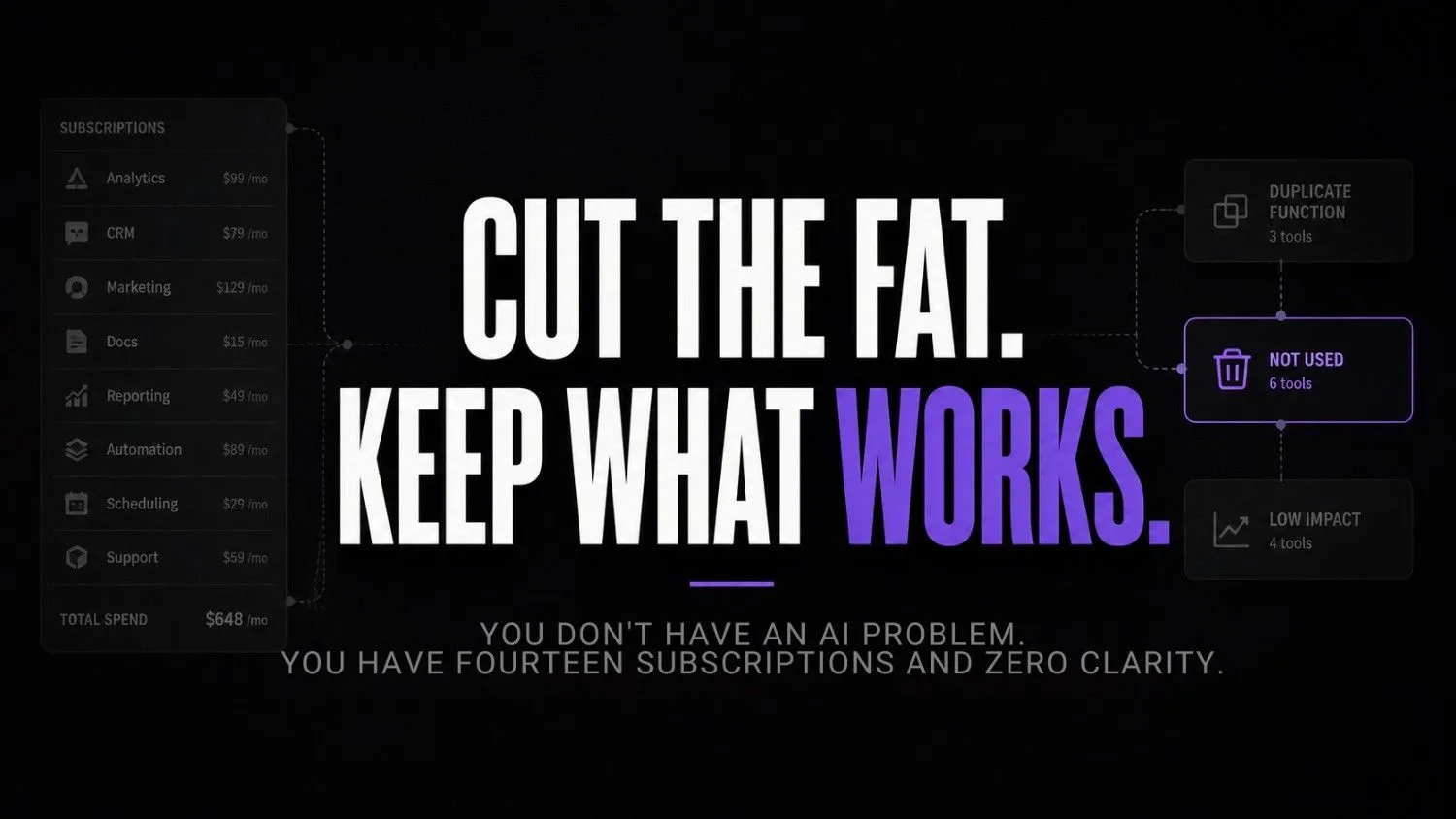
That’s how the stack grows. One tool for summarising. One for writing. One for scheduling. One someone on Twitter swore by. Another from a newsletter you barely read. Before long you’ve got fourteen subscriptions, a browser full of open tabs, and somehow still not enough time in the day.
What I’ve noticed working with businesses is that the AI stack problem isn’t really about AI at all. It’s the same pattern that plays out with every category of software: tools get added impulsively, workflows don’t update to match, and nothing ever gets removed. Research from Productiv found that organisations use an average of 291 SaaS applications, with nearly half sitting largely unused. Solo founders aren’t exempt from this. If anything, the low monthly price of AI tools makes the problem worse, because the cost stays small enough to ignore until it isn’t.
But the real cost isn’t the subscription fee. It’s the cognitive weight. Every tool you have to remember, log into, or decide whether to use is quietly draining attention you don’t have to spare.
Signs your AI stack is hurting you more than helping
Most solo founders don’t notice the stack has become a problem until they’re already losing real time to it. A few signals worth paying attention to.
You open three tools before deciding which one to actually use. You have tools sitting in the same workflow that technically do the same thing. You’ve forgotten what half your subscriptions are actually for. You spend more time managing the toolset than doing the actual work it was supposed to support.If that pattern sounds familiar, you’re not alone. It’s the same tool overload problem that quietly kills productivity long before founders realise what’s happening.
Pause and think: When did you last open every AI tool in your stack in the same week? If you’re being honest, a few of them haven’t been touched in months.
And yet they’re still live. Still billing. Still sitting in your mental inventory every time you sit down to work. According to a McKinsey report on AI adoption, operational costs tied to AI tool sprawl are consistently among the most underestimated challenges founders face as they scale. The bloat compounds quietly before you feel it.
The 30-minute AI stack audit framework
This isn’t a deep strategic review. It’s a focused operational pass. You’re not redesigning your entire workflow today. You’re clearing the clutter so you can actually see what’s there.
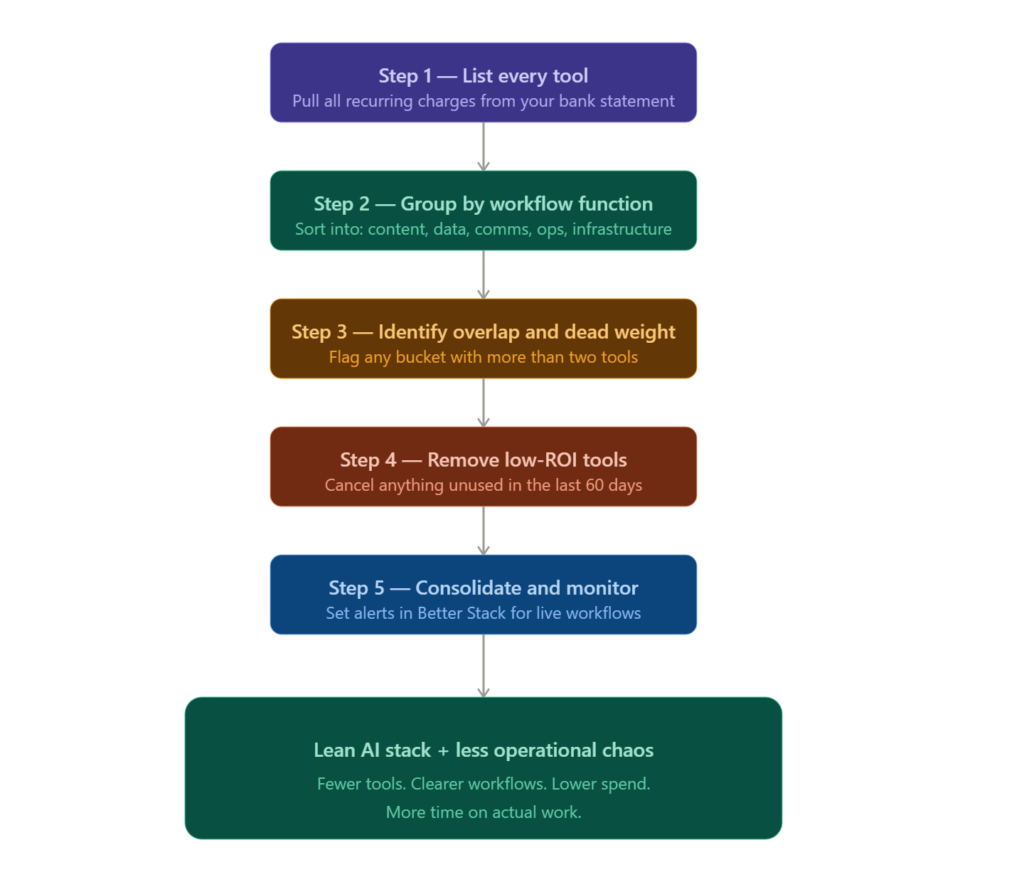
Step 1: List every tool you’re paying for right now
Don’t rely on memory. Go to your bank statement or card transactions and pull every recurring charge that looks software-related. You will find at least two you forgot about entirely.
This is where Cledara becomes immediately useful. It tracks all your SaaS subscriptions in one place, surfaces unused spend, and gives you a clean consolidated view of what’s actually running. Most founders who do this step for the first time are genuinely surprised by the total.

Cledara
Cledara is a SaaS management platform that helps finance and IT teams track software spending, manage renewals, and control subscriptions. It centralizes software payments, approvals, and vendor visibility to reduce wasted SaaS spend.
Step 2: Group by workflow function
Once you have the full list, put each tool into one of five buckets: content and writing, data and research, communication, operations and tracking, and infrastructure or API-level tools. Don’t overthink it. You’re looking for overlap, not building an org chart.
Step 3: Identify dead weight and overlap
Look at every bucket with more than two tools. That’s almost always where the problem is concentrated. You probably don’t need three writing tools or two research assistants doing the same job. Pick the one that fits your actual workflow and let the others go.
If the overlap runs deep enough that you’re questioning the entire stack, the answer is usually consolidation at a platform level rather than another round of individual cuts.
Rows is worth using at this stage. It helps you map usage patterns into a visible spreadsheet-style view without needing a separate analytics product. For solo founders doing this audit manually, pulling tool activity into Rows gives you a quick visual layer on what’s genuinely being used versus what just feels like it should be used.

Rows
Rows is a collaborative spreadsheet platform that combines spreadsheets with integrations automation and AI features. It helps teams analyze data build dashboards automate workflows and work with live business data without coding.
Step 4: Remove low-ROI tools without overthinking it
If a tool hasn’t materially changed how you work in the last 60 days, it isn’t essential. Cancel it. You can always return. But you probably won’t, and that’s precisely the point.
Step 5: Monitor what actually remains
After you’ve cut, you need a lightweight way to confirm the remaining stack is healthy. Better Stack handles uptime and observability monitoring, which matters more once you start depending on AI tools that connect to APIs or sit inside automated workflows. If something breaks in a process you rely on daily, you want to know immediately, not three days later when you notice the output looks strange.

Better Stack
Better Stack is an observability platform that combines uptime monitoring incident management log management and server monitoring into one platform. It is designed for developers DevOps teams and engineering organizations that want faster incident detection and infrastructure visibility.
What an AI stack audit actually looks like at 9am on a Tuesday
You’ve blocked forty minutes before your first call. You open your bank app, filter by recurring charges, and copy every AI-related subscription into a plain text note. Eleven tools. Three of them haven’t been opened in over a month. Two of them do almost exactly the same thing.
You open Cledara to cross-reference. It surfaces two subscriptions you missed entirely. One has been billing since January for a tool you evaluated quietly and stopped using. You cancel both immediately. That’s over forty dollars a month gone before you’ve changed a single workflow.
Then you open Rows and build a two-column table: tool name, last used. Anything older than thirty days gets flagged. You end up with four tools in the cut column and seven in the keep column. That’s already a leaner stack than you started with, reducing the chances of operational debt building up over time.
For anything in your remaining stack that feeds live automations or API calls, you set up a basic alert in Better Stack. Fifteen minutes of setup. Now you’ll actually know if something breaks instead of guessing why your output looked off on a Friday afternoon.
Wrong approach vs right approach
| Wrong approach | Right approach |
|---|---|
| Adding tools to solve workflow confusion | Auditing existing tools before adding anything new |
| Evaluating tools by feature list | Evaluating tools by actual usage in the last 60 days |
| Keeping tools “just in case” | Cutting anything that hasn’t changed your output |
| Managing 12 subscriptions from memory | Using Cledara to centralise subscription visibility |
| Assuming more tools means more capability | Recognising more tools means more complexity |
Where API-level visibility fits in
There’s a layer most solo founders ignore until something breaks. If you’re running AI tools that connect to external APIs, process data, or sit inside automated pipelines, surface-level monitoring isn’t enough.
Treblle is built for exactly this. It gives you API observability so you can see what’s being called, how often, and where failures are occurring. It’s the kind of tool that feels optional until it suddenly isn’t. Once you’re relying on connected AI workflows for anything revenue-critical, understanding API health stops being a nice-to-have.

Treblle
Treblle is an API observability and intelligence platform designed to help developers monitor debug and understand their APIs in real time. It combines API analytics monitoring security and documentation tools into one centralized platform.
When founders start scaling beyond lightweight AI tools
This is where the conversation shifts from subscription management into something heavier. Once you’ve audited and cleaned up the stack, some founders realise the real constraint isn’t the number of tools. It’s the infrastructure underneath them.
If you start running model inference at any meaningful volume, evaluating GPU providers, or comparing AI infrastructure costs across your stack, that’s a different problem than a 30-minute audit solves. ComputeStacker exists specifically for this: it’s a resource for comparing AI infrastructure providers and GPU compute options before your costs outrun your revenue. Worth knowing about before you need it, not after.
This is also where tool adoption without workflow clarity becomes an infrastructure problem instead of just a productivity one. The founders who cleaned up early have an easier time scaling because their operational surface area is smaller. The ones sitting on bloated stacks hit hidden infrastructure costs and can’t identify where they’re coming from.
What thinking-first actually looks like operationally
Most solo founders treat the stack like a collection rather than a system. They add things based on what looks useful, not based on which workflow needs it. The shift is simple but it requires actually stopping before opening the next Product Hunt listing. This is where a clear AI workflow infrastructure approach helps founders decide where each tool belongs.
HockeyStack is a good example of what a thinking-first tool decision looks like in practice. It’s a revenue attribution and analytics platform for founders who want to understand what’s actually driving results, not just surface traffic numbers. It replaces the habit of stacking five analytics tools that each show a different slice of the same data. One tool, one clear function, one specific job. That’s the standard every tool in the stack should have to clear before it gets added.
Before anything new gets in, the question should always be: which existing workflow does this sit inside, and what does it replace? If it doesn’t replace something, it’s just complexity wearing a new logo.

HockeyStack
HockeyStack is a GTM intelligence and revenue attribution platform for B2B companies. It helps revenue teams connect marketing sales and customer data into buyer journeys attribution dashboards and AI-powered revenue workflows.
Self-audit checklist
Run through this before your next tool decision:
- Have I opened this tool in the last 30 days?
- Does it do something no other tool in my stack does?
- Has it measurably changed an output or saved genuine time?
- Would I pay for it again today if I were starting from scratch?
- Is it connected to an actual workflow or just sitting in a tab?
If you answer no to three or more for any tool, that’s your answer. Not a maybe.
FAQs
How do I know which AI tools are actually worth keeping? Usage is the only honest metric. If a tool hasn’t changed a specific output in the last 60 days, it’s not essential. How you feel about it doesn’t count.
Is 30 minutes actually enough for a full audit? For most solo founders with ten to fifteen tools, yes. You’re listing, grouping, and cutting. The framework is deliberately narrow so it actually gets done instead of sitting on a to-do list for three weeks.
What if I cancel something and need it again later? You sign back up. Most tools have no lock-in and no cancellation penalty. The fear of needing it later is usually sunk-cost thinking dressed up as planning.
Do I need a separate subscription tool just for this? Not necessarily, but Cledara makes the process significantly faster and surfaces charges you’d otherwise miss. For founders managing more than eight subscriptions, the visibility alone is worth it.
How often should I run an AI stack audit? Once a quarter is enough for most solo founders. The stack doesn’t shift that fast, but habits do. A quarterly pass stops the clutter from quietly rebuilding.
What’s the biggest mistake founders make during an audit? Keeping tools they like the idea of rather than tools they actually use. It’s an emotional call dressed up as a strategic one. The self-audit checklist cuts through it faster than reasoning does.
The stack problem is only going to get worse from here
The pace of new AI tool releases isn’t slowing. Every week there’s something new solving a problem you didn’t know you had. And the default response for most solo founders is still to add rather than subtract.
But the founders who operate most effectively over the next few years won’t be the ones with the most tools. They’ll be the ones who kept their stack small, specific, and actually connected to work that matters. The AI workflow systems that perform best aren’t the ones with the most integrations. They’re the ones someone cleaned up and then left alone.
The real shift coming isn’t more powerful AI. It’s that building an AI product or scaling a business on a bloated stack will start costing founders in ways that are increasingly hard to ignore. Those who already ran the audit won’t notice. Those sitting on fourteen subscriptions will wonder why execution still feels slow.
And the question worth sitting with honestly: if you had to rebuild your stack from scratch today, how many of your current tools would actually make the cut?
Your next move
Open your bank or card statement right now and write down every AI-related subscription you’re currently paying for. Don’t filter or justify anything yet. Just get the complete list in front of you. That single step, which takes under ten minutes, is where the audit actually begins, and it’s where most founders find their first cut before changing a single workflow.