Key takeaways
- CRM data decay is costing companies millions in lost revenue every year due to manual data entry processes.
- Implementing software without data routing design causes technical debt and maintenance costs.
- Automation at each stage reduces human error during lead enrichment or qualification.
- Workflow orchestration engines let businesses replace expensive enterprise middleware with custom data routing and automation workflows.
- Database housekeeping audits prevent automation showstoppers that could disrupt customer outreach processes.
Bad data silently drains millions from your pipeline budget every quarter as your sales team fights through tedious manual data entry. Time spent on these tasks is the largest single point of failure for operations, and it is costing companies thousands in lost revenue. According to a recent Gartner study, poor data quality costs organizations $12.9 million per year on average across wasted operational hours and lost opportunities.
The search for “best apps for HubSpot” is actually a search for solutions to data handoff and visibility problems between marketing capture and sales follow-up.
Most founders are looking at tactical apps instead of finding ways to fundamentally improve the underlying data architecture. That adds hours of manual tag maintenance to their sales ops burden. When your sales velocity to a crawl, no matter how many leads your team generates, its time to rethink how you collect and process that data.
Why most HubSpot users still spend hours updating their CRM
Many teams adopt HubSpot expecting it to reduce manual work, but as lead volume increases, sales reps often find themselves spending more time maintaining CRM records because the underlying process was never built to scale.
When you connect random apps together without an AI workflow infrastructure, you run the risk of data getting stuck in silos and needing manual copy-pasting to keep everything accurate, which creates operational friction that grows exponentially with the amount of leads you have.
Repetitive data entry tends to lead to revenue leakage since busy reps miss out on the need to log down minor details that become important indicators of a deal. According to a McKinsey & Company study, sales representatives only spend 28 percent of their time on actual selling activities, which means that they waste 72 percent of their time on administrative data entry tasks. Additionally, according to a Salesforce state of sales report, 67 percent of salespeople feel overwhelmed by the number of digital tools they need to use and manage on a daily basis.
Pause and think: How many times this week did sales reps manually enter contact info from an email signature into HubSpot? Any number greater than zero, and you’re not getting the most out of your CRM integration.
Where AI fits inside a HubSpot sales workflow
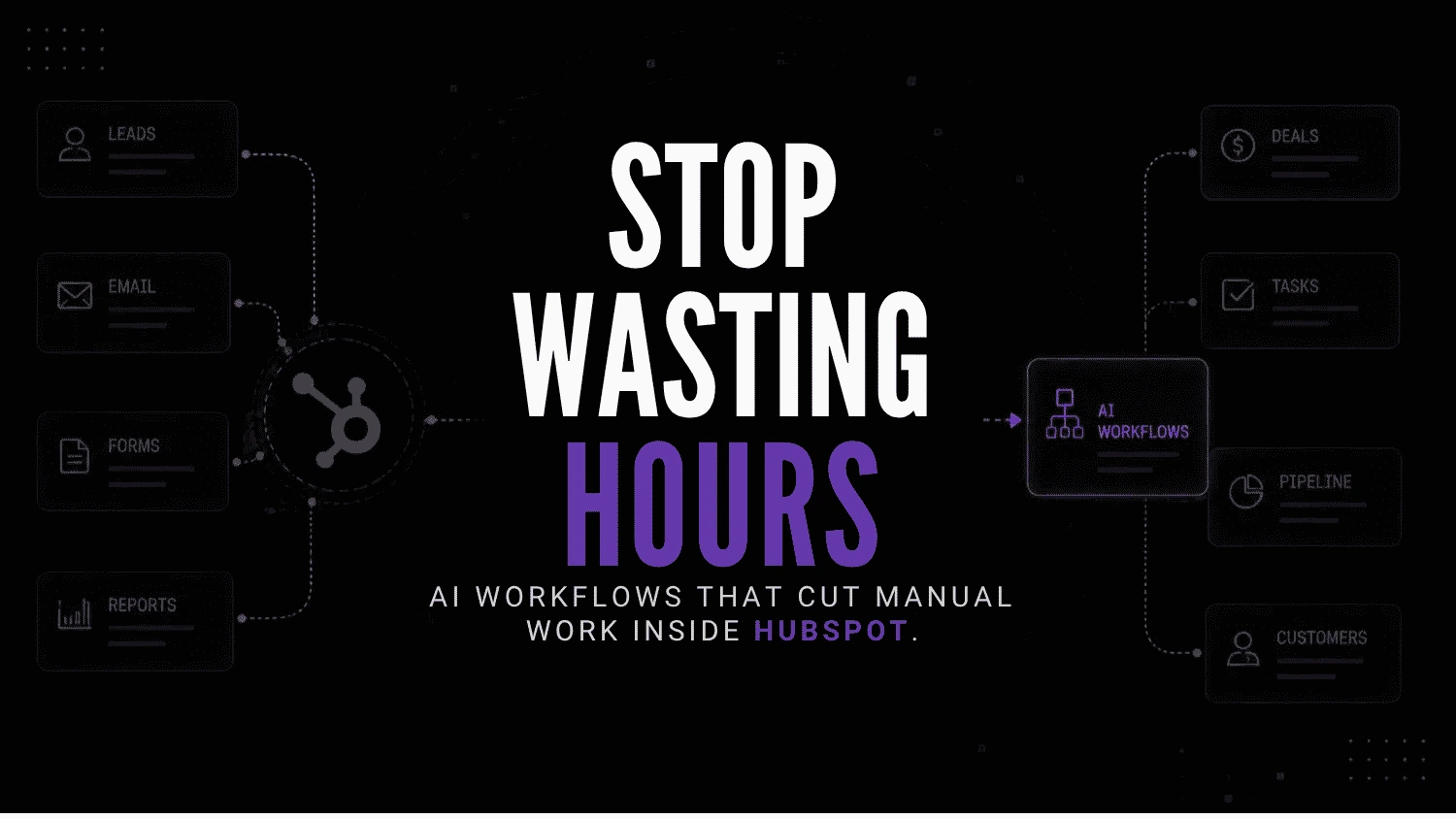
To ensure the elimination of administrative wastes, each process in the system should be linked to linear data flow. The automation must carry the data through the system until it reaches a point that requires human intervention to make a specific decision.
Lead captured -> Data enrichment -> Qualification -> Meeting booked -> Proposal generated -> CRM updated -> Follow-up -> Reporting.
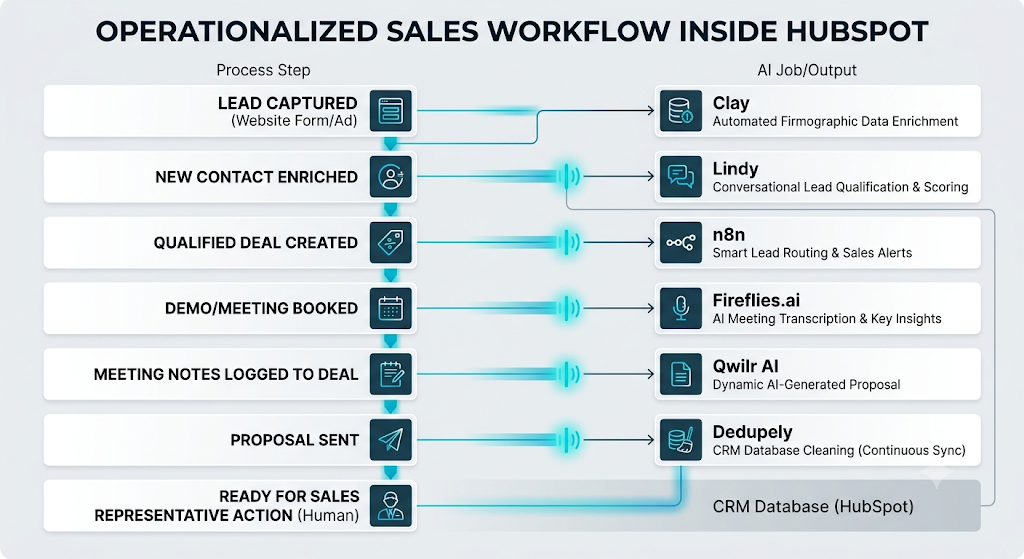
Each integration must be utilized within one step of the linear process to ensure there is no overlap that would cause automation to trigger multiple processes.
How these HubSpot AI tools were selected
Not all of the AI tools listed below enhance the effectiveness of the existing HubSpot operation. Most of them only provide an additional layer of software on top of the current processes, without addressing the underlying issues.
Moreover, the tools were narrowed down to five categories according to their impact on the operational efficiency of the sales process:
- Process ownership: Tools that address a specific stage of the sales cycle, rather than overlapping with one another.
- Data integrity: The ability of the software to facilitate CRM effectiveness, rather than causing additional housekeeping headaches.
- Process automation: Tools include the ability to remove entire steps from a process or at least make it much more effective, not simply add “AI” to an otherwise manual process.
- Operating with smaller teams: Software that does not require an entire operations team but usually has limited customization features.
- Maintenance and operations: Software with a simpler maintenance process and a shorter debug cycle than enterprise-level tools.
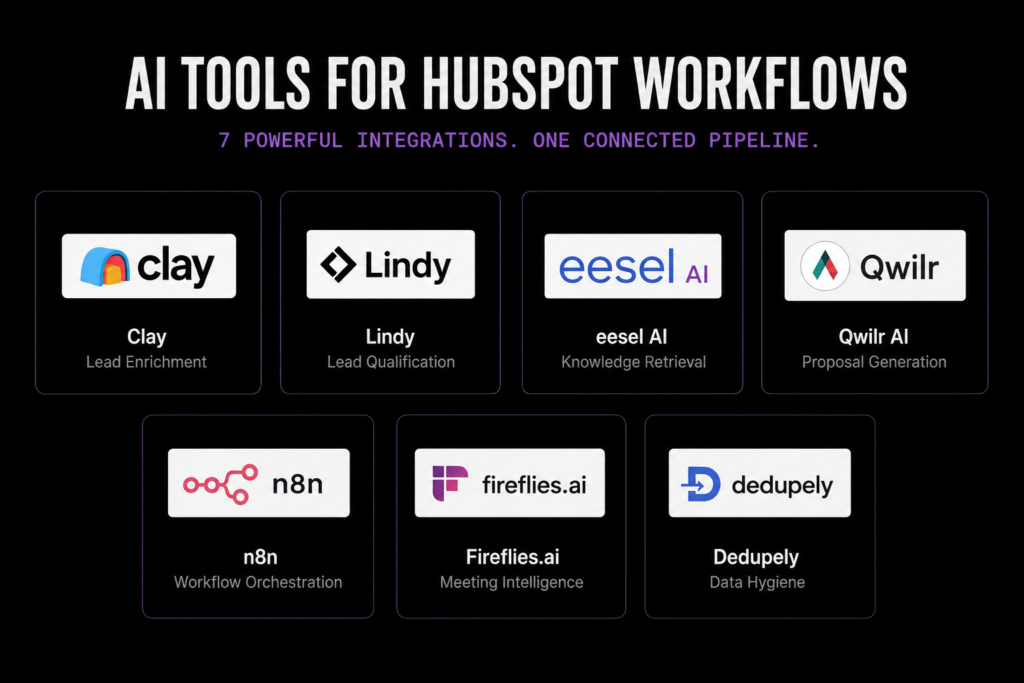
Seven underrated integrations for HubSpot workflow stages
Stage 1 for automated lead enrichment with Clay
Raw inbound form fills lack firmographic data, forcing reps to waste time digging up info for the company size and revenue before reaching out.

Clay
Clay is a data enrichment and AI workflow platform that helps businesses automate lead generation, prospect research, and outbound personalization. It combines data providers, workflow automation, and AI research into one prospecting workspace.
This integration is triggered whenever a contact is created in your HubSpot from a web form or lead magnet campaign. Clay pulls in contact and company information from over fifty providers, filling in any empty fields in your properties without any manual work.
Clay boosts outbound velocity by transforming that skeleton record to a fleshed out lead in seconds. Plus, their waterfall enrichment UI is outstanding because you can prioritize cheap data providers before moving on to pricier options to keep your API spend low.
Potential drawback: Clay can get expensive as your data volume grows, especially when using multiple enrichment providers. Teams should track credit usage and focus on enriching the fields that actually help sales teams make decisions.
Stage 2 for conversational lead qualification using Lindy
Sales reps waste hours every week on discovery calls with unqualified leads who don’t have the budget or buying authority.

Lindy.ai
Lindy.ai is an AI assistant that manages emails, meetings, scheduling, and follow-ups from one place. It’s designed for busy professionals and teams who want to automate repetitive admin work and save hours every week.
Lindy fits in between lead enrichment and deal creation, helping reps move targeted outreach conversations along via email or chat. The autonomous agent asks qualifying questions and updates the HubSpot deal stage based on prospect responses.
Lindy is different in that it’s much more operatively focused. Think of it as onboarding an employee, versus building a complex logic tree. It massively accelerates the qualification process while keeping the account executive’s view of the deal activity timeline tidy and clean.
Potential drawback: AI qualification workflows still need clear rules around messaging, qualification criteria, and when a human should step in. Poor setup can lead to missed opportunities or unnecessary follow-ups.
Stage 3 for instant knowledge retrieval via eesel AI
Support and sales teams are leaving HubSpot to research in Notion or Google Drive product documentation, security policies, and technical pricing sheets

eesel
eesel helps businesses build AI teammates that learn from internal documentation and work across existing tools. Instead of traditional chatbots, eesel focuses on AI agents that assist customer support, internal operations, and employee workflows using company knowledge.
This tool connects directly to tickets and deals in HubSpot to help reps during customer communications. It indexes your internal company documentation and composes responses directly inside Hubspot.
eesel AI is brilliant in this scenario because it requires no training data to be uploaded to operate. This means there’s no friction in deployment, and support reps can answer technical buyer questions without having to switch contexts and slow down their existing workflows.
Potential drawback: eesel AI works best when your internal documentation is accurate and updated. Outdated information can lead to incorrect answers being shared with sales teams.
Stage 4 for frictionless proposal drafting with Qwilr AI
Creating customized sales proposals requires copying HubSpot deal tokens into external word processors leading to error-prone manual formatting and deal delay.

Qwilr AI
Qwilr AI helps sales teams create professional interactive proposals, quotes, and sales documents in minutes using AI. It is built for businesses that want to automate proposal creation, improve buyer engagement, and track document performance throughout the sales process.
The Qwilr AI is triggered by a proposal-related HubSpot deal stage change to generate web-based sales proposals. It uses CRM deal data to produce interactive proposals with built-in e-signature and payment capture capabilities.
The integration dramatically reduces time spent on proposal generation by transforming a one-hour task into a two-minute review. The analytics feature is brilliant as it tracks the exact moment when a prospect has viewed a proposal and how much time they have spent on each pricing level.
Potential drawback: Proposal automation depends on having clean deal data in HubSpot. If your CRM records are incomplete or outdated, the generated proposals can include inaccurate information.
Stage 5 for custom workflow orchestration through n8n
Native HubSpot workflows often involve limited logic in routes for data to different internal databases or legacy accounting systems.

n8n
n8n is a workflow automation platform built for technical teams that need more flexibility than traditional no-code tools. It supports self-hosting advanced logic AI integrations and custom workflows while giving developers full control over automation infrastructure.
n8n acts as an operations backbone connecting HubSpot to billing engines, internal bespoke software, and industry-specific APIs. It enables source available automation with powerful conditional logic not found in enterprise systems requiring expensive middleware.
For operations teams, n8n stands out because it gives more control over APIs and makes it easier to debug workflows compared to typical no-code automation tools. Debugging broken API endpoints is orders of magnitude faster in n8n’s visual editor, reducing time spent maintaining these critical integrations and minimizing risk of data loss.
Potential drawback: n8n offers more flexibility than basic automation tools, but it also requires more technical ownership. Complex workflows need regular monitoring to catch issues before they affect data flow.
Stage 6 for automated meeting intelligence using Fireflies.ai
Reps often miss taking proper notes during phone calls or forget to update the CRM after conducting a product demo.

Fireflies.ai
An AI-powered meeting assistant that records, transcribes, and summarizes conversations across platforms like Zoom and Google Meet. It’s designed for teams, sales reps, and professionals who want to automate note-taking and extract insights from meetings.
Fireflies.ai joins sales calls, takes conversation transcripts, and pulls out action items directly into Hubspot’s CRM. It captures deal context such as budget and timeline and updates fields accordingly.
Fireflies is great for distilling important information from a conversation without having to write or paste in a giant chunk of text into your CRM. It gets you the next steps and decision maker’s sentiment on the ask, while also updating the relevant fields in the CRM so that there’s transparency without having to badger your rep.
Potential drawback: Automated meeting summaries can miss important context, especially during complex sales conversations. Teams should still review key CRM updates before relying on them completely.
Stage 7 for continuous data hygiene with Dedupely
Duplicate records muddy your pipeline and cause your automated marketing emails to fire hundreds of times to one annoyed prospect.

Dedupely
Dedupely is an AI-assisted CRM deduplication platform that helps businesses find, merge, and prevent duplicate records across leading CRM systems. It enables sales and operations teams to maintain accurate customer data while reducing manual cleanup work.
Dedupely runs natively in the background, scanning all your contacts, companies, and deals for similar values and merging them together using smart fuzzy match algorithms while still retaining historical activities and email tracking.
Database hygiene isn’t sexy, but Dedupely’s native CRM deduplication solution dramatically outperforms the native CRM deduplication tools by keeping you away from accidentally deleting important data during merges. Bulk merges previews give you peace of mind that your pipeline reporting stays accurate as your inbound team continues to flood your lead gen machinery with thousands of new contacts each week.
Potential drawback: Deduplication tools need careful configuration because incorrect matching can merge records that should stay separate.
| Tool | Best for | Starting price | Free plan | Main limitation |
|---|---|---|---|---|
| Clay | Enriching leads with company and contact data | $167/month | ❌ | Costs can add up quickly if you’re enriching large numbers of leads. |
| Lindy | Qualifying leads and automating follow-ups | $49.99/month | Trial | Works best when your qualification criteria are clearly defined. |
| eesel AI | Searching internal knowledge and answering sales questions | Custom pricing | ❌ | The quality of answers depends on how current your internal documentation is. |
| Qwilr AI | Creating personalized proposals from HubSpot deals | $35/user/month | Trial | You’ll get the best results if your HubSpot deal data is clean and complete. |
| n8n | Connecting HubSpot with the rest of your tools | Free (self-hosted) or Cloud from €24/month | ✅ | As workflows grow, someone needs to own and maintain the automations. |
| Fireflies.ai | Recording meetings and updating your CRM | $10/user/month | ✅ | AI summaries are useful, but it’s still worth checking important customer conversations. |
| Dedupely | Removing duplicate contacts and keeping your CRM clean | From $29/month | Trial | Review your matching rules carefully before merging records to avoid mistakes. |
Prices shown are entry-level plans at the time of writing and may change.
What thinking-first actually looks like operationally
Take an average Tuesday at 9:15 AM anywhere in the thirty-person B2B service company we work with on a daily basis that uses the described stack below.
An inbound lead has just submitted a quote request on the website. Within forty seconds, Clay has enriched the contact record with revenue and employee data. At 9:17am, Lindy opens up the contact record in Hubspot, sees that it’s a qualified decision maker, and emails the prospect a scheduling link.
When the lead schedules a demo for 2:00pm, n8n has already updated the deal stage and sent a slack message with relevant company insights to the AE. During the demo, Fireflies.ai has captured the technical requirements and at 2:45pm, updated the deal notes in Hubspot while Qwilr AI has created a custom proposal.
The rep reviews the document for three minutes before sending it off to the prospect and onto the next call without ever typing in a contact’s personal information. This is the power of having tools that serve an explicit purpose within a clearly defined business process, rather than adding another layer of B2B prospecting tools.
The HubSpot AI stack we recommend for a lean operations team
Before implementing any of the following integrations, test your existing operation by checking off these common-sense steps to help prevent the formation of workflow weeds :
- [ ] Have you created documentation designating which tools house official contact data?
- [ ] Are all of your hubspot properties normalized ahead of automated enrichment?
- [ ] Has someone been assigned responsibility for auditing broken automations each week?
- [ ] Is your sales team spending less than thirty minutes daily on automation upkeep?
- [ ] Are apps assigned to separate stages of workflow with no overlapping automation?
Common integration mistakes founders make
- Adding automation before cleaning existing data: Automating an error-prone database simply produces faster errors for your revenue team to clean up after.
- Ignoring AI workflow maintenance: As APIs evolve and fields get deprecated, your carefully built automations will begin silently injecting faulty data into your CRM.
- Over-tooling simple processes: As we discussed at length in the previous section about the best tools for solo founders, adopting an entire software stack for a minor process improvement creates untenable technical debt.
- Failing to set permission boundaries: By allowing all outside applications to write freely to Hubspot , you will quickly overwrite meticulously kept handwritten notes with generic AI-generated summaries.
Which tasks should you never automate?
- Final contract negotiations with a prospect where a human touch is needed to close the deal.
- Relationship recovery outreach to an account that’s trending towards churn or not engaging with your team’s HubSpot activity.
- A forecast decision about a pipeline deal that requires historical context not readily apparent in your CRM.
- An apology email to a client for an outage, billing error, or failed onboarding attempt.
Wrong approach vs right approach to HubSpot AI
| Wrong Approach | Right Approach |
| Installs every AI app from the marketplace | Focuses on mapping the data flow before picking any software |
| Allows two-way synchronization of every property | Lacks field-level permissions |
| Forces agents to enter information from phone calls manually | Extracts intelligence from conversations automatically |
| Positions CRM maintenance as a one-time setup | Plans weekly audits of the database to ensure everything is working correctly |
| Compares tools based on specifications | Focuses on the number of manual hours that could be eliminated |
Frequently asked questions about HubSpot automation
Yes, most modern AI integrations update HubSpot automatically in real-time via its API. Tools such as Fireflies.ai and Clay can automatically update your CRM with conversation data, or research firmographics, respectively, without a single keystroke from your sales team.
HubSpot’s native AI tools are limited to Breeze, their basic content drafting and conversation summarization tool. More serious conversation and contact analysis, or operational use cases like lead enrichment or multi-channel multi-thread follow-up require specialized third-party tools.
The majority of modern AI tools integrate with HubSpot either through an official app marketplace or via API webhooks. The most operationally transformative AI tools for HubSpot users are Clay (data enrichment), Lindy (conversational lead qualification), Qwilr AI (proposal generation), and n8n (automation between your internal systems).
No, small businesses should only automate CRM tasks that are either extremely repetitive (data entry) or do not require much human input (enrichment). Important relationship-building or revenue-driving activities should be reserved for humans, especially in the small business space where each client matters.
Make sure you configure your integration to deduplicate records by email or company domain. Additionally, you should run a regular de-duplication process with an external tool such as Dedupely to find and delete accidental duplicates that may have slipped through your integration’s logic.
The future of CRM data architecture
The next stage of operational efficiency won’t come from adding more software. It will come from building systems where data flows smoothly across every part of the customer journey,especially through a connected B2B lead generation pipeline. In the next two years, manual CRM data entry will go from being standard practice to something businesses actively avoid.
As you review your current sales pipeline, are your software integrations turbocharging your revenue velocity, or fundamentally obscuring operational weaknesses in your go-to-market motions?
Your next move
Open up your HubSpot account and export a list of all active workflows and connected apps from your settings dashboard right now. Audit each third-party integration against your sales funnel and turn off the ones that are not saving your team at least an hour of manually intensive work every thirty days.