Key takeaways
- Repetitive operational tasks consume an estimated 40% of a solopreneur’s productive week
- Automation without workflow clarity creates more noise, not less work
- Lindy.ai, Relay.app, Bardeen, Castmagic, and Motion cover all ten workflows between them
- CRM updates, follow-ups, and onboarding sequences are the highest-leverage starting points
- Automating low-value tasks only works if the underlying process is already defined
The week is already gone before it starts
You didn’t start your business to spend Tuesday afternoon updating a CRM, chasing a lead who went quiet, or copying last week’s numbers into a report nobody reads closely.
But that’s where the time goes. Not in one big block. In small, invisible chunks that compound into a week where the actual work, the work that moves things forward, barely happened.
According to the McKinsey Global Institute’s Social Economy report, the average knowledge worker spends 28% of their workweek managing email, searching for information, and collaborating internally. For a solopreneur wearing every hat, that number is probably higher. And email is just one of ten places the week leaks.
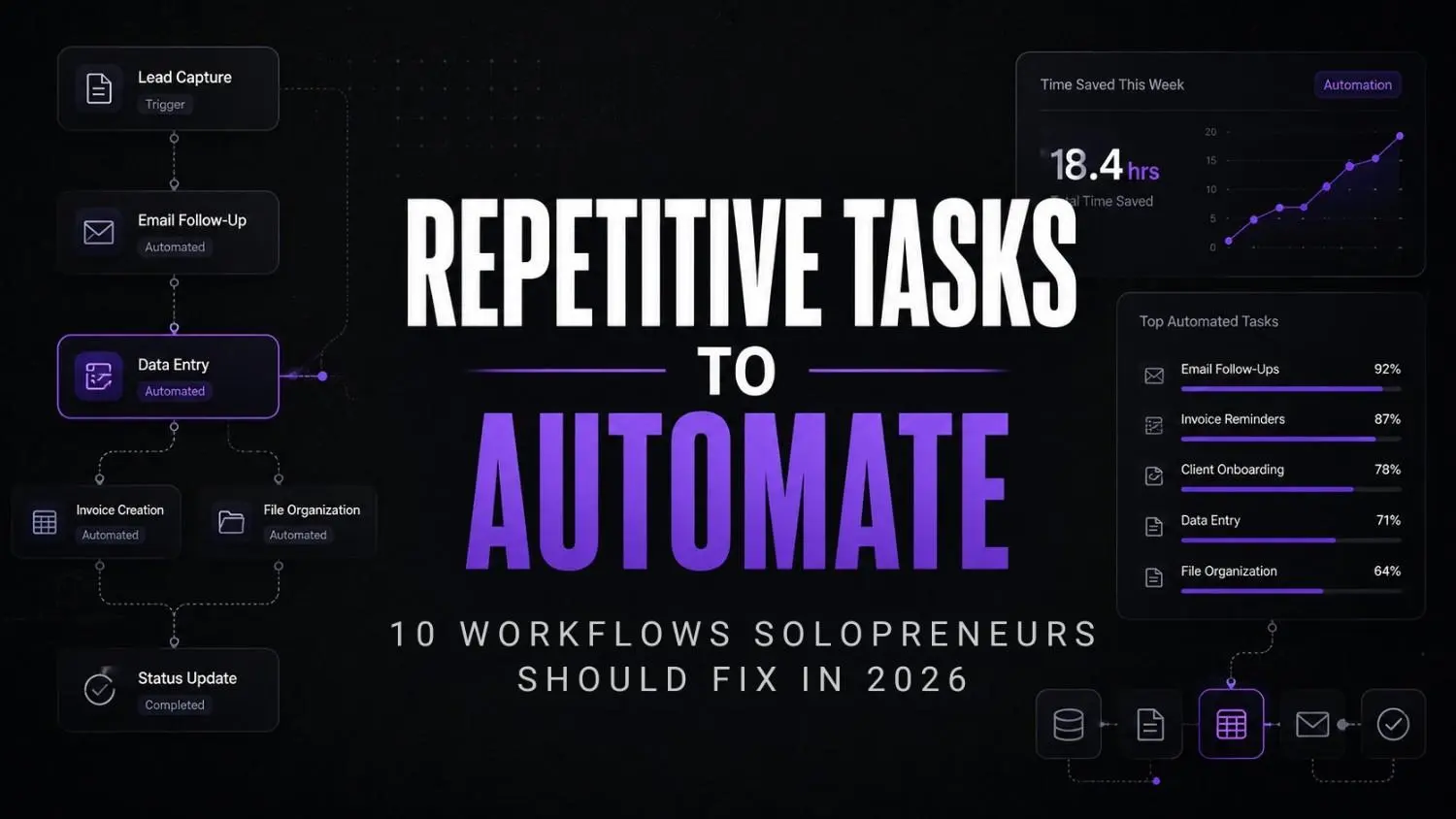
The repetitive tasks to automate aren’t the dramatic ones. They’re the quiet, daily operational tasks that feel productive but aren’t. Scheduling a meeting. Sending a follow-up. Logging a contact. Reformatting content.
This isn’t an AI tools list. It’s a workflow audit disguised as one.
Why most solopreneurs automate the wrong things first
There’s a pattern here. Someone discovers automation, immediately connects five apps together, and builds a Frankenstein workflow that breaks every Thursday when one API hiccups.
What I’ve noticed working with businesses is that the problem isn’t the tool. It’s that the task was never defined clearly enough to automate properly in the first place. Automating a messy process just moves the mess faster.
According to Salesforce’s Small and Medium Business Trends Report, 76% of small businesses investing in technology trends are actively growing, yet most start by automating the wrong layer of their operations.
Pause and think: Write down the last five things you did before lunch today. How many of them were things you’ve done in exactly the same way before? Those are your automation candidates, not your creative or judgment-heavy work.
The 10 repetitive tasks to automate in 2026
1. Inbox triage and email sorting
Not all email needs you. Most of it needs a rule. Tools like Lindy.ai can read incoming emails, categorise them by sender type or subject intent, draft responses to routine queries, and flag the ones that genuinely need a decision.
The goal isn’t inbox zero. It’s inbox clarity. You want to open email and already know what needs attention.
2. Meeting scheduling
Scheduling is a solved problem that millions of solopreneurs still solve manually every day. Both Lindy.ai and Motion handle scheduling natively, including buffer times, priority windows, and follow-up booking sequences.
If you’re still sending “does Tuesday at 3 work for you” emails in 2026, this is your first automation.
3. Lead follow-ups
Leads go cold because follow-up requires remembering. Relay.app lets you build multi-step follow-up sequences triggered by a contact’s last action or inaction. No enterprise CRM license required.
The sequence doesn’t need to be complex. Three touches over ten days, written in your actual tone, is enough to recover deals that would otherwise disappear quietly.
4. CRM updates
Manual CRM updates are where data goes to become inaccurate. Bardeen connects to your existing tools and can push contact data, deal stage changes, and call notes into your CRM automatically from Gmail, LinkedIn, or your calendar.
5. Proposal and document generation
Most proposals share 70% of the same structure. Relay.app can trigger a document draft from a form entry or a new CRM record, pulling in client-specific fields automatically.
You still write the thinking. You stop rewriting the formatting.
6. Content repurposing
One long-form piece of content, an interview, a podcast episode, a workshop recording, should produce multiple assets. Castmagic does exactly this. Upload an audio or video file and it generates transcripts, key quotes, social captions, show notes, and email angles without you editing a timeline manually.
This is the automation most solopreneurs find genuinely changes their content output within a week of using it. The AI content workflows this creates are significantly more sustainable than manual repurposing every time.
7. Social scheduling
Not content creation. Scheduling. Once content exists, posting it shouldn’t require your time.Bardeen handles this leg too. Once content exists, you can set up a Bardeen workflow that pushes scheduled posts to your social platforms automatically from a content calendar or Notion doc. It’s not a dedicated scheduler, but it does the job without adding another tool to your stack.
8. Client onboarding
Every new client asks roughly the same questions in the first two weeks. An onboarding sequence built in Relay.app, triggered by a signed contract or paid invoice, can send welcome information, request intake details, schedule the kickoff call, and share resources all before you’ve had a chance to write a single email manually.
This is one of the highest-leverage automations for solopreneurs because it removes the “I need to get back to them” mental queue entirely.
9. Weekly reporting
If you’re manually pulling numbers every Friday, that’s a workflow problem, not a time management problem. Bardeen can aggregate data from your tools on a schedule and push a summary to a Notion page, a Google Doc, or a Slack message. The report exists before you’ve started your Friday morning.
10. Task prioritisation and planning
Motion is the underrated one here. It schedules your task list dynamically based on deadlines, meeting blocks, and time estimates. You add tasks, set rough deadlines, and Motion rebuilds your day automatically when something shifts. It’s not magic. But it removes a genuine daily decision load that most solopreneurs don’t realise is draining them.
What automating repetitive tasks actually looks like operationally
Not in theory. On a specific Wednesday morning.
It’s 8:47am. You open your laptop. Lindy.ai has already triaged overnight email, drafted responses to two client questions for your review, and flagged one that needs a real decision. That takes four minutes, not forty.
Motion has already adjusted your task schedule because Tuesday’s meeting ran long and two tasks got bumped. You see the day clearly without rebuilding it from scratch.
By 9:05am you’re in actual work, not operational overhead.
Meanwhile, a lead from last week received a second automated follow-up at 8am from Relay.app. A new client who signed yesterday received their onboarding welcome sequence at the same time. Castmagic finished processing a recorded workshop session overnight, and your content assets are sitting in a shared folder ready to use.
None of that required you to be awake yet.
This is what the automate scheduling workflows conversation should actually look like in practice. It’s not dramatic. It’s just quiet and consistent. And that consistency is what compounds over weeks, not just one good morning.
The self-audit checklist
Run through this honestly:
- Do you send the same type of email more than twice a week?
- Do you manually update your CRM or task list daily?
- Do you forget to follow up with leads unless you see their name somewhere?
- Do you copy information from one tool to another on a regular basis?
- Do you spend more than 30 minutes a week on scheduling alone?
- Do you repurpose content manually every single time?
- Do you rebuild your daily task list from scratch each morning?
If you checked four or more, your week has significant automation headroom. That’s not a criticism. It’s a leverage map.
Wrong approach vs right approach
| Wrong approach | Right approach |
|---|---|
| Automate everything immediately | Audit and define the task first |
| Pick the most popular tools | Pick tools with a specific job |
| Build complex multi-step flows first | Start with one repetitive task |
| Measure success by tools connected | Measure success by time recovered |
| Use automation to scale chaos | Use automation to remove friction |
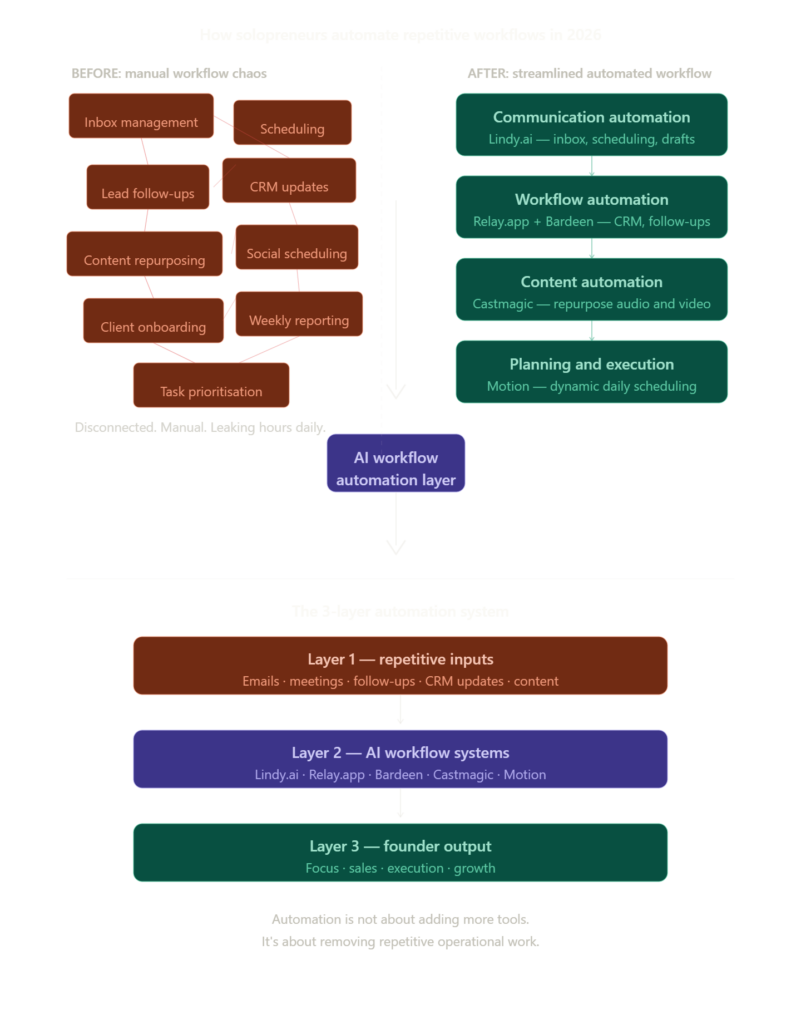
When automation becomes infrastructure-level
Most solopreneurs won’t hit this ceiling. But some do. When your automation workflows start touching AI model calls, heavy data processing, or multi-agent systems, lightweight SaaS tools stop being enough.
That’s where AI workflows at scale start requiring actual compute infrastructure, not just API connections between apps. Platforms like ComputeStacker exist precisely for founders who’ve outgrown the SaaS automation layer and need to think about GPU compute, model hosting, and scalable AI infrastructure.
It’s not where you start. But it’s worth knowing the ceiling exists and what sits above it.
The tools doing the actual work
These five tools cover all ten workflows above between them:
Stage 1: Triage and communication
Lindy.ai handles email triage, response drafting, and scheduling in one place. It’s the closest thing to an AI operator for a solo founder’s communication layer.

Lindy.ai
Lindy.ai is an AI assistant that manages emails, meetings, scheduling, and follow-ups from one place. It’s designed for busy professionals and teams who want to automate repetitive admin work and save hours every week.
Stage 2: Workflow sequencing and document generation
Relay.app builds human-in-the-loop automation sequences. Unlike pure no-code tools, it lets you stay in the decision path where you need to be and step out where you don’t. It also handles proposal and document triggers from CRM events or form submissions, keeping the document layer connected to the rest of the workflow.

Relay.app
Relay.app is an AI-native workflow automation platform built for teams that want to automate repetitive processes without losing control. It combines visual workflows, AI actions, and human approval steps, making it especially useful for operations, agencies, and growing startups.
Stage 3: Data, CRM, and social operations
Bardeen automates the copy-paste work between tools. CRM updates, data pulls, report generation, and basic social publishing workflows. It runs inside the browser, which makes it practical without any technical setup.
Bardeen.ai
Bardeen.ai is an AI-powered browser automation platform that helps teams automate repetitive tasks directly from their browser. It is commonly used for scraping data, lead generation, outreach workflows, and productivity automation without heavy coding.
Stage 4: Content operations
Castmagic turns audio and video into usable content assets. One upload, multiple outputs — transcripts, key quotes, social captions, show notes, and email angles without you editing a timeline manually.

Castmagic
Castmagic is an AI content repurposing platform that transforms audio, video, podcasts, and meetings into structured written content. It is built for creators, marketers, podcasters, and agencies who want to generate blogs, social posts, emails, summaries, and transcripts from long-form media.
Stage 5: Task and calendar intelligence
Motion dynamically schedules tasks around your calendar. It removes the daily planning overhead entirely for most users within the first week of using it.

Motion
Motion is an AI-powered productivity and scheduling platform that helps users manage calendars tasks meetings and project workflows automatically. It uses AI to prioritize work build schedules and optimize daily planning for individuals and teams.
FAQs
What are the best repetitive tasks to automate as a solopreneur? Start with the ones that happen most often and require the least judgment: email sorting, meeting scheduling, lead follow-ups, and CRM updates. These four alone can recover several hours each week without touching anything complex or expensive.
Do I need technical skills to automate these workflows? No. Tools like Lindy.ai, Relay.app, and Bardeen are built specifically for non-technical operators. If you can describe the task clearly in plain language, you can usually build the automation.
How long does it take to set these up? Most of these take under an hour each. The real time investment is defining the task clearly beforehand. Once you know exactly what the task involves, the setup itself is usually the easy part.
Will I lose control of client communication if I automate follow-ups? Only if you set it up that way. Tools like Relay.app let you stay in the loop at any stage. You can review a draft before it sends, approve a step before it triggers, or get notified when a client responds. Automation doesn’t mean absent.
Can these tools work together? Most of them do, through native integrations or standard connection layers. Bardeen, Relay.app, and Lindy.ai all connect to common CRM and calendar tools. You don’t need to build a monolithic system. A few connected workflows running quietly is more than enough to start.
What if an automation breaks? It happens. Build in a manual fallback for anything client-facing. And start simple. One-step automations rarely break. Five-step chains need monitoring until you trust them.
The week is yours or it isn’t
Most solopreneurs already know which tasks are eating their time. The problem isn’t awareness. It’s that building the automation always feels like something for next week.
But here’s what’s shifting. The tools handling these workflows are getting better at the operational layer, not just the novelty layer. The solopreneurs who build even basic automation systems this year will have a structural time advantage over those who don’t. And that gap will widen.
The question isn’t whether to automate. It’s whether you’re still going to be the one scheduling your own meetings in 2027.
Your next move
Pick one task from the list above that you did manually at least three times last week. Open Relay.app or Lindy.ai, and spend the next ten minutes mapping out exactly what that task involves from start to finish. Don’t build anything yet. Just write the steps down. That map is the foundation of every automation you’ll build from it.