Key takeaways
- AI workflows degrade silently after launch without active monitoring in place
- Prompt drift, API changes, and model updates are the three most common failure sources
- Observability tools reduce detection time significantly, but most teams skip them entirely
- Maintenance overhead runs 20 to 40 percent of initial build time per quarter
- Treating AI systems like static software is the single most expensive assumption in operations
Introduction
The bill arrives quietly. Not during the build phase when everyone’s paying attention. Not during the demo when things look polished. It arrives three weeks after launch when a workflow that processed 400 leads a day starts producing garbage output and nobody notices for six days.
AI workflow maintenance isn’t a technical afterthought. It’s an operational discipline that most founders don’t price in, don’t assign ownership for, and genuinely don’t think about until something breaks loudly enough to surface. According to research published by McKinsey on AI adoption in operations, the majority of AI implementation failures happen not at the build stage but during the post-deployment phase, when monitoring gaps and dependency changes compound quietly.
And by then, the real damage is already done.
Why AI workflows break after launch
Most founders treat a deployed AI workflow the way they treat a published webpage. Once it’s live, it runs. That assumption is wrong in a specific and costly way.
AI workflows are dependency stacks. They rely on model versions, prompt templates, API endpoints, third-party data inputs, and downstream tool behaviour all behaving exactly as they did during testing. Change one layer and the whole chain drifts.
The three failure patterns that keep showing up
The first is prompt drift. Prompts that worked in testing stop working correctly when the underlying model is updated or when the input data changes character. A prompt written for a specific model version in January behaves differently after a model patch in March. Nobody told your prompt.
One founder’s proposal generator did this for two weeks before anyone noticed. A model update added an extra output field, the downstream parser silently dropped the record, and proposals stopped generating for an entire lead segment. The prompt was identical. The model wasn’t.
The second is API deprecation. Vendors move fast. Endpoints get versioned, deprecated, or quietly altered. If your workflow calls an external API without version pinning and error handling, you’re running on borrowed time. This is one of the most preventable failure types and one of the most consistently ignored ones.
The third is data input variance. Real-world data feeding your workflow is messier and more inconsistent than your test cases were. Edge cases arrive. Formats shift. A field that always had a value starts coming through blank. Your AI system doesn’t know how to handle it and fails silently.
Pause and think: When did you last check whether your live AI workflows are still producing accurate outputs? Not whether they’re running. Whether the outputs are actually correct.
A real example of what this looks like in practice
A seven-person agency built an intake workflow. It qualified inbound leads, summarised discovery call notes, and pushed structured data to their CRM. It ran cleanly for two months.
Then a model provider rolled out a behaviour update on a Tuesday morning. The summarisation prompt, which relied on a specific output structure, returned an extra nested field the CRM parser wasn’t built to handle. The parser skipped the record silently. No error fired. No alert triggered.
The sales team started their day with an incomplete queue. By 11am someone noticed the numbers looked off. By 2pm someone was digging. By Thursday they traced it back and patched it.
Three days of corrupted pipeline data. Fourteen hours of team time across two people. One model update nobody planned for.
That’s not a dramatic failure story. That’s a routine one. And it’s the kind of thing that repeats across businesses running live AI workflow monitoring at zero coverage. The model wasn’t the problem. The absence of an operational layer around it was.
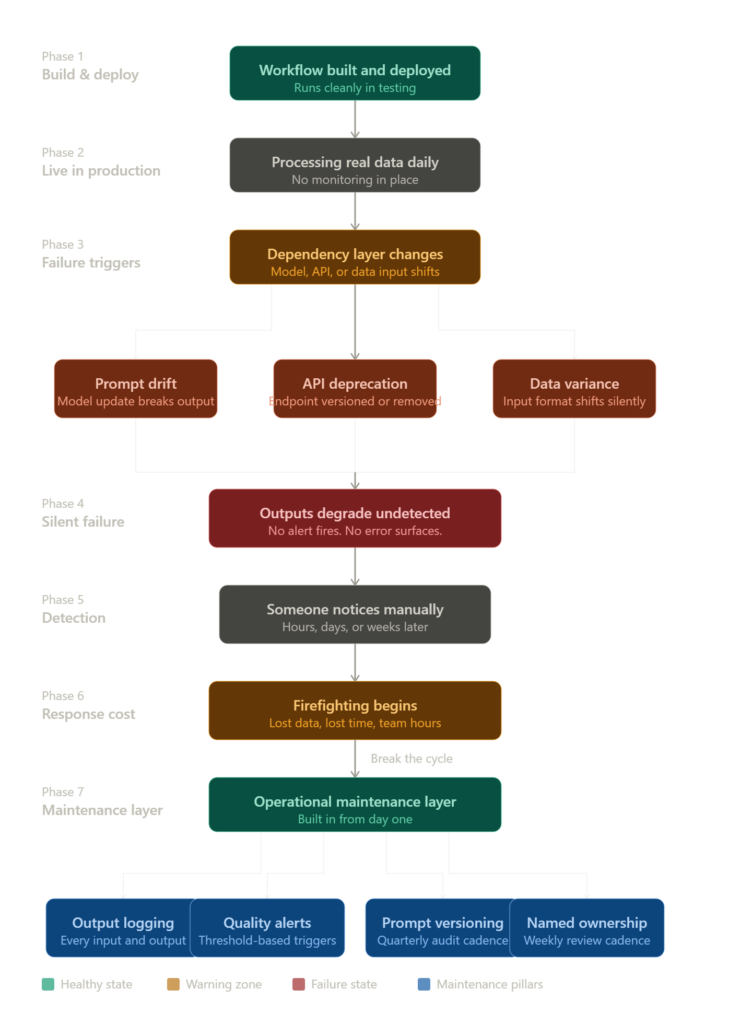
What AI workflow maintenance actually looks like operationally
A proper AI system management rhythm looks like this: you have a logging layer capturing every input and output, a threshold alert when output quality drops below a benchmark, a weekly review of flagged interactions, and a quarterly prompt audit.
It takes roughly four hours per week for a moderately complex stack. Most teams aren’t doing any of it.
What I’ve noticed working with businesses is that the teams spending the least on maintenance tooling are almost always the ones spending the most on firefighting.
The gap isn’t technical capability. It’s that nobody budgeted for operations after launch, so nobody owns it. Ownership without a system is just anxiety with a job title.
What a healthy monitoring stack actually looks like
Before jumping into tools, here’s what you’re actually building toward. A healthy monitoring stack has four layers: something that logs every input and output, an alert that fires when quality drops, a version history for your prompts, and a human review touchpoint each week. You don’t need all four on day one. But you need the first two before anything goes live at volume. The tools below each cover one of these layers directly.
The tools that actually do the monitoring work
Most monitoring conversations jump to mainstream options. These don’t. Each one has a specific job in a functioning AI operations layer.
Stage one: Capturing what your AI is actually doing
Langfuse is an open-source LLM observability platform that logs traces, scores outputs, and lets you replay sessions. It’s the closest thing to a flight recorder for your AI workflows. If you’re running any LangChain or LlamaIndex-based workflow without logging to Langfuse, you’re flying blind.
Langfuse
Langfuse is an open-source LLM engineering platform that helps teams monitor, debug, evaluate, and improve AI applications. It combines tracing, prompt management, evaluations, datasets, analytics, and observability into a single platform for building production-ready AI systems.
LangSmith from LangChain does similar work with tighter integration into the LangChain ecosystem. Better for teams already deep in that stack. It lets you track prompt versions, compare runs, and catch regressions before they hit production.
LangSmith
LangSmith is an LLM development and observability platform from LangChain that helps teams trace, evaluate, test, monitor, and improve AI applications. It provides visibility into prompts, agents, chains, tool calls, and model behavior across development and production environments.
Stage two: Catching failures at the product layer
PostHog is primarily a product analytics tool but it’s underused as a workflow event tracker. You can pipe custom events from your AI workflows through PostHog and build dashboards that show output anomalies over time alongside user behaviour. It’s not an LLM tool, but it fills a visibility gap that pure LLM tools miss.
PostHog
PostHog is an open-source product analytics platform that helps teams track user behavior, run experiments, and improve products. It’s built for developers, product managers, and startups who want full control over their data.
Sentry handles error monitoring and belongs on anything that touches your AI pipeline at the application layer. API timeouts, parsing failures, and downstream errors that your AI layer swallows silently will surface here. It’s the safety net under the safety net.
Sentry
Sentry is an application monitoring and observability platform that helps developers detect, diagnose, and resolve errors across web, mobile, backend, and distributed systems. It combines error tracking, performance monitoring, session replay, logs, profiling, and debugging workflows into a single platform.
Stage three: Operational control and rapid patching
Retool lets non-technical operators interact with and manually override workflow logic without touching code. When something breaks and the fix is time-sensitive, a Retool interface means your ops person can adjust parameters, re-run a batch, or pause a workflow without waiting on a developer. For teams running significant volume through AI infrastructure, this compresses response time on failures more than any other single tool in this list.

Retool
Retool is a low-code development platform that allows teams to build internal applications, dashboards, workflows, portals, and business tools using databases, APIs, and AI-powered development features. It helps organizations create operational software without building everything from scratch.
Wrong approach vs right approach
| Wrong approach | Right approach |
|---|---|
| Build and deploy, check in occasionally | Build with logging from day one |
| Rely on users to report failures | Set automated output quality alerts |
| Treat prompts as permanent | Version prompts and audit quarterly |
| Assume API behaviour is stable | Pin API versions and monitor changelogs |
| One person loosely responsible | Named owner with defined review cadence |
| No cost tracking on AI ops | Track token costs, error rates, and output accuracy weekly |
Self-audit checklist: Is your AI workflow actually maintained?
Run through this honestly.
- Do you have logging on every live AI workflow capturing inputs and outputs?
- Is there an alert that fires when output quality drops or error rates spike?
- Has anyone reviewed your prompt library in the last 60 days?
- Do you know which API versions your workflows are currently calling?
- Is there a named person responsible for monitoring, not just building?
- Do you have a cost tracking view for your AI operations spend?
- If you checked fewer than four, your AI workflow maintenance is likely costing more than you realise. It just hasn’t surfaced loudly yet.
The maintenance economics nobody prices in
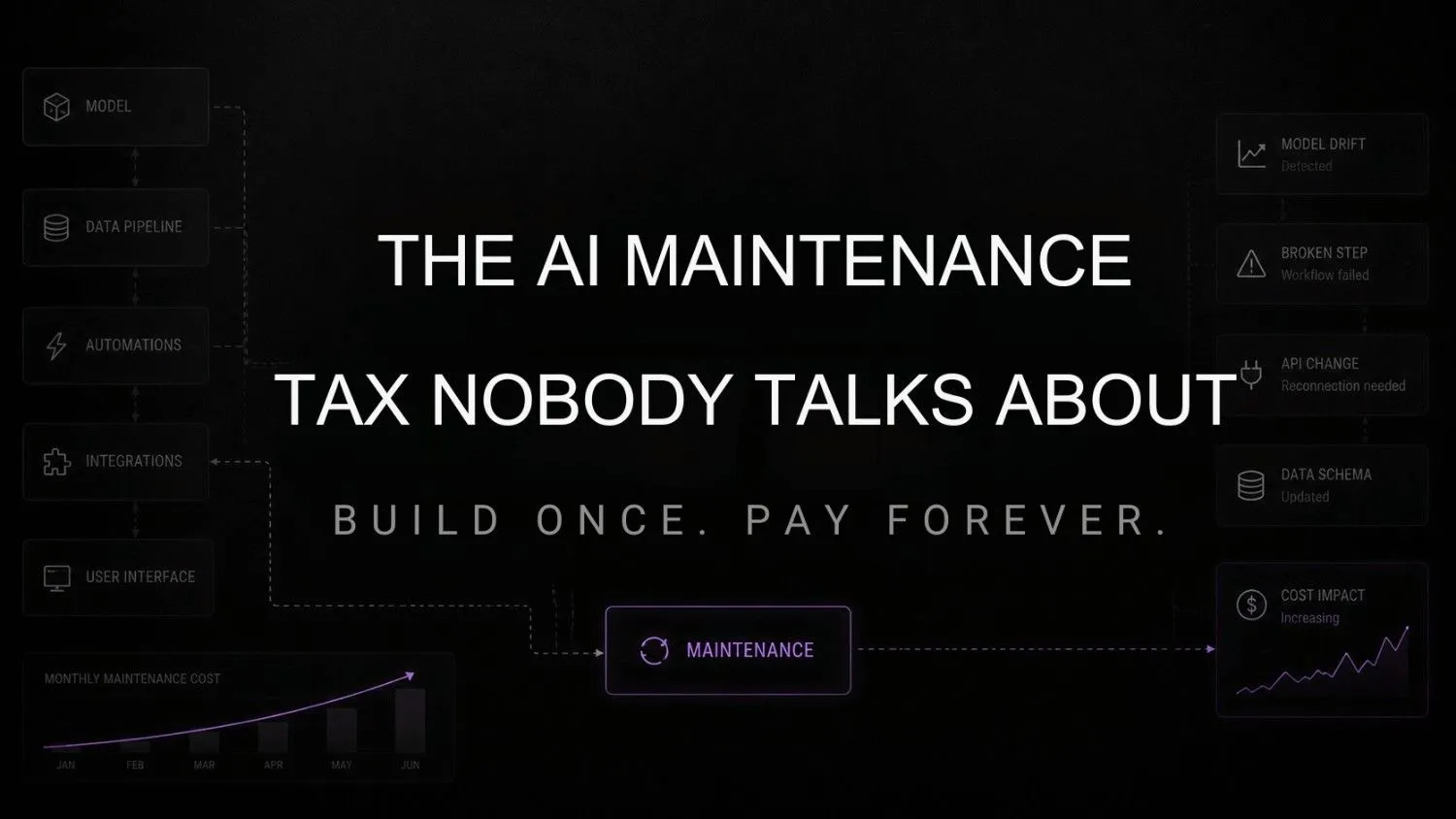
Building a workflow is a one-time cost. Maintaining it is a recurring one. But founders consistently budget for the former and ignore the latter entirely.
A rough operational benchmark: plan for 20 to 30 percent of your initial build time as quarterly maintenance overhead. A workflow that took 40 hours to build should have roughly 8 to 12 hours per quarter budgeted for upkeep, monitoring, and iteration. Most teams allocate zero. Then they wonder why the system they were confident in six months ago is now producing outputs nobody trusts.
Research from MIT Sloan’s research on AI operational risk, produced with BCG, found that AI’s pace of deployment has outstripped most organisations operational readiness to maintain and monitor it reliably.
Failed AI adoption in businesses isn’t usually caused by bad AI. It’s caused by treating AI outputs as reliable without building the operational layer that makes them reliable. That pattern repeats across industries and company sizes with remarkable consistency.
For teams running AI at any meaningful scale, the AI workflow infrastructure layer, the logging, alerting, versioning, and override tooling, is what separates a system that compounds over time from one that quietly decays. Teams scaling AI operations who also need to evaluate model hosting and compute dependencies will find the infrastructure provider landscape worth mapping early. That decision compounds too.
FAQs
How often do AI workflows actually need maintenance? More than most teams expect. Lightweight workflows need monthly review. High-volume business-critical workflows need weekly checks. Model updates alone can shift behaviour in ways that aren’t immediately obvious until the outputs are already wrong.
What’s the cheapest way to start monitoring AI workflows? Start with Langfuse. Open-source, logs traces, gives you replay capability at no cost for reasonable volumes. Add Sentry on the application layer for error catching. That’s a functional monitoring baseline for under a few hours of setup.
Does this only apply to custom-built AI workflows? No. Even no-code workflows built on platforms like Make or Zapier need monitoring. They’re still calling APIs, still processing variable inputs, still dependent on third-party model behaviour. The failure modes are identical, just sometimes harder to trace.
What’s prompt drift and why does it matter? Prompt drift is when a prompt that produced reliable outputs starts producing inconsistent ones over time, usually because the underlying model was updated or input data changed. It’s invisible unless you’re logging and reviewing outputs. Most teams don’t catch it until the damage is already significant.
How do I assign accountability for maintenance without a dedicated hire? Name someone. Give them a defined weekly review block, even two hours. Build a simple dashboard they own. Accountability follows naming and visibility. If nobody owns it formally, it doesn’t get done. That’s not a people problem, it’s a system design problem.
Conclusion
The businesses that treat AI as a deployment problem will keep rebuilding workflows every time something breaks and wondering why the technology never quite delivers what the demo promised.
The ones treating it as an operations problem will compound their advantage quietly. Their systems stay accurate. Their outputs stay trusted. Their teams stop firefighting.
The shift coming is that AI observability will stop being a technical nice-to-have and become a standard operational budget line, the way analytics and error monitoring already are. The teams building that muscle now will be running more reliable systems at lower cost than everyone who waits until failure forces the conversation.
The question worth sitting with: if one of your live AI workflows has been producing degraded output for the last three weeks, would you actually know?
Your next move
Open your live AI workflow stack right now and identify one workflow with no output logging. Just one. Set up a free Langfuse account, connect it to that workflow, and turn on trace logging. Under an hour of setup. Within 24 hours you’ll see more about what’s actually happening inside that system than you have in the last three months.