
Key Takeaways
- Phind, the AI search engine for developers, was permanently shut down on January 16, 2026, with no grace period.
- There are now 7 free tools which implement the same lookup-debug-cite workflow as Phind: Perplexity, GitHub Copilot Free, Devin Desktop (ex Codeium/Windsurf), You.com, Continue.dev, DevDocs AI, and iAsk.
- None of these offer the same mix of developer-optimized sources plus a coding LLM as Phind did, covering different parts of the same workflow.
- Continue.dev is the only truly open-source and permanently free option with no usage limits (billed to the user), because it simply runs whatever model you point it to.
- Teams which had established a daily workflow around one proprietary AI search engine with no backup option were instantly impacted when their only tool was shut down.
Introduction
On January 16, 2026, Phind was discontinued. No sunset period and no explanation of sorts was given, despite the 10 million fund raising last year. The company simply ceased operations a month after the funding event, leaving developers who used the tool to debug their applications in a confused state. The users who had built their technical support routine around pasting the exception trace there and receiving a cited response within 20 seconds at best were left stranded without any prior notice. Pro accounts were given a prorated refund, while the others received a 404 error message.
This message is the reason why users are now searching for alternatives to Phind AI. It has nothing to do with a hypothetical saturation of the free market. Rather, it is a direct result of a service that was relied upon being suddenly taken away, requiring an alternative search engine to be found for the next time a production emergency occurs.
The following are seven free tools that can be used as substitutes for Phind. They do not offer the same range of features, but they each have a free plan that can be relied upon without a sudden collapse of the service in the middle of the critical task. This list is not comprehensive in its scope, only including the tools that have a public free tier. Niche AI search products are being consolidated into the general-purpose assistants that have announced the availability of web search features, and it is an important trend to recognize if one is considering relying on a single free tool to perform their technical research.
What Is Phind AI? (Quick Recap)
Phind was an AI-powered search engine, designed to help developers by returning from Stack Overflow, GitHub issues, and documentation not a list of links, but an actual answer – a fully working chunk of code, cited properly. The engine was powered by its own set of fine-tuned models (Phind-70B, and later Phind-405B), and the company also provided a VS Code extension, which could parse the error messages from your own terminal.
In the past, the free plan included unlimited queries to the Fast model, while access to GPT-4 and Claude was available in the $17-$20/month Pro plan. All that is now in the past – Phind is shut down, and any pricing information you might see elsewhere on the web is outdated.
How we chose these alternatives
Every tool below had to clear four bars:
- Free tier that’s actually worth using, not a 3-day trial
- Developer-relevant output, be it code awareness, citations, or in-editor context, not just general-purpose chatting
- Currently offered as a product we checked every vendor’s website as of August 2026
- No credit card needed for the free tier
Tools requiring a company email, sales pitch, or waitlist were excluded due to being unable to access on a free tier despite excellent reviews. Same goes for any other tools we might be considering for alternatives comparison in the future, coding tools or otherwise. If you’re comparing the wider developer stack, see how these compare to dev infra tools like LangChain and Modal.
What replacing a search habit actually looks like operationally
Tuesday, 10:40 a.m. A three-person dev team at a bootstrapped SaaS company has just run into a production incident involving a webhook handler swallowing Stripe events. Before January, their first instinct would have been to throw the stack trace into Phind, get the cited answer in 15 seconds, and move on.
Now, with a few seconds to spare, the founder chooses to open GitHub Copilot Chat in VS Code (it’s already open, and doesn’t require context switching), finds the probable cause (the lack of an await that swallows a promise), but can’t find confirmation that this would cause Stripe’s webhook system to fail, because Copilot doesn’t have access to Stripe’s documentation. He opens Perplexity, pastes the same question, gets an answer grounded in Stripe’s documentation via citation, and moves on. Total time saved versus a single tool like Phind? About 90 seconds.
So why is this an advantage for Phind? It’s actually not an advantage at all, and is instead a demonstration of how the tool quietly does two things really well – code reasoning, and live document-based QA. And there really isn’t another free tool on this list which accomplishes both. It’s these types of tradeoffs where teams which aren’t thoughtful about the cost of these tools end up either paying for a Pro version of the tool they don’t need, or paying the opportunity cost of 10-20 minutes every day which would have been spent performing a single search in the alternative tool. Same context switching tax appears in other areas of tooling, whenever teams begin adding more tools than required to accomplish a given task. For a broader look at the developer AI stack, see our broader roundup of AI tools for developers
Pause and think: if the tool you rely on most for a daily task shut down tomorrow with no notice, would your team notice inside an hour, or inside a week?
Comparison table: Phind AI alternatives at a glance
| Tool | Free Tier | Best For | Standout Feature |
|---|---|---|---|
| Perplexity AI | Unlimited basic search, ~3-5 Pro searches/day | All-around AI search with citations | Multi-source synthesis, six Focus modes |
| GitHub Copilot Free | ~2,000 completions + 50 chat/agent requests/mo | In-editor code completion | Native integration in VS Code, JetBrains, Neovim |
| Devin Desktop (formerly Codeium/Windsurf) | Unlimited Tab autocomplete + light agent quota | Fully free daily coding assistance | No trial expiry on core autocomplete |
| You.com | Unlimited AI chat, limited advanced models | Web-grounded dev search | Blends live web results with AI synthesis |
| Continue.dev | 100% free, open source, no cap | Full control over model choice | Bring your own model, on-prem/local option |
| DevDocs AI | Free Q&A + code generation, no signup | Docs-first framework lookups | Inline citations straight to official docs |
| iAsk.ai | Unlimited daily searches (non-Pro model) | Lightweight general Q&A | No account required, fast factual answers |
7 Best free alternatives to Phind AI
1. Perplexity AI (Free Plan)
Best for: Developers who want Phind’s citation-first answer style for a broader range of questions, not just code.
Pricing tiers: Free ($0), Pro ($20/mo or ~$200/yr), Max ($200/mo), Enterprise (from $40/user/mo).
Platform: Web, iOS, Android, and the Comet browser.
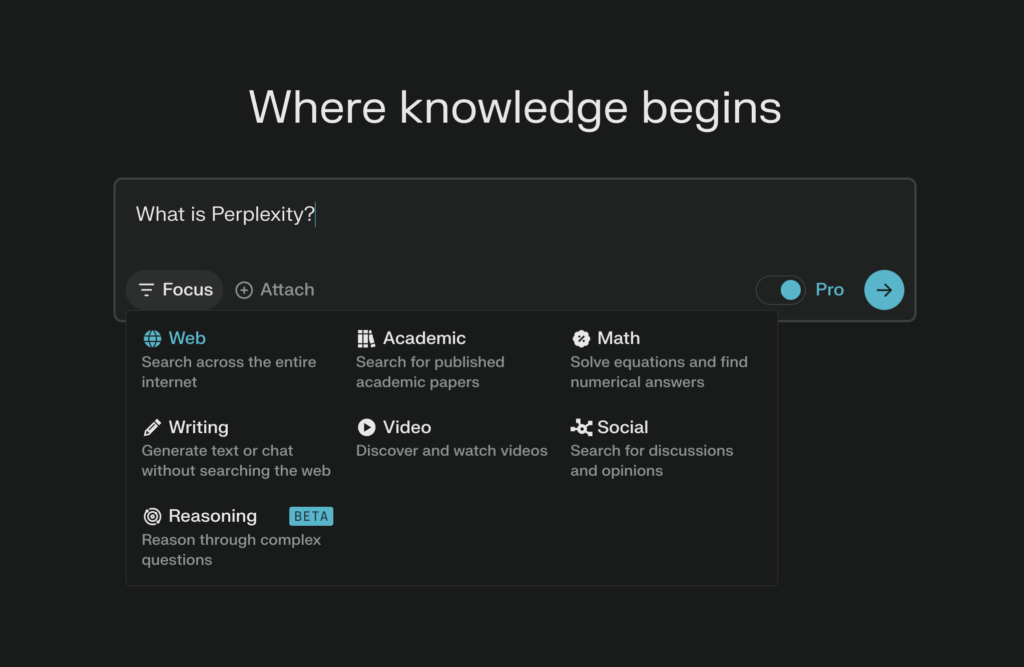
Perplexity’s free plan offers unlimited standard searches with live web results and citations, no daily limit on basic queries, and six available Focus modes (Web, Academic, Reddit, YouTube, News, Wolfram Alpha). This makes it particularly valuable for searching framework changelogs or GitHub issues in the style of Phind’s old code-focused interface. The limitation is the Pro Search paid mode for multi-step reasoning which only allows 3-5 queries per day on the free plan.
Pros:
- Unlimited basic search with no daily limit.
- Answers with citations are closest to Phind’s style among competitors
- No-install access via browser extensions
Cons:
- Advanced models (GPT-5, Claude Opus) and Pro Search only available in paid plans
- Daily Pro Search limit for multi-step questions
- Image generation unavailable for free users

Perplexity
Get cited, accurate answers to any question without the clutter of traditional search ads.
Operator opinion: This is the closest substitute for Phind as a standalone research tool and the likely choice for most of Phind’s old search queries. It requires no installation to use, and the only limitation for most tasks is the daily Pro Search allowance for complex multi-step questions. Teams doing heavy multi-step architectural research should consider budgeting for Pro over the free tier with daily limits.
2. GitHub Copilot Free Tier
Best for: In-editor code autocomplete without leaving VS Code, JetBrains, or Neovim
Pricing tiers: Free ($0), Pro ($10/mo), Pro+ ($39/mo), Business ($19/user/mo), Enterprise ($39/user/mo).
Platform: VS Code, Visual Studio, JetBrains IDEs, Neovim, GitHub CLI.
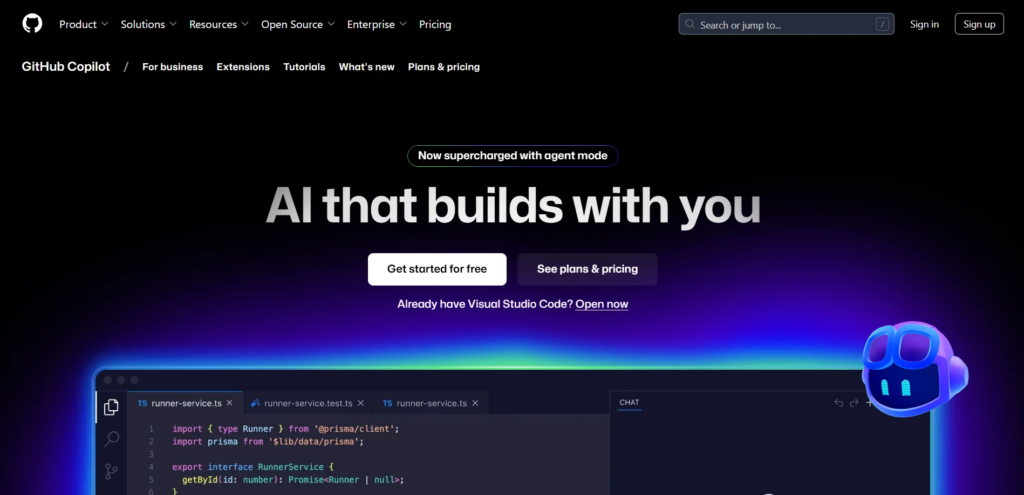
GitHub transitioned Copilot to a credits-based billing system starting June 1, 2026. The free plan retains a monthly allowance of code completion tokens and limited chat/agent requests (2000 completions and 50 chat requests per month on average) with access to lower-power models like GPT-5 mini and Claude Haiku. Unlike most other tools, this one docks directly in the editor instead of running in a separate tab.
Pros:
- Completely free to set up if already using VS Code or GitHub
- Autocomplete and chat features available in the same editor window
- Verified students and open-source maintainers get free access to the full Pro tier
Cons:
- Limited free tier access to lower-power models
- Monthly token allowance is not published in advance
- Chat mode is not optimized for open-ended research questions compared to Perplexity

GitHub Copilot
GitHub Copilot Free is GitHub's free AI coding assistant that helps developers write code, explain code, generate suggestions, and chat directly inside supported IDEs. It is designed for students, hobbyists, and developers who want AI-powered coding without paying for a subscription.
Operator opinion: Worth installing even if you decide not to use it, since it has no cost and appears in the same windows as your code. Should not be used as a standalone replacement for Phind-style research due to this limitation, while being required for in-editor code autocomplete. Better to pair with Perplexity or DevDocs AI for documentation lookups rather than expect GitHub Copilot to handle both code and research.
3. Devin Desktop (formerly Codeium, then Windsurf)
Best for: Developers who want a no-expiry free tier with unlimited autocomplete.
Pricing tiers: Free ($0), Pro ($20/mo), Max ($200/mo), Teams ($80/mo + $40/seat), Enterprise (custom).
Platform: Devin Desktop (VS Code-based editor), plus a separate Windsurf-branded JetBrains plugin.
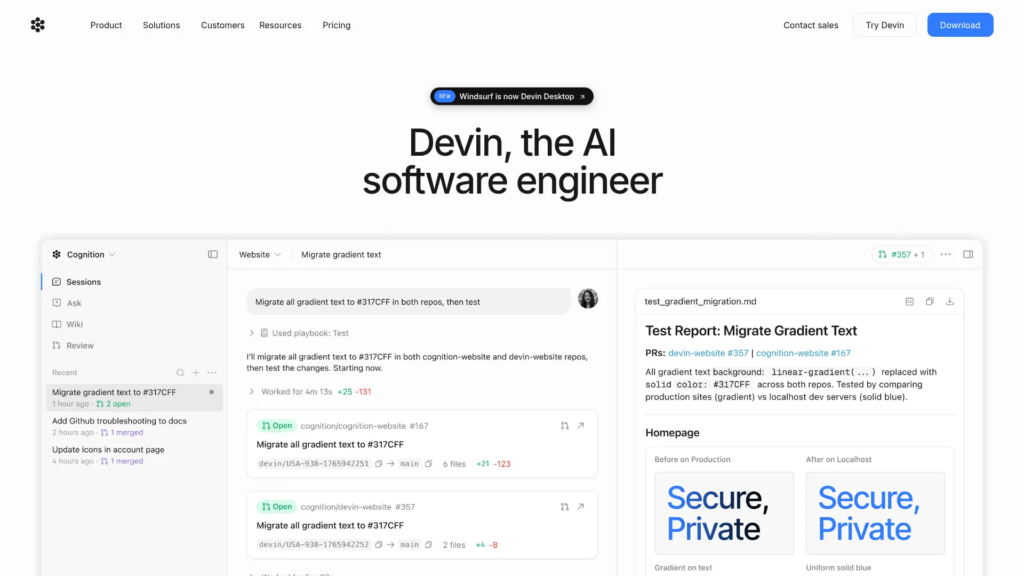
This tool has undergone two rebranding phases since its launch. It was initially released as Codeium in 2022, then renamed to Windsurf in late 2024 to better reflect its evolution into an AI coding IDE, and finally rebranded to Devin Desktop under new ownership by Cognition (creator of Devin AI) in December 2025. It absorbed the free tier of both previous products on June 2, 2026, and is set to merge the Codeium and Windsurf free tiers on June 2, 2026. The free version offers unlimited Tab autocomplete with no expiry and a lighter allowance for the multi-file editing agent (now branded Devin Local on the new editor).
Pros:
- Unlimited autocomplete on free tier (no trial period)
- Tab completion works in 40+ IDEs from the old Codeium era
- No private code training by default
Cons:
- Three product rebrands in two years indicate potential instability
- Multi-file editing agent has shared daily quota that can be reached on busy days
- Windsurf brand is being deprecated in favor of Devin Desktop by July 2026

Devin Desktop
Devin Desktop is the successor to Windsurf (formerly Codeium) and brings Cognition's AI software engineering experience to the desktop. It combines AI coding assistance, autonomous task execution, project understanding, and collaborative development inside a native desktop environment for individual developers and teams.
Operator opinion: The best option for a free tier with unlimited autocomplete as an always-available “cheat sheet” for common coding patterns, with no payment required beyond time spent waiting for results. The value is found in the combination of unlimited Tab completion and the legacy Codeium/Devin free tier. The only deal-breaker for some might be the instability risk indicated by the rapid renaming cycle, though the unlimited free access is worth noting for those who found value in Phind’s free tier being discontinued.
4. You.com
Best for: Web grounded developer search when the answer is likely to be found in documentation or release notes.
Pricing tiers: Free ($0), Pro (~$15-20/mo, pricing varies by source and region), Enterprise (custom).
Platform: Web, browser extension.
You.com has a free tier with unlimited chat searches with real-time web grounding plus limited image and writing generation per month. Not specialized in code as Phind was, but the combination of web search plus AI is better for me for certain queries where training data could be out of date for a framework version.
Pros:
- Unlimited chatting searches in free tier
- No ads and tracking of search history
- Clean UI for quick searches without logins
Cons:
- More advanced models behind Pro subscription.
- Public pricing changed several times in 2026 – confirm before using.
- Less code specialized so require more careful checking than Phind, especially with code suggestions.

You.com
You.com is an AI-powered search engine and productivity platform that combines web search, AI chat, deep research, writing, coding, image generation, and custom AI assistants in one workspace. It is designed for individuals, professionals, and teams who want fast, cited answers and AI-assisted workflows.
Operator opinion: Good option for second opinion for time sensitive documentation searches, but not a direct replacement for Phind for code reasoning tasks. Probably not worth a subscription if you only need autocomplete or editor assist features that Perplexity or Copilot provide.
5. Continue.dev
Best for: Developers who want to select specific models for different tasks (including self-hosting).
Pricing tiers: Free (open source, unlimited), Continue Hub team plan (paid, for shared configs and team workflows).
Platform: VS Code, JetBrains.
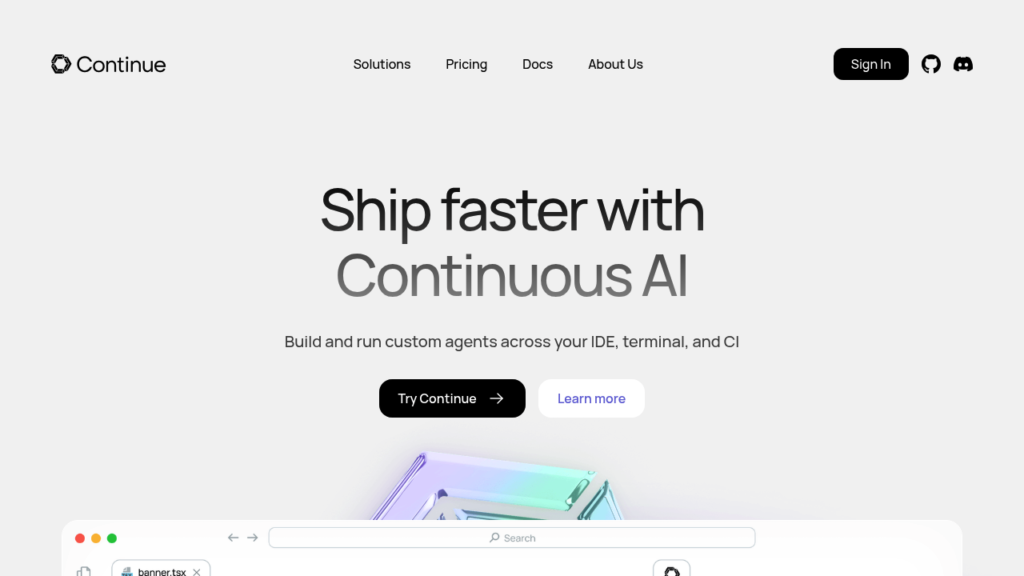
Continue.dev is an open source (25k+ GitHub stars) no-code AI assistant that does not lock you into a particular model – you can use Claude, GPT, Gemini, your self-hosted Ollama models or any other provider from OpenRouter (all you need is an API key). It offers four modes: chat, autocomplete, inline editing and multi-file agent tasks. Since there’s no model cost baked into the service, the free tier only limits the model you use – not your coding.
Pros:
- Truly free tier for life because it’s open source
- No vendor lock by design
- Can be used offline with self-hosted models for security sensitive code
Cons:
- Requires some setup to input API keys or run a local model
- Doesn’t have a built-in search layer like Phind
- Requires some technical setup for best use cases (YAML/JSON)

Continue.dev
Continue.dev is an open-source AI code assistant that brings AI-powered coding, chat, code editing, and custom workflows directly into popular IDEs. It gives developers complete control over AI models, prompts, and integrations, making it ideal for individuals and enterprises that want a customizable coding experience.
Operator opinion: Best choice for a founder in a regulated industry, or for someone who just doesn’t want to let their code anywhere near a third-party system. It takes the longest to setup out of all the tools we’ll cover, which is why it’s ideal for teams that value flexibility but are willing to spend the first morning working on configuration rather than immediate results.
6. DevDocs AI
Best for: Answering quick, easy citation checks against the framework documentation without an account.
Pricing tiers: Free (Q&A mode + code generation), Pro (saves conversation history across devices).
Platform: Web (devdocsai.dev).
This is a completely separate product from devdocs.io documentation browser, and is the closest alternative to Phind for people who want to ask specific framework questions. It covers a narrower set of frameworks (react, next.js, django, fastapi, tailwind, postgres, typescript, at the time of writing), offers a Q&A mode with citations to the documentation and a code generation mode which uses Claude to generate multi-file starter code projects.
Pros:
- No sign up needed
- Citations are real documentation pages
- Code generation mode for scaffolding code
Cons:
- Smaller set of supported frameworks compared to Phind
- No conversation history on the free plan
- Newer and less proven tool than the rest on this list
DevDocs AI
DevDocs AI is an AI-powered documentation assistant that helps developers search, understand, and interact with technical documentation using natural language. It provides faster answers from official documentation, reducing the time spent manually browsing developer docs.
Operator opinion: This is exactly what I’d expect Phind to become if it were to evolve into a specialized Q&A tool for developers. DevDocsAI serves a very similar role to Phind, but with a much narrower set of features and frameworks. It excels at answering specific questions about the frameworks it supports (what does this particular API returns), but can’t reason about more generic programming concepts or offer assistance with debugging beyond the supported frameworks. It complements Copilot well, but not replace a general purpose AI assistant like Phind.
7. iAsk.ai
Best for: Quick, light fact-checking and general knowledge not specific to coding.
Pricing tiers: Free (unlimited daily searches on the standard model), Pro ($9.95/mo).
Platform: Web.
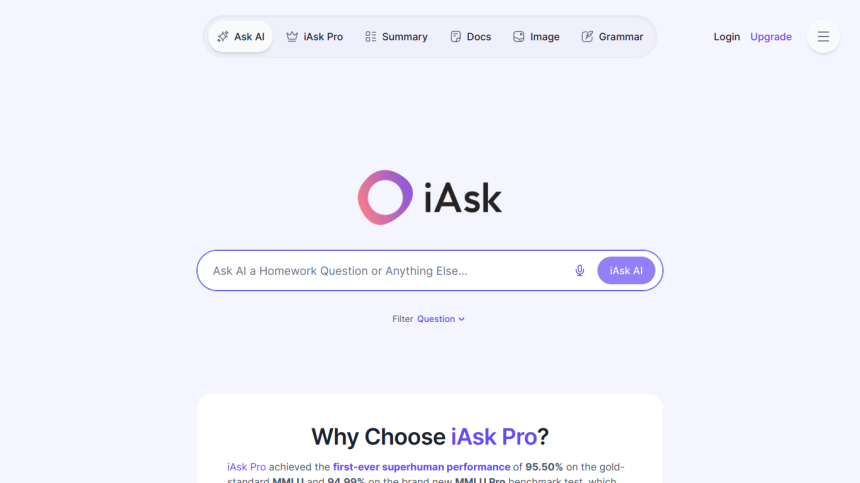
iAsk.ai is more general purpose than the other tools in this list, and less tailored toward developers than Phind – but is included here because it offers true unlimited free searches, requires no account to use, and can handle the occasional general knowledge or conceptual question that a dev might ask a chat model (“what’s the difference between REST and gRPC”, not “why is my webhook failing”).
Pros:
- Truly unlimited free queries, no account required
- Simple, fast answers to straightforward questions
- Document analysis and summarization available for free
Cons:
- No specific code understanding, can’t debug code like Phind or Copilot Chat
- Free version has ads
- Less heavy use by independent testers/benchmarkers than Perplexity or You.com
iAsk.ai
iAsk.ai is a free AI search engine that provides direct, conversational answers to questions using large language models and real-time web information. It is designed for students, researchers, professionals, and everyday users who want fast, accurate answers with supporting sources.
Operator opinion: Good alternative for general knowledge questions outside of code, but not for deep technical queries. One of the few options in this space for founders who want to avoid even the light account auth barrier, but ends up as the weakest recommendation for a “general purpose Phind alternative” due to the preference for other paid models with stronger reputations.
Phind AI vs free alternatives: which should you choose?
┌───────────────────────────────────────────────┐
│ Which option fits your work? │
└───────────────────────────────────────────────┘
│
▼
┌─────────────────────────────┐
│ Mostly debugging code? │
└─────────────────────────────┘
│
▼
GitHub Copilot Free + Perplexity
│
─────────────────────┼─────────────────────
│
▼
┌─────────────────────────────┐
│ Learning on a tight budget? │
└─────────────────────────────┘
│
▼
Continue.dev + OpenRouter
│
─────────────────────┼─────────────────────
│
▼
┌─────────────────────────────┐
│ Small team shipping fast? │
└─────────────────────────────┘
│
▼
Devin Desktop + Perplexity
│
─────────────────────┼─────────────────────
│
▼
┌──────────────────────────────┐
│ Working with framework docs? │
└──────────────────────────────┘
│
▼
DevDocs AI → Perplexity
│
─────────────────────┼─────────────────────
│
▼
┌──────────────────────────────┐
│ Privacy-sensitive codebase? │
└──────────────────────────────┘
│
▼
Continue.dev + Ollama (Local Model)
Self-Audit: Is your replacement workflow actually holding up?
- Can you name which tool now covers each specific job Phind used to do (search, in-editor errors, citation checking), or is one tool quietly standing in for all three?
- Have you tested the new recipe against a recent, realistic debugging session, not just hypothetical queries?
- If your preferred solution fails or ends its trial next week, is there a second option already in the rotation, or will the team be starting from square one?
- Is the switch really costing you hours per week, or is that an unexamined hypothesis?
- Is there a follow-up meeting scheduled thirty days later to make sure the team has truly adopted the new workflow, and isn’t quietly reverting to old, slower habits in the meantime?
We did the same test on Mintlify when we evaluated whether another developer-focused tool still lived up to its original promise.
What I’ve found when working with companies going through this process is that the tooling change itself is rarely the challenge. The bigger problem is that teams forget to revisit the decision three weeks later to see if the switch has truly stuck, and by what measure.
Wrong approach vs right approach
| Wrong approach | Right approach |
|---|---|
| Picking one replacement and assuming it’s the be-all and end-all of what Phind did | Mapping out which particular use cases the new tools have to cover as Phind didn’t have one singular feature set |
| Subscribing to a Pro plan right off the bat in panic that you’re going to lose access to functionality | Testing the waters with the free tier before committing to any bills for the service |
| Standardizing across the entire team with no alternative options in case something goes sideways | Maintaining at least two different tools as a safety net should one pull a Phind |
FAQs
No. Phind was officially shut down on January 16, 2026. There is neither a free nor a paid version of the service, since the product is no longer available.
There is no exact alternative to Phind, as it is the first search engine that combines code-aware reasoning with citation-based search. However, Perplexity AI covers Phind’s citation aspect, while GitHub Copilot Free or Devin Desktop would be great code completion alternatives.
No, you cannot use Phind AI for free, as the product was shut down. Any attempts to use the service would result in an error message, as the website is no longer operational and new users cannot sign up for the service.
Final thoughts
Phind’s closure demonstrates a pattern likely to repeat, in which narrowly focused research, search, or debugging tools are rapidly assimilated by more general-purpose AI assistants like Copilot Chat, which are often developed and scaled by much bigger companies. The next collaborative coding tool your team members fall in love with is just as likely to follow the same path, whether it’s a specialized search engine for code or another alternative to ChatGPT that was relied upon for a particular workflow. The habit you want to instill in your team is not how to find the best free Phind alternative it’s developing workflows that don’t become permanently dependent on a single provider.
If your team’s research and debugging workflows are currently captured in a single tool, this is important to consider before the next company announces its end-of-life.
Your next move
The easiest way to start is by finding a query in your recent debugging or research sessions that should have taken about the same amount of time to resolve in any modern coding assistant. For each query, try Perplexity and GitHub Copilot Chat’s new chat interface, and time how long it takes to arrive at a useful answer with each. A few test runs will tell you which tool gets you to an answer ten times faster than the other, on average, and therefore deserves more regular use.