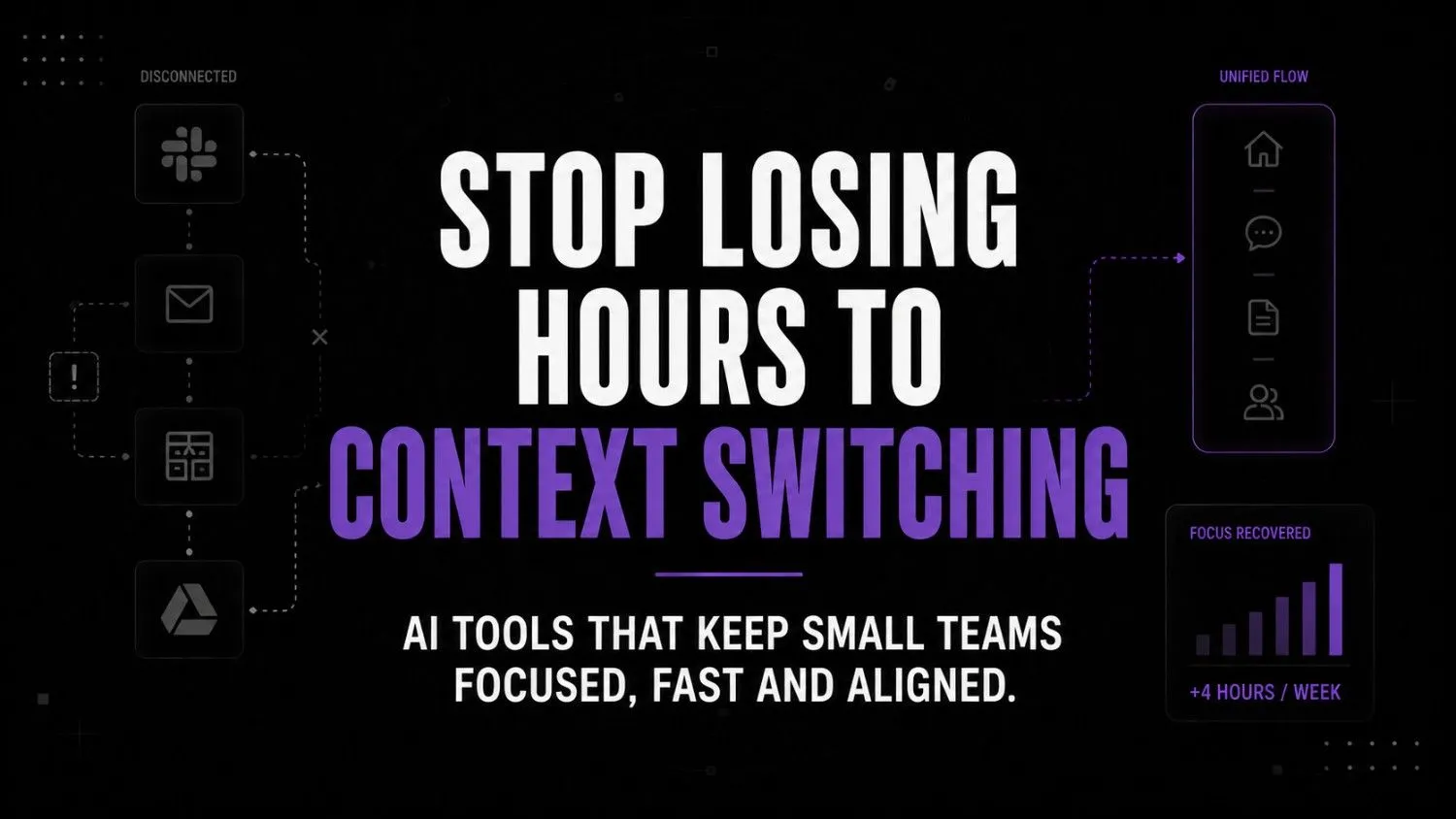
AI tools for small teams shouldn’t add more tabs to your browser. Learn how to fix the context switching tax and connect your existing systems instead.
Key takeaways
- The constant switching of applications causes the loss of about four hours of productivity each week.
- The expansion of software portfolios without integration leads to increased information silos within the organization.
- Consolidating system processes reduces the number of manual data entry tasks.
- Unified workspaces allow for centralized collaboration and project tracking.
Every time you switch from Slack to Gmail to your CRM, you lose the thread of your working process. Research from Harvard Business Review found that an average user switches between apps and websites more than 1,200 times a day. It adds up to almost four hours a week of lost working time.
It can add up for you too if you have a small team to run efficiently. Most founders think they need to build better AI software for small businesses to make their workers more productive.
However, it only creates more confusion in the workplace if you add another layer of technology without eliminating communication silos. You might have guessed correctly why AI fails after initial installation.
The hidden cost of disconnected systems
What I realized when working with companies is that the fundamental issue was that the information was living in different disconnected software tools, not that it was slow.
Context switching is not just about switching between different applications. It also includes having to stop what you’re doing in one application, find what you’re looking for in another, then understand the context of what you were doing when you stopped.
To put it in real-world terms: you open up your email to see what someone sent you, flip over to your project board to see an update, then go to slack to ask someone a question. By the time you get back to where you were before, you’ve already forgotten why you were there in the first place.
That’s why context switching has such a huge opportunity cost to it. Just throwing AI at the problem isn’t going to help if you have more disconnected islands to jump between. That’s why AI adoption fails after implementation.
Research shows that knowledge workers waste nearly 58 percent of their time and effort on coordination and work about work instead of skilled work. The best way to reduce this overhead is to ensure that your tools are able to operate in harmony. An AI stack audit will show you what your software is doing in terms of requiring human labor.
It is incredibly disheartening to see an operator paying for a premium account but still having to copy-paste the same text between five different windows. Your software should be doing it instead. Otherwise, you are the one acting as an API between your own products.
The 3-stage framework to preserve operational context
The process of creating a more optimized workflow does not require the user to collect more and more software tools in order to achieve the desired result. Instead, the system should be designed in such a way that the information flow is not interrupted by the search for the necessary data.
The most optimal solution is to divide the system into three levels: information entering the system, information stored in it, and information flowing within the system at the level of objects.
Having done this division, it becomes much easier to separate the tools needed at different stages and get rid of those that only complicate the process.
Stage one: Centralizing daily inputs
Raycast’s AI replaces the default search with an intelligent command center.
My opinion is that the interface is blazing fast and focused on the keyboard. It prevents the user from wasting time opening a browser window to perform a quick command or to write a spontaneous reply.
Raycast
Raycast is an AI-powered productivity launcher that helps you search, automate, write, manage tasks, and control apps from one keyboard-first interface. It's built for professionals, developers, creators, and teams who want to reduce context switching and work faster.
Akiflow organizes tasks from various sources into a single timeline.
My opinion is that the ability to sync tasks from all apps into one interface is a relief for many. The product helps stop the morning ritual of checking five task managers in search of an actionable item.

Akiflow
Akiflow combines tasks, calendars, and notifications into one productivity workspace. It helps professionals organize priorities faster and plan focused workdays without switching between apps.
Motion schedules daily work by prioritizing tasks and rescheduling the calendar around them.
My opinion is that the tool removes the guesswork and constant updating of the diary. It creates a reliable sense of what can fit into a day.

Motion
Motion is an AI-powered productivity and scheduling platform that helps users manage calendars tasks meetings and project workflows automatically. It uses AI to prioritize work build schedules and optimize daily planning for individuals and teams.
Stage two: Connecting customer and operational data
Attio serves as an intelligent CRM that automatically connects to communication platforms.
My opinion is that the setup process is much faster than with traditional CRMs. Attio syncs emails and records without requiring the user to manually log each interaction.

Attio
Attio is a flexible AI-powered CRM designed for startups and growing sales teams. It combines relationship management automation and collaboration into one customizable workspace. Teams use it to manage pipelines enrich contacts and automate workflows without the complexity of legacy CRMs.
Pieces saves the most common project elements for later reuse within the workspace.
My opinion is that developers benefit greatly from such automation solutions. The app is smart enough to suggest entire blocks of code based on the user’s past behavior.

Pieces
Pieces is an AI-powered productivity and knowledge management tool that automatically captures, organizes, and helps you rediscover code snippets, notes, links, screenshots, and workflow context. It is designed for developers, technical professionals, and knowledge workers who want a long-term personal memory without relying entirely on the cloud.
Recall arranges articles and research findings into a browsable graph.
My opinion is that this tool finally puts an end to bookmark binging. The visual presentation of information helps retain context even after months of inactivity.
Recall
Recall is an AI-powered knowledge management platform that automatically summarizes online content and builds a personal knowledge graph to help you remember and rediscover information. It is designed for researchers, students, professionals, and lifelong learners who consume large amounts of digital content.
Stage three: Automating the connective tissue
Lindy lets the user design their agents to act on specific triggers.
My opinion is that the design philosophy removes many boring routine tasks. Intelligent agents take over the drudgery of sifting through the email inbox.

Lindy.ai
Lindy.ai is an AI assistant that manages emails, meetings, scheduling, and follow-ups from one place. It’s designed for busy professionals and teams who want to automate repetitive admin work and save hours every week.
Supermemory presents a possibility to extract information from one’s own activity.
My opinion is that being able to recall specific quotes or references without switching between several programs several times saves enormous amounts of time. It serves as an extension to one’s own memory.
Supermemory
Supermemory is an AI-powered knowledge management platform that lets you save, organize, search, and chat with everything you collect from the web. It automatically turns bookmarks, notes, documents, and online content into a searchable personal knowledge base for faster learning and research.
The operational decision matrix
I think that instead of prioritizing the programs by their qualities, one should rather arrange them according to their relevance to the current activity.
| If your biggest problem is… | Use this tool… |
| Too many meetings | Motion |
| Customer follow-ups | Attio |
| Too many browser tabs | Raycast AI |
| Knowledge overload | Recall |
| Personal knowledge | Supermemory |
| Workflow automation | Lindy |
| Task overload | Akiflow |
| Reusing information | Pieces |
What thinking-first actually looks like operationally
Without a connected stack (The Context-Switching Tax):
[ Slack ] ➔ [ Email ] ➔ [ CRM ] ➔ [ Calendar ] ➔ [ Docs ] ➔ [ ChatGPT ] ➔ [ Back to Slack ]
(Result: Constant friction and lost context)
With an integrated AI stack (Thinking-First):
[ Inbox ]
↓
[ Unified Workspace (Raycast) ]
↓
[ AI Surfaces Context Instantly ]
↓
[ CRM Auto-Syncs (Attio) ]
↓
[ Task Created Automatically (Lindy/Akiflow) ]
↓
[ Done ]
(Result: Zero tabs opened, full context preserved)It is 9:15 am on a Tuesday. A high-value lead sends you an email asking a technical question about your service.
Instead of opening another tab to check your documentation, you type a couple of shortcut keys. Raycast AI opens up as a sheet right above your inbox, asking you a question about your own knowledge base.
You get the technical answer, and you type the response in the same window. This type of motion is the basis of proper AI infrastructure.
Attio automatically tracks the conversation in the lead’s record behind the scenes. Lindy notices that the CRM has been updated and sends Akiflow a task reminder to follow up next Monday.
You didn’t leave your inbox, you didn’t open a browser – it took you three minutes instead of fifteen.
Just last week, one founder sent me an email saying that she spent two hours last Sunday night searching for links she promised to send her clients that week. This is what a broken stack sounds like in practice.
Assessing your current workflow friction
Before you pay for another subscription to your credit card, make sure to identify where your system is leaking time. Once you start ignoring it, you will quickly realize that maintaining AI workflows in the long run would be nigh impossible.
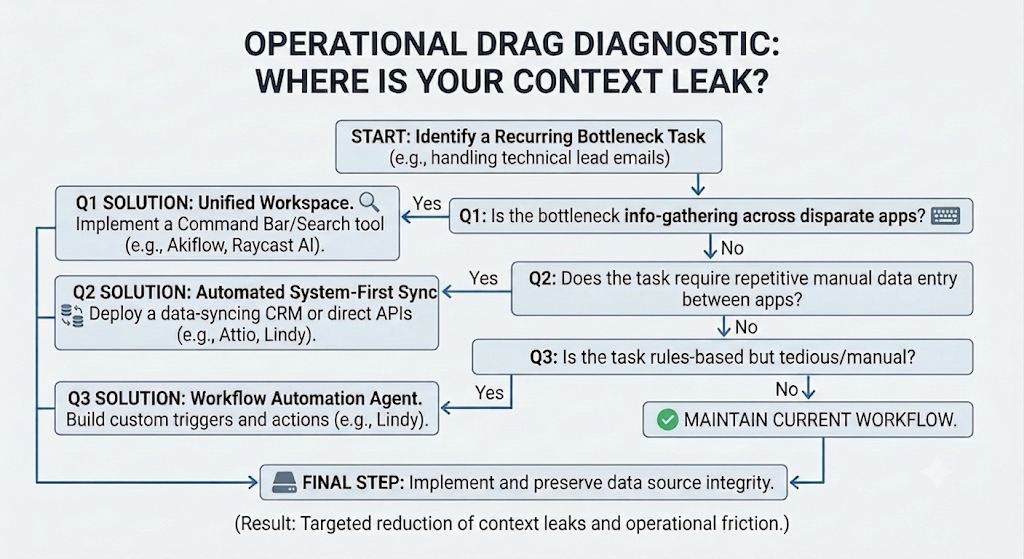
Pause and think: how many apps did you open today to answer a single client query?
Here is a self-audit checklist for operational drag:
- Do I copy data from one application into another on a regular basis?
- Do I have more than ten browser tabs open at any given moment in order to perform basic operations?
- Am I paying for an AI service that cannot be embedded directly within my workflow?
The wrong way vs the right way to scale tools
| The isolated approach | The connected approach |
| Buying a separate app for every new business problem | Choosing tools that integrate with your core workspace |
| Manually logging emails and calls into a CRM | Using systems that sync conversations in the background |
| Searching across five platforms to find a document | Consolidating knowledge retrieval into a single command bar |
| Leaving tabs open as a makeshift to-do list | Funneling everything actionable into a unified calendar |
If you want a truly comprehensive set of productivity tools for your founders, think about prioritizing integration over standalone features.
Frequently asked questions
No, because tools like Raycast or Akiflow can be integrated directly to your existing databases and inboxes.
The financial cost of such tools are usually low, but the time cost of a disorganized tooling setup is extremely high. You pay much more in wasted time trying to get people across different systems to do their part than you would have spent on software licenses.
Choose tools that operate inside your existing habits and mental infrastructure. If you have to remind yourself to visit an external dashboard, you will stop doing it in a month.
Only if you instrument the last step to send it somewhere else. You should always do draft writing, research, and organization with external tools then hand off to a designated human operator for final approval.
Workflows get halted, that is why you never delete the initial data source. Building connected AI’s requires maintaining one source of truth in your primary database.
The future of lean operations
The age of switching between tens of SaaS applications is nearing an end. We are entering an era where AI is embedded directly into the operating system and functions at the lowest possible level.
You will not be opening up particular apps. They will provide you with the information and interface needed precisely when you need it.
Until then, your competitive advantage is found in ruthlessly killing operational noise. Tools that do not communicate with each other are generating more work for you. The easiest way to avoid getting sucked into a black hole of administration is to stop looking at ways to use more AI operations tools.
Are your subscriptions to these tools really helping you save time, or is it just making you faster at the wrong tasks?
Your next move
Close every browser tab you currently have open except this one. Pick the one manual copy-paste task you do the most, and get that automated between the two applications right this instance.