FigJam

Collaborative whiteboarding for ideas, meetings, diagrams, and planning

4.7/5 Rating Freemium - Free Free Starter plan has limited shared files, AI features are available on paid plans, AI usage uses credits, additional AI credits can be purchased, paid pricing varies by seat type and plan Free Trial Available

Enterprise Technology Specs

Underlying Engine OpenAI models, ChatGPT-powered Jambot, Figma AI models and services
Compliance & Security Enterprise Grade Security
Data Privacy No AI Training
Deployment Time <5 minutes

Product Demo

The Deep Dive

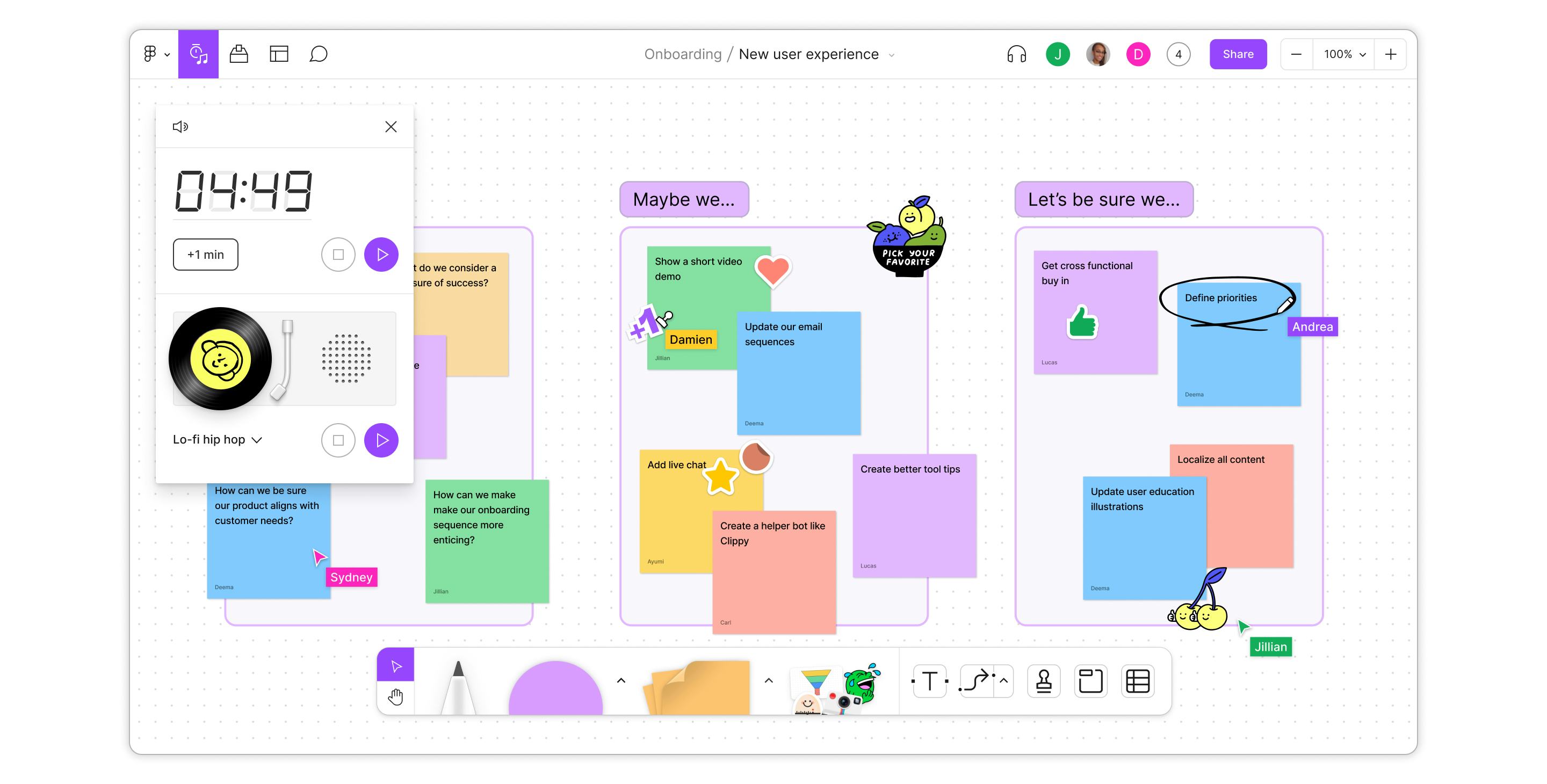
FigJam is one of those tools that makes more sense once you actually put a messy idea onto a board. Instead of starting with a blank document, you can throw in sticky notes, map a process, sketch a customer journey, or build a meeting structure and let the team work around it together.

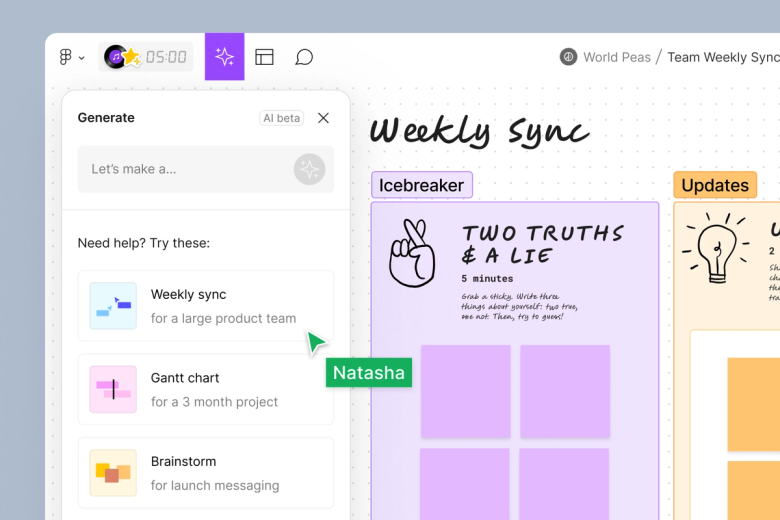
The real advantage is how naturally it connects visual thinking with the rest of Figma. Product teams can brainstorm in FigJam, discuss decisions with stakeholders, and then move into the design workflow without completely changing ecosystems. The AI layer makes the early stages faster too, especially when you need a starting structure for a workshop, flowchart, timeline, or brainstorm.

It is not really a replacement for every project-management or documentation tool. Its sweet spot is collaborative thinking: getting people aligned, making complex ideas visible, and turning conversations into something the team can actually work with.

Key Capabilities

Real-time collaborative whiteboarding
Brainstorming with sticky notes
Diagramming with shapes and connectors
Mind maps and decision trees
Meeting and workshop templates
Visual timelines and Gantt charts
Voting and interactive collaboration
Comments and feedback
Timer and engagement tools
AI-generated boards and diagrams
AI sticky-note sorting
AI sticky-note summarization
Templates for meetings and team exercises
Plugins and widgets
Figma design integration
Live collaboration and sharing
iPad support

Top Use Cases

  • Team brainstorming
  • Product discovery
  • UX research
  • Customer journey mapping
  • User flow planning
  • Sprint planning
  • Retrospectives
  • Strategy workshops
  • Project planning
  • Remote meetings
  • Process mapping
  • Organizational planning
  • Design critiques
  • Stakeholder alignment
  • Market research workshops
  • Visual documentation
Verified ROI & Case Study

“A Forrester Total Economic Impact study commissioned by Figma modeled a composite organization using Figma and FigJam and reported a 328% risk-adjusted ROI over three years, with a $4.51 million net present value. The study also modeled a 40% reduction in team-member time during the problem-definition phase attributed to FigJam.”


Frequently Asked Questions

Is FigJam free?

Yes. FigJam can be used on Figma’s Starter plan at no cost. Figma says the free option supports collaboration with unlimited users and provides three editable shared files.

What is FigJam used for?

FigJam is used for brainstorming, meetings, workshops, diagrams, user journeys, strategic planning, research, and project planning. It works as a shared visual workspace where teams can organize ideas and collaborate in real time.

Does FigJam have AI?

Yes. FigJam includes AI features that can generate boards, diagrams, flow charts, timelines, Gantt charts, and project plans. It can also sort and summarize sticky notes.

Does FigJam use ChatGPT?

FigJam includes Jambot, a widget that brings ChatGPT-powered AI into FigJam boards. Figma also provides a ChatGPT integration that can create editable FigJam diagrams directly from ChatGPT.

Can I use FigJam without being a designer?

Yes. Figma describes FigJam as suitable for people without prior design-tool experience. Its templates and visual collaboration tools are designed for teams across different functions, not just designers.