Slack

Where work happens.

4.5/5 Rating Freemium - $7.25/user/month Multi-channel guest accounts are billed as full seats; Business+ tier ($15/mo) is required for advanced AI search and SSO. Free Trial Available

Enterprise Technology Specs

Underlying Engine Built on a proprietary agentic architecture utilizing Salesforce Einstein and OpenAI (GPT-4o) for contextual understanding.
Compliance & Security ISO/IEC 27001, SOC 2 Type II, HIPAA (available on Enterprise), and FedRAMP Moderate/High.
Data Privacy Standard policy ensures customer data is not used to train LLMs without explicit consent; Enterprise Grid allows for data residency in specific regions.
Deployment Time Under 10 minutes for basic workspaces; 2–4 weeks for Enterprise Grid migration.

The Deep Dive

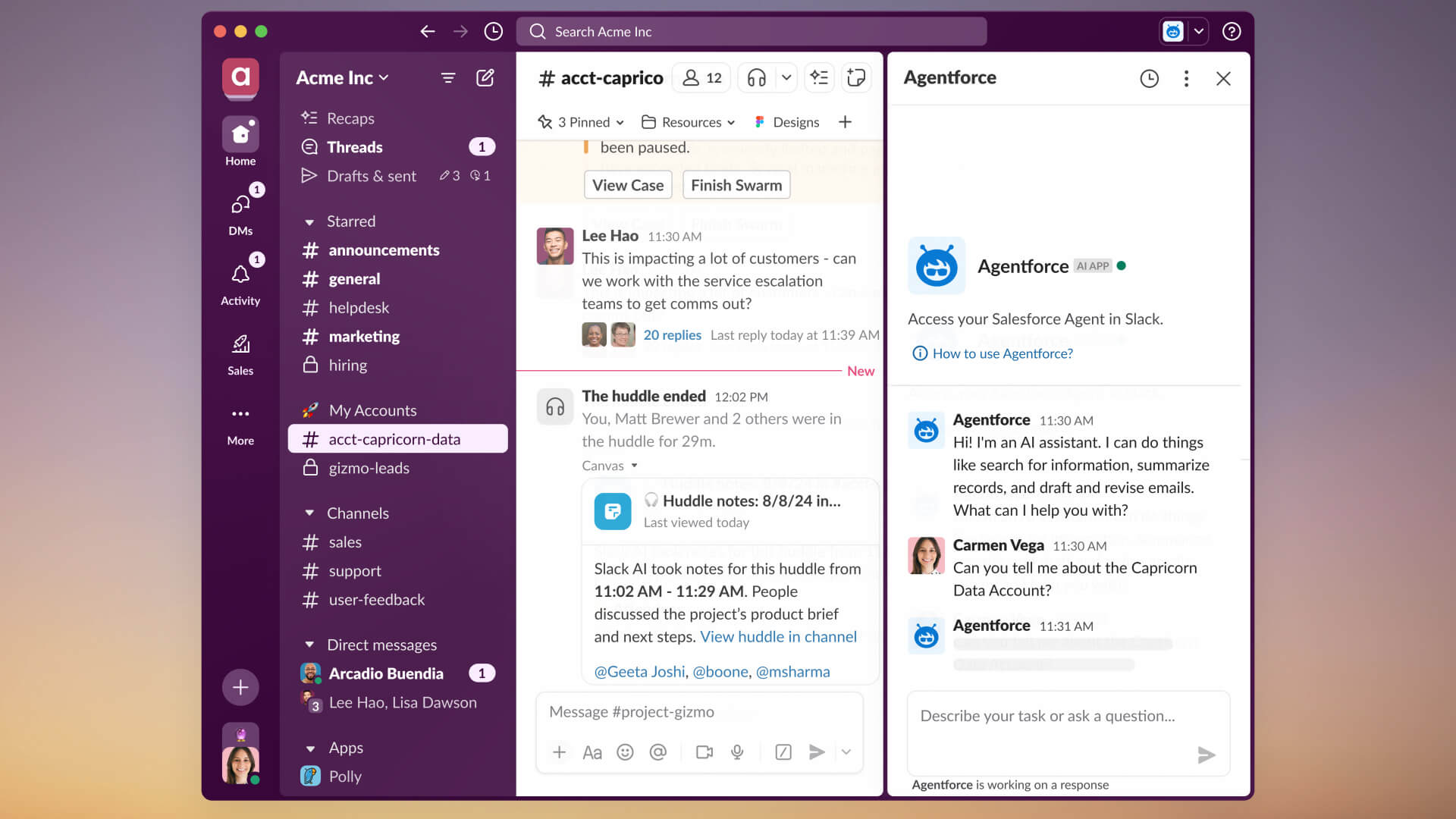
A productivity platform that transforms team communication through organized channels, integrated apps, and native AI agents designed to automate daily workflows.

Key Capabilities

Slackbot AI Agent (Natural language workspace search and task automation)
Conversation Summaries & Huddle Notes
Slack Canvases (Collaborative documents inside channels)
Workflow Builder (No-code automation)
Enterprise Search (Unified search across connected apps)
Split View (Side-by-side channel and thread viewing)

Top Use Cases

  • Centralizing cross-functional communication for product launches.
  • Automating incident response alerts for engineering teams.
  • Onboarding new employees using automated Slackbot workflows.
Verified ROI & Case Study

“Teams report a 32% reduction in internal email and save an average of 90 minutes per week using AI-generated thread summaries.”

Frequently Asked Questions

Does the free version delete my old messages?

No, Slack does not delete them. On the Free plan, you can only access the last 90 days of history. If you upgrade to a paid plan later, all your hidden older messages and files will become visible and searchable again.

How does Slackbot work as an AI agent?

As of the 2026 update, Slackbot can perform complex tasks like summarizing a channel's activity over the last week, creating a Canvas from a discussion thread, or checking team availability and scheduling meetings via natural language commands.

Can I bring people from outside my company into Slack?

Yes, using Slack Connect. You can invite partners or clients to specific channels without giving them access to your entire workspace. Single-channel guests are free on paid plans, while multi-channel guests require a paid seat.

Is Slack secure enough for healthcare or government use?

Yes, but you must be on the Enterprise Grid plan. This tier provides the necessary security controls to meet HIPAA and FedRAMP compliance standards.

What is a Slack Canvas?

A Canvas is a persistent document within a channel where you can store meeting notes, project plans, and task lists. It allows teams to keep vital information alongside the conversation rather than losing it in a scrollable thread.