Key Takeaways
- People who think for a living waste 31 hours every month in meetings that do not accomplish much.
- There are five tools that help with the meeting process: before the meeting during the meeting after the meeting and telling people about the decisions that were made.
- Fireflies.ai writes down what people say Notion AI puts everything together. Loom AI tells people about the decisions that were made at a later time.
- Granola is really good, at taking notes with intelligence but not many people know about it because it is hardly mentioned online.
- You can use all five tools without paying anything, which’s really great.
Every meeting ends with good intentions. Someone says “I’ll send a recap.” Nobody does. Research from Harvard Business Review found that senior executives spend an average of nearly 23 hours a week trapped in meetings, and more than half of that time is considered wasted by the people sitting in them.
It is not just bosses who have this problem. Founders, consultants and people who work alone also sit through meetings that end with no idea of what to do next. They have tasks that someone remembers. These tasks are not written down anywhere. Decisions are made,. They do not actually happen because they get forgotten between Monday and Friday.
This is not a problem with people paying attention. It is a problem with how work gets done. You can have a team and a clear plan. You can still have a meeting and not have anything to show for it. The meeting itself is not the problem. The problem is what happens after the meeting is over.
Why Meetings Rarely Lead to Clear Decisions
Most people try to fix this problem by using a tool. They might try an app for taking notes or a fancy calendar. Using different tools does not solve the problem. It just gives you things to look at and ignore.
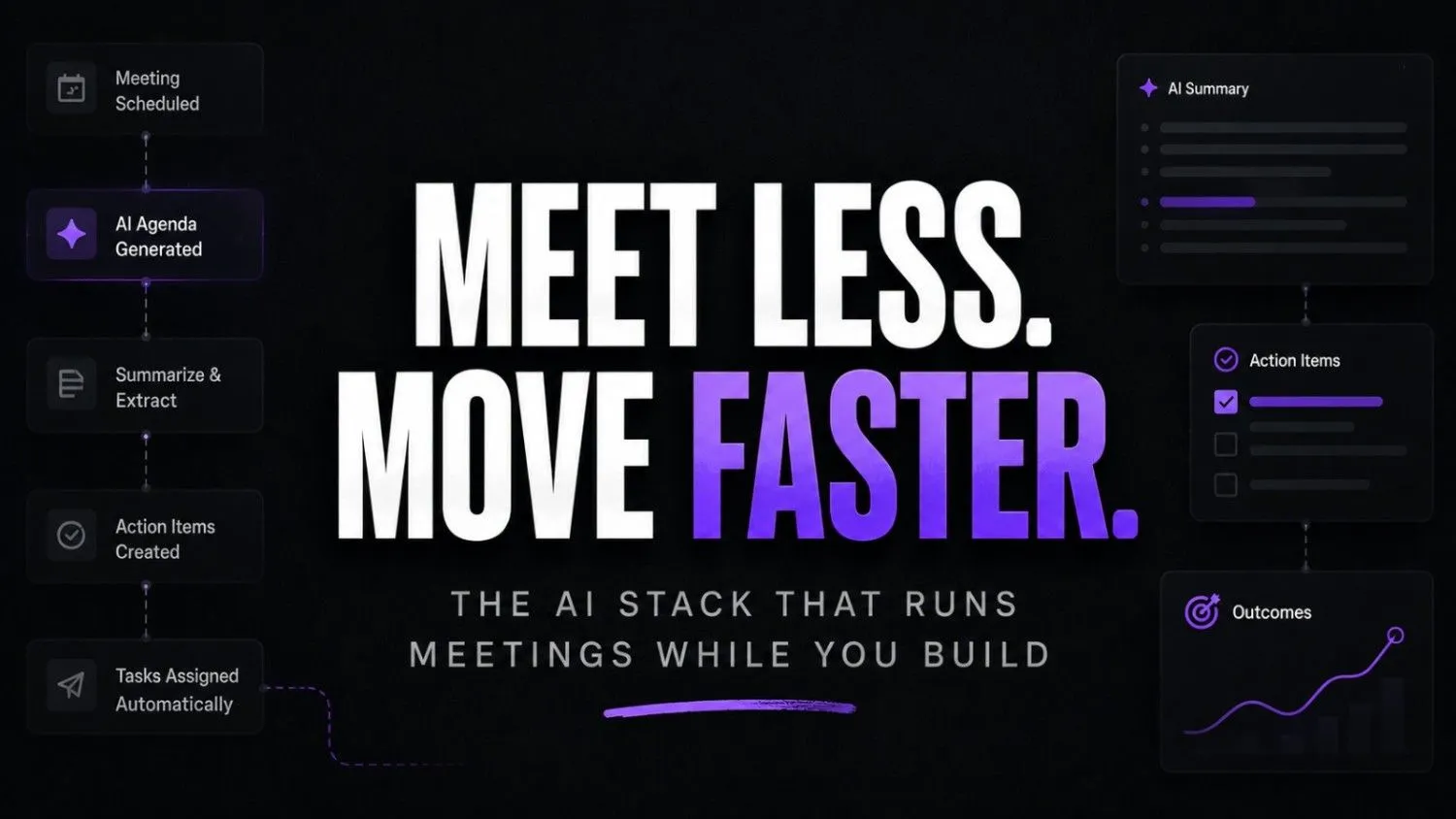
What really works is using a system to help with meetings. This system helps with the process from before the meeting to after it’s over. It can help you plan meetings take notes during the call and turn decisions into tasks your team can do. You no longer have to summarize what happened or schedule another meeting just to explain the outcome. Of letting decisions disappear inside someones personal notes your system stores them in one place where everyone can find them.
The solution, to this problem already exists. It is mostly free. It only takes an hour to set it up. Here is how it works.
Why Most AI Meeting Tools Fail You
Most people use one AI tool in isolation. They record the meeting with Fireflies, forget to check the transcript, and still write the follow-up email by hand.
That’s not a stack. That’s just an expensive recorder.
What I’ve noticed working with businesses is that the tools are rarely the problem. The missing piece is a connected workflow where the output of one tool becomes the direct input of the next. And without that connection, even the best AI tools just add noise to an already broken system.
What’s making this worse is the pace of tool adoption without any real system behind it. According to Microsoft’s 2024 Work Trend Index, 68% of employees say they don’t have enough uninterrupted focus time and meetings ranked as the single biggest reason why. People are using more apps than ever and somehow getting less done.
That gap between tool adoption and actual workflow design is exactly where decisions fall through.
The Real Cost of a Disconnected Meeting Workflow
Imagine this: You finish a 45-minute client call. You’ve got a transcript sitting in Fireflies, three sticky notes on your desk, and a half-written Slack message you never sent. Three days later you’ve forgotten the key decision, and you’re scheduling another call to figure out what was agreed.
This is where most founders quietly lose momentum. The meeting itself isn’t the bottleneck, it’s everything that happens after. Notes live in one tool, action items stay in your head, follow-ups get delayed, and decisions disappear into scattered tabs. The result is the same pattern many teams already struggle with in business automation workflows, where fragmented systems create more manual work instead of reducing it.
The 5-Tool AI Productivity Stack for Meetings
Here’s the exact stack. Each tool has one job. Together they cover the entire meeting lifecycle.
Before the Meeting: Granola
Granola is a lightweight, Mac-first AI notepad. You drop in your agenda, jot quick context before the call, and it formats everything cleanly in the background.
It doesn’t try to do too much. That’s exactly why it works.
During the Meeting: Fireflies.ai and Otter.ai
These two get compared constantly. Here’s what actually matters when choosing between them:
| Feature | Fireflies.ai | Otter.ai |
|---|---|---|
| Real-time live captions | No | Yes |
| CRM integration | Yes (Salesforce, HubSpot) | Limited |
| Transcript search | Advanced | Basic |
| Free tier storage | 800 minutes | 300 minutes/month |
| Best for | Client calls, sales meetings | Internal team syncs |
| AI summary quality | Strong | Very strong |
Use Otter.ai for fast internal syncs. Use Fireflies.ai for client meetings where you need a searchable archive. Running both sounds excessive until you realise they solve different problems.
After the Meeting: Notion AI
This is where the workflow actually earns its keep.
But first, consider what most people do after a call ends. They open a blank doc, try to reconstruct what was said, and spend 20 minutes writing a recap that’s already 40% inaccurate from memory. According to Asana’s Anatomy of Work report, employees spend 58% of their day on work about work status updates, meeting follow-ups, recap emails instead of the actual job they were hired to do.
Notion AI cuts that entire cycle short.
Paste your Fireflies transcript directly into Notion AI and prompt it: “Summarize key decisions and list action items with owners.” It returns a clean, structured output in under 30 seconds. No rewriting. You don’t have to guess who said what later. And there’s no chasing people two days afterward because nothing was documented.
The output sits inside your existing Notion workspace, linked to the right project, visible to the right people. The decision doesn’t live in your head anymore.
Decision Broadcast: Loom AI
Notion AI gets your decision summary. Then Loom AI makes a video update from it in just a few minutes.
You can record a Loom video that is 90 seconds long.
Loom AI does a lot of work for you. It comes up with a title, a summary and even chapters, with timestamps.
You can send the link to your team. They will have all the information they need even if they did not go to the meeting.
This way everyone knows what is going on with the Loom video.
But here’s what nobody talks about. Async updates aren’t just a convenience for remote teams. According to GitLab’s Remote Work Report, teams that shifted to async-first communication reported significantly fewer unnecessary meetings and stronger clarity on decisions because information was documented before it was discussed, not after.
That is not a number. One tool when we use it all the time gets rid of a third of the meetings that only happen to explain other meetings. The team stops asking “wait what did we decide about the meetings?” because the answer about the meetings is already in their inbox, with a timestamp. They can skip it or watch it again about the meetings.
The 60-Minute Walkthrough
Imagine this: It’s 10am. You’ve just finished a product planning call with your co-founder.
Here’s what the next hour looks like:
- 10:05am: Fireflies delivers your full transcript automatically
- 10:10am: Notion AI produces a clean decision summary from that transcript
- 10:15am: You record a 90-second Loom update for your dev team
- 10:20am: The Loom link goes into your team Slack channel
- 10:25am: Decision is logged in Notion, linked to the project page
You didn’t write a single recap manually. And your team has everything they need before lunch. That’s the ai productivity stack for meetings working exactly as designed.
Pause and think: How many decisions from last month’s meetings can you locate right now? If the answer is “not many,” the issue isn’t memory. It’s that there was never a system built to catch them.
Who This Stack Is Not For
Honesty matters here.
If your meetings are mostly check-ins with nothing really important being decided this stack is just too much. You do not need five tools to go over what was said in a 10-minute meeting.
This workflow is for meetings where the decisions you make’re really important. Meetings about products planning what to do with clients and giving investors updates are all examples. Any meeting where you would lose something if you did not have a record of what happened is what this workflow is, for.
You need this stack if:
- You’ve said “wait, who was supposed to handle that?” after a meeting
- Your follow-up emails take longer to write than the meeting lasted
- Your team asks for recaps more than once a week
- You’ve scheduled a follow-up meeting just to clarify what was decided in the first one
- Decisions currently live in someone’s personal notes, not a shared system
Option A vs Option B
Option A: You just keep on doing what you are doing. You have one tool that is not connected to anything and you make decisions all over the place using different apps and trying to remember everything.
Option B: You use two hours this week to set up this system. From on every meeting you have will automatically create a record of what you decided send out a message to everyone and you will not have to do any extra work to keep track of things.
The time you spend setting up the system will be worth it, after one meeting that is a little complicated.
Setting It Up Without Spending Anything
The entire stack is available on free tiers.
- Fireflies.ai: Free plan includes 800 minutes of storage and AI summaries
- Otter.ai: Free plan includes 300 minutes per month
- Notion AI: AI features require a paid Notion plan, but the base free plan supports manual prompting workflows
- Loom AI: Free plan covers 25 videos with basic AI-generated summaries
- Granola: Free on Mac for individual users
Start with Fireflies plus Notion. That alone covers 80% of the workflow and costs nothing.

Fireflies.ai
An AI-powered meeting assistant that records, transcribes, and summarizes conversations across platforms like Zoom and Google Meet. It’s designed for teams, sales reps, and professionals who want to automate note-taking and extract insights from meetings.

Otter AI
Otter AI is an AI-powered meeting assistant that records, transcribes, and summarizes conversations in real time. It’s built for teams, students, and professionals who want automatic notes without manual effort. The biggest benefit is turning meetings into searchable, actionable insights instantly.

Notion AI
Notion AI is a built-in AI assistant inside Notion that helps you write, summarize, organize, and automate work. It’s designed for individuals and teams who want to manage notes, tasks, and projects in one place. Perfect for boosting productivity without switching between tools.
Loom AI
Loom AI is an AI-powered video communication tool that records, edits, and enhances videos automatically. It’s built for teams and professionals who want faster async communication without manual editing. The key benefit is turning raw recordings into polished, shareable content instantly.

Granola AI
Granola AI is a smart meeting notes tool that combines your manual notes with AI-powered transcription. It enhances what you write instead of replacing it, making it ideal for people who want control with AI assistance. The key benefit is cleaner, structured notes without losing context.
2026 Outlook
AI meeting tools are changing quickly. What began as simple note-taking and transcription has evolved into something much bigger. Today, these platforms help founders build systems that remove repetitive admin and streamline day-to-day operations.
This is not something that a few people use to get things done faster. AI meeting tools are becoming the way that successful teams work. They are what people expect to see when they are working with a performing team. AI meeting tools are becoming the standard.
The same shift is already happening across sales and growth functions, where founders are replacing manual outreach with smarter B2B prospecting tools that reduce repetitive research, qualification, and follow-up work.
The people who create this system now will not save time. They will make decisions clearly which most teams won’t have two years from now.
The ones who wait will still be writing summary emails manually. They will wonder why things feel slower than they should.
The ai tool for meetings is not about adding tools to work. It’s, about linking the ones so every meeting has a clear outcome: a firm decision, a team update and a record that the whole team can find later.
The tech is already available. Most of it is free. Setting it up takes one afternoon.
So think about this before your meeting: how many decisions have you lost this month because you didn’t have a system to track them?