Canva

Design anything faster with AI-powered creativity

4.8/5 Rating Freemium - $10/month AI usage limits on free plan and premium templates require Pro Free Trial Available

Enterprise Technology Specs

Underlying Engine Canva AI models, GPT models, Claude models, Gemini models, Diffusion image generation systems
Compliance & Security Enterprise Grade Security
Data Privacy Opt-out Default (GDPR)
Deployment Time Instant (API)

The Deep Dive

Canva feels like one of those rare tools that completely changed how everyday people approach design.

Before Canva, creating professional graphics usually meant learning complicated software or hiring a designer. Canva removed that barrier by making design feel approachable, fast, and honestly… fun.

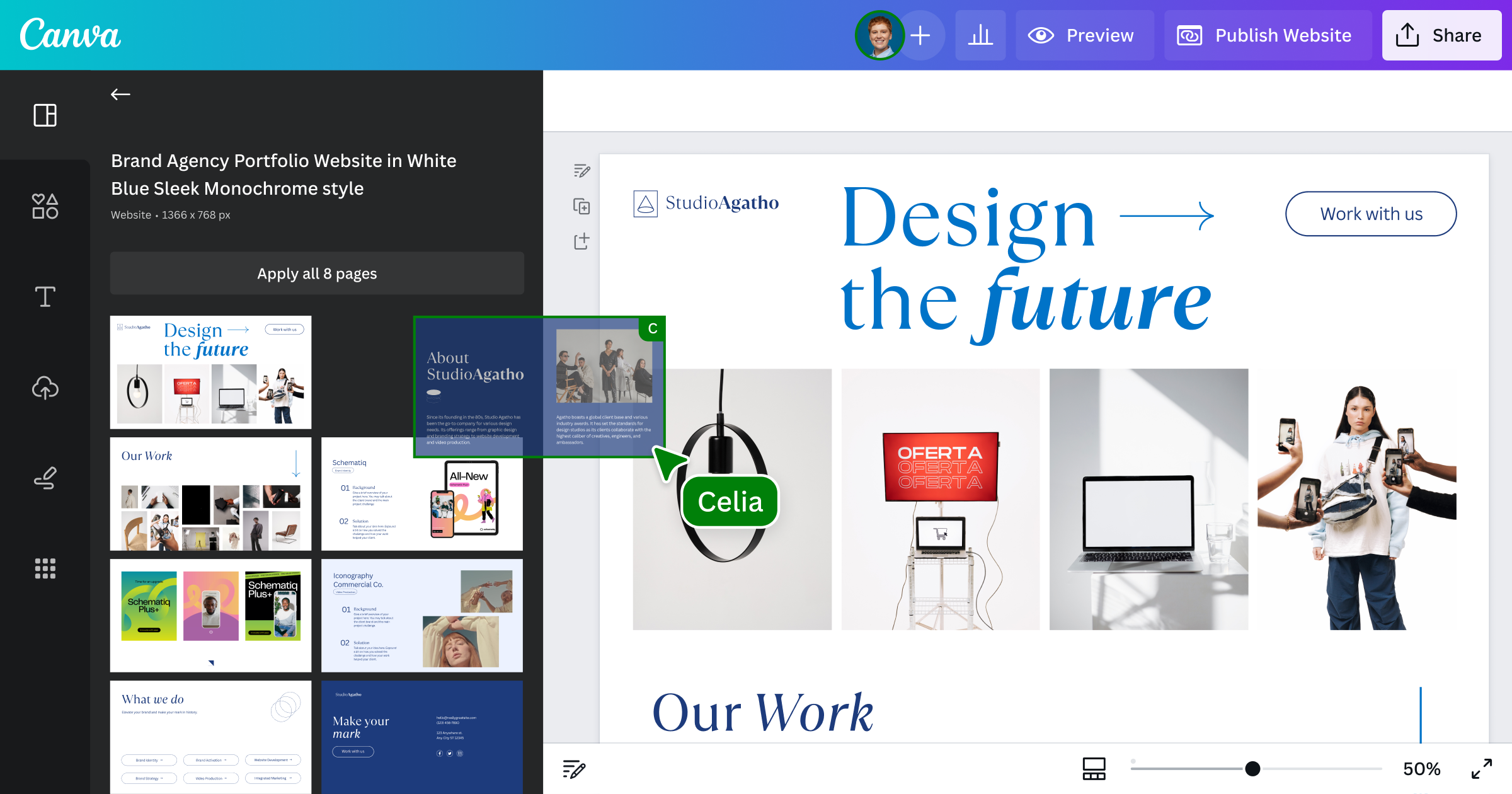
What makes it stand out isn’t just templates anymore. The platform has evolved into a full creative workspace with AI tools, video editing, presentations, documents, websites, and collaboration features all connected together.

The biggest reason people stick with Canva is speed. You can go from idea to finished content in minutes without needing technical skills.

Of course, professional designers may still outgrow it for advanced creative work. But for creators, startups, marketers, and teams trying to produce content consistently, Canva feels less like a design tool now and more like a complete content operating system.

Key Capabilities

Drag-and-drop design editor
AI-powered Magic Studio tools
Presentation and document creation
AI image generation
Video editing tools
Brand Kit management
Social media scheduling
Real-time collaboration

Top Use Cases

  • Social media design
  • Presentation creation
  • Marketing content production
  • AI-generated visuals
  • Video editing
  • Brand asset management
  • Team collaboration
Verified ROI & Case Study

“Many businesses report reducing design production time by over 60% after switching from traditional design workflows to Canva templates and AI-assisted tools.”

Frequently Asked Questions

What is Canva?

Canva is a cloud-based visual design platform that helps users create graphics, videos, presentations, websites, and AI-generated content without professional design experience. It combines templates, collaboration tools, and AI-powered editing into one workspace.

What is Canva mainly used for?

Canva is mainly used for creating visual content like social media posts, presentations, videos, documents, and marketing graphics. It’s popular because users can design professional-looking content without advanced design skills.

Is Canva free to use?

Yes, Canva offers a free plan with templates, design tools, and limited AI features. Paid plans unlock premium templates, advanced AI tools, Brand Kits, and higher collaboration limits.

Does Canva include AI features?

Yes, Canva includes AI tools through Magic Studio and Canva AI. Features include AI image generation, Magic Write, background removal, AI presentations, and prompt-based design generation.

How is Canva different from Adobe Express?

Canva focuses heavily on simplicity and speed for non-designers, while Adobe Express offers stronger integration with Adobe’s creative ecosystem. Canva is generally easier for beginners and teams.