Microsoft Designer

AI-powered design creation without the steep learning curve.

4.5/5 Rating Freemium - Free Free usage is available, frequent creation may require a subscription, Microsoft account required, cloud storage counts toward Microsoft storage quota, some Microsoft 365 integrations require eligible subscriptions Free Trial Available

Enterprise Technology Specs

Underlying Engine Microsoft AI image-generation models
Compliance & Security Microsoft Privacy and Security
Data Privacy Usage Data Controls
Deployment Time <5 minutes

Product Demo

The Deep Dive

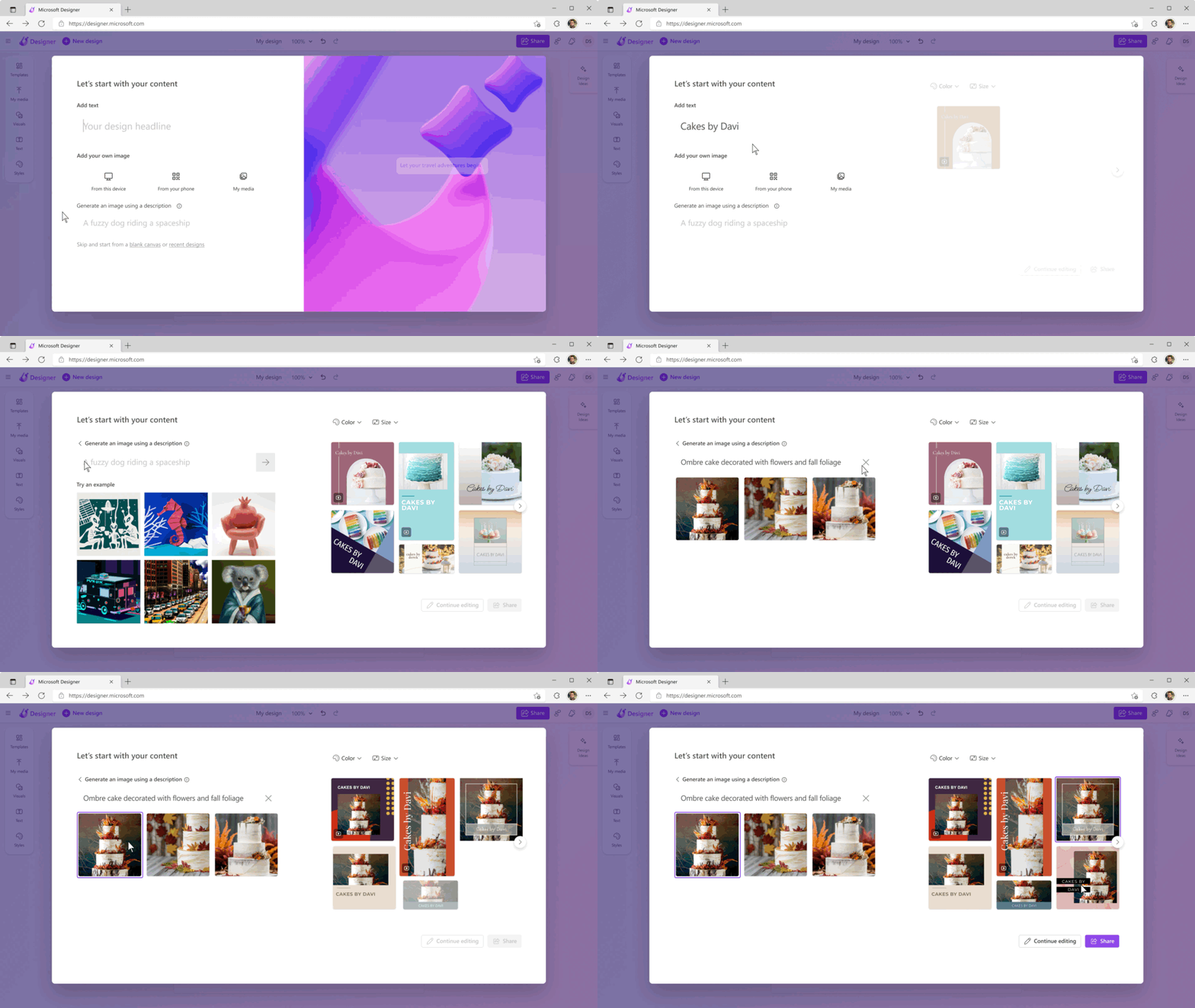
Microsoft Designer is the tool I would point a beginner toward when they want AI-assisted design without learning a complicated creative application. It is built around quick outcomes: describe what you want, generate a starting point, then edit it with familiar design controls.

The biggest advantage is its Microsoft ecosystem. If your workflow already lives in Word, PowerPoint, Teams, Outlook, OneNote, and OneDrive, Designer fits naturally into that environment.

It is particularly useful for quick social graphics, banners, invitations, presentation visuals, and image cleanup. The main catch is important for business readers: the consumer Designer experience is licensed for personal, non-commercial use, so it should not automatically be treated as a commercial Canva replacement.

For casual creators, students, and Microsoft-heavy users, it is a very practical starting point.

Key Capabilities

AI image generation
AI-powered design creation
Background removal
Object removal
Image upscaling
Image editing
AI-generated text
Banners
Collages
Stickers
Invitations
Brand kits
Templates
Cloud project storage
Content credentials
Microsoft ecosystem integration

Top Use Cases

  • Social media posts
  • Personal invitations
  • Marketing concepts
  • Presentation graphics
  • Banners
  • Photo enhancement
  • Background removal
  • Quick visual content
  • Personal brand concepts
  • Microsoft 365 workflows
Verified ROI & Case Study

“Microsoft's official documentation does not provide a specific quantified ROI figure for Microsoft Designer itself, so no fabricated percentage is included.”

Frequently Asked Questions

Is Microsoft Designer free?

Yes. Microsoft says Designer is free to use with a Microsoft account. A subscription may be required for users who want to create more frequently.

Can I use Microsoft Designer for business?

The current consumer version of Designer is licensed for personal, non-commercial use with a Microsoft account. Businesses should check the applicable Microsoft licensing terms before using Designer commercially.

Can Microsoft Designer remove backgrounds?

Yes. Designer includes AI-powered background removal and blurring tools, along with object removal and other image-editing capabilities.

Does Microsoft Designer work with Word and PowerPoint?

Yes. Designer components are supported in Word for the Web and PowerPoint, along with Teams, Outlook, and OneNote. Some Copilot functionality requires eligible subscriptions.

Does Designer store my projects online?

Yes. Designer projects are automatically saved to Microsoft's cloud and count toward the user's Microsoft storage quota.